We’re in the home stretch now — onward to the final login provider. You’re going to learn how to let people login with Google.
The same four steps apply:
- Create the app
- Create the sign-in link
- User logs in on google
- Exchange code for access token
Create the app
Here are the instructions you need to create an app with Google.
You can name the app anything you want.
I named it Social Media Login App

We need to set two more things with Google:
- The Authorized JavaScript Origins — set this to
https://localhost - Callback URLs — set this to
https://localhost/auth/google/callback.
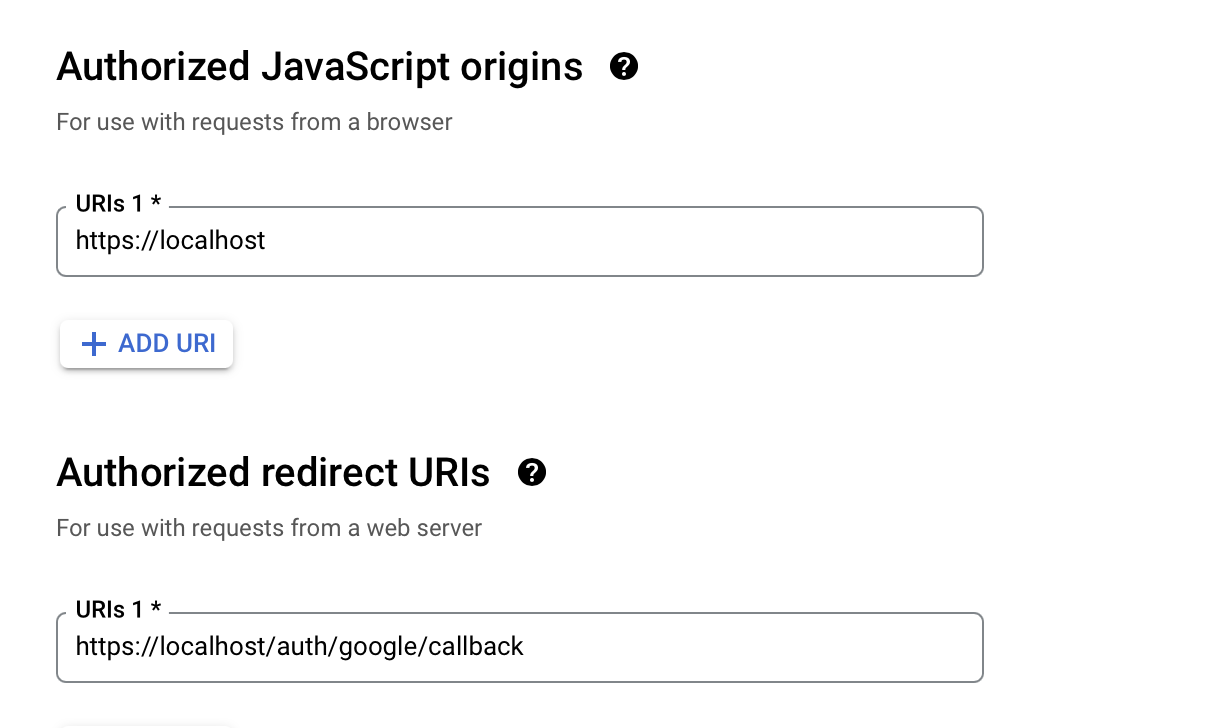
For Google, you also need to create a consent screen with your app name.

![[google-app-name2.png]]
Before you move on, make sure you add your google credentials to the .env file.
GOOGLE_CLIENT_ID="Your Client ID"GOOGLE_CLIENT_SECRET="Your Client Secret"Create a sign-in link
When the user clicks the sign-in link, we will redirect the user to google. We can do this in two steps:
- We direct the user to an endpoint in our server.
- In this endpoint, we redirect the user to google.
<!-- Direct user to endpoint in our server --><a href="/auth/google" ...> Login with google </a>In this endpoint, we craft the sign-in link for google.
Google shows us how to do this here. Focus on the HTTP/REST instructions.
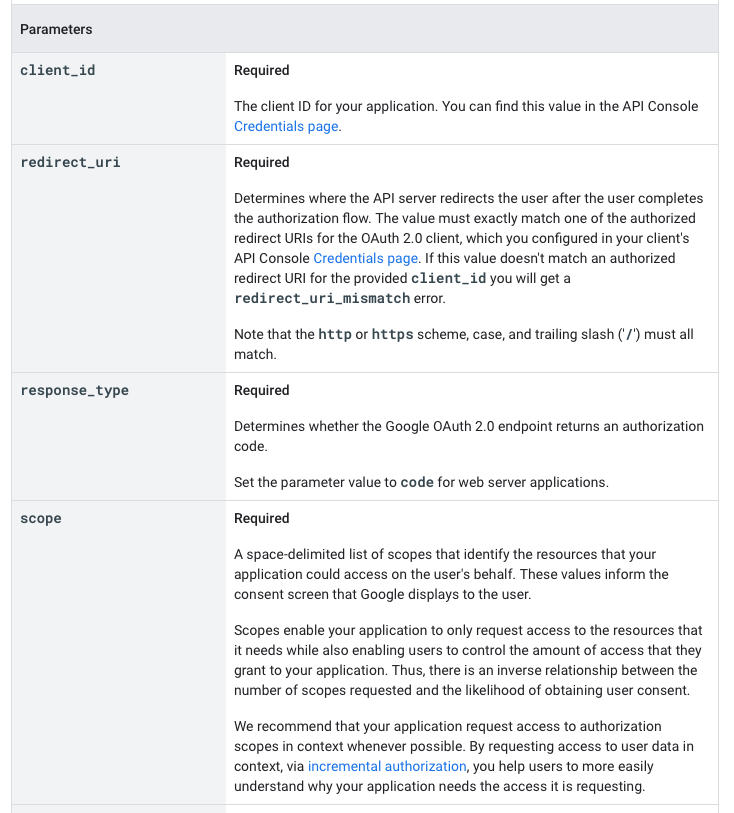
If you read this page you’ll notice that Google requires four parameters for the sign-in link:
client_idredirect_uriresponse_typescope
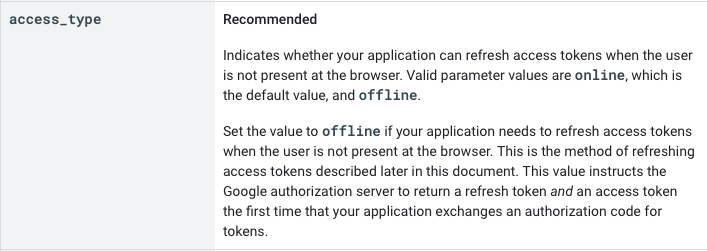
We also need an access_type set to offline to get the refresh token.
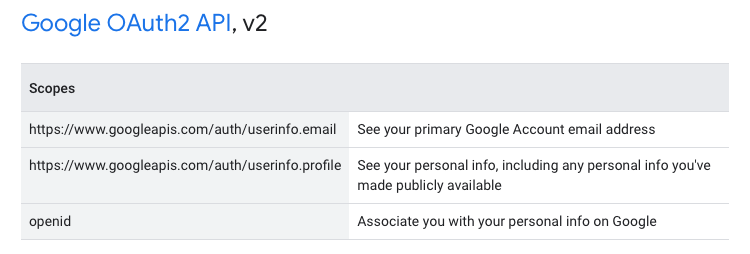
For Scope, you can view the list of possible OAuth 2 scopes and pick from them. In this case we can use one of these two:
- Google OAuth 2 API
- Google Sign In
Google OAuth 2 API sounds more powerful so I went with that. But in practice, both seem to do the same thing. So pick either one.
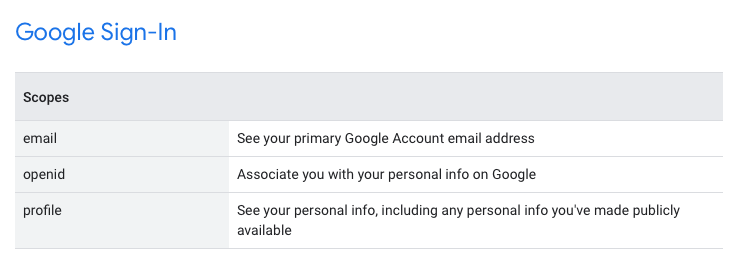
Here’s the code to generate a sign-in link:
router.get('/auth/google', async (req, res) => {  const { state } = await PKCE()  const baseURL = 'https://accounts.google.com/o/oauth2/v2/auth'  const params = {    client_id: process.env.GOOGLE_CLIENT_ID,    redirect_uri: 'https://localhost/auth/google/callback',    response_type: 'code',    scope:      'https://www.googleapis.com/auth/userinfo.email https://www.googleapis.com/auth/userinfo.profile',    access_type: 'offline',    state,  }
  const query = new URLSearchParams(params)  const link = baseURL + '?' + query.toString()})
Since google requires state, we need to save state into the cookies.
router.get('/auth/google', async (req, res) => { // ... res.cookie('state', state, { httpsOnly: true, secure: true }) res.redirect(link)})Then we redirect the user to google.
router.get('/auth/google', async (req, res) => {  // ...
  res.redirect(link)})
User logs in to google
Nothing for us to do here :)
Exchange code for access token
When the user authorise the google login, google will redirect them back to /auth/google/callback.
We need to take a couple of steps here:
- Check whether
stateis valid - Grab
codefrom the url. - Send a request to google to get the access token
Checking whether state is valid
We need to grab both state from the callback url and state from the cookies. We’ll check whether they are the same value before we proceed with the rest of the steps.
router.get('/auth/google/callback', async (req, res) => {  const { state: returnedState } = req.query  const { state } = req.cookies
  if (state !== returnedState) return})
Grabbing code from the url
We need to grab code from the callback URL because we need to send it to google.
router.get('/auth/google/callback', async (req, res) => {  const { state: returnedState, code } = req.query  const { state } = req.cookies
  if (state !== returnedState) return})
Send a request to google
Then we send this code value to google’s token endpoint to get the access token.
Here are the instructions from Google.
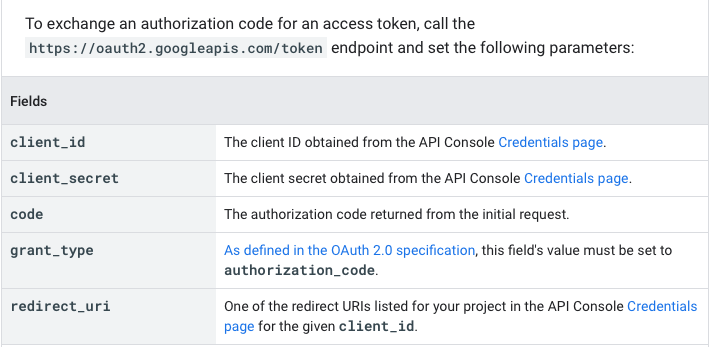
These are pretty standard instructions so you should be able to understand what it says at this point :)
Here’s the request we need to create:
router.get('/auth/google/callback', async (req, res) => { // ... const response = await zlFetch.post('https://oauth2.googleapis.com/token', { body: { code, client_id: process.env.GOOGLE_CLIENT_ID, client_secret: process.env.GOOGLE_CLIENT_SECRET, redirect_uri: 'https://localhost/auth/google/callback', grant_type: 'authorization_code', }, })})You should receive a token like this:
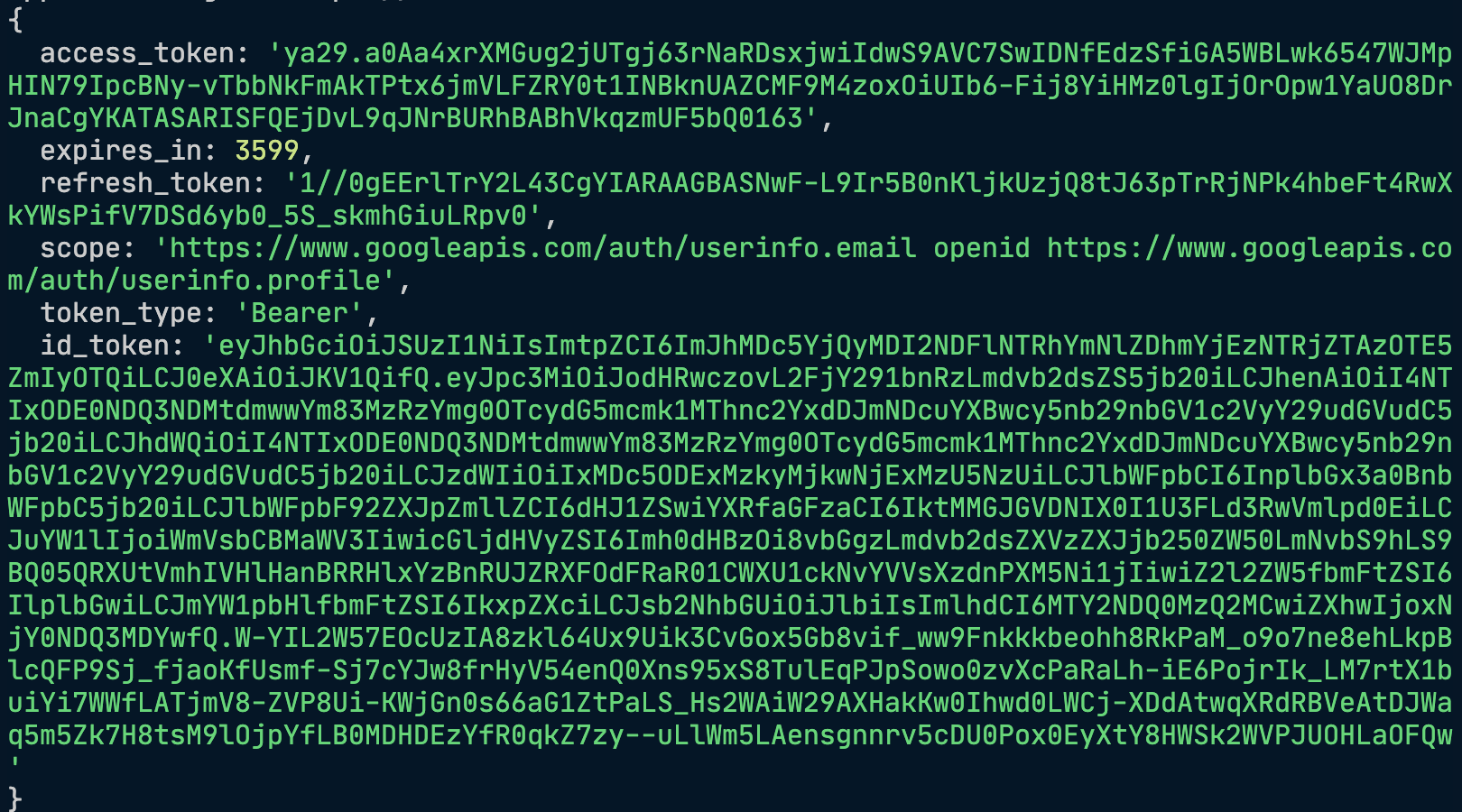
The user is now logged in.
Handling the access token
We’re going to store the access token in local storage in the next lesson.
Welcome! Unfortunately, you don’t have access to this lesson. To get access, please purchase the course or enroll in Magical Dev School.
Unlock this lesson