When you create a sign-in link for users, you have the ability to request for permissions — what your app can access — through scope.
Services have their own scopes
Each service has their own scopes so you have to read their documentations to see what’s available. Each service also categories scopes differently.
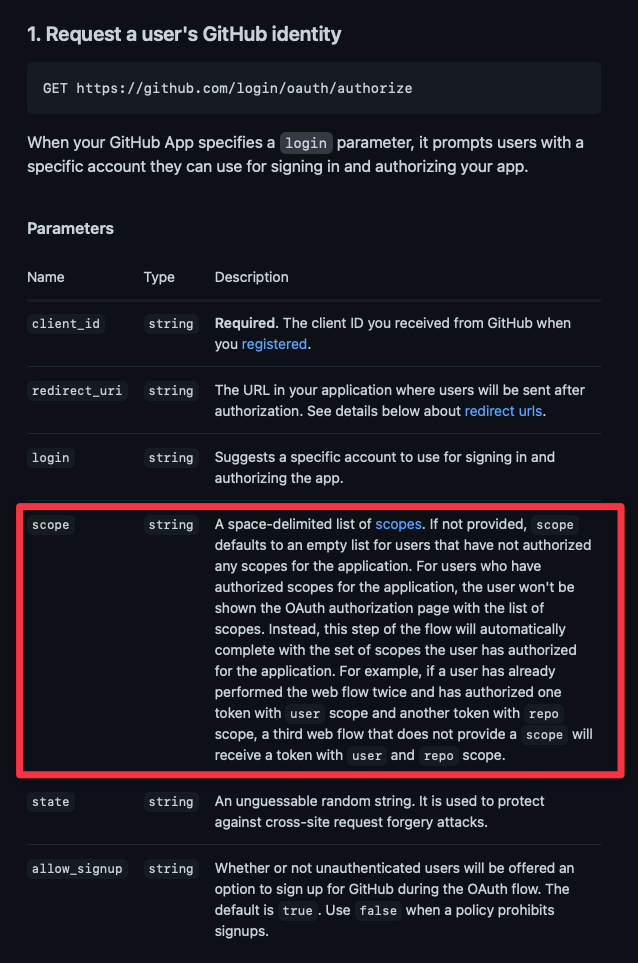
Github categorises scopes according to permission levels.
For example, Github’s repo scope grants full access to all repository actions, while the public_repo only gives read and write access to public repositories.
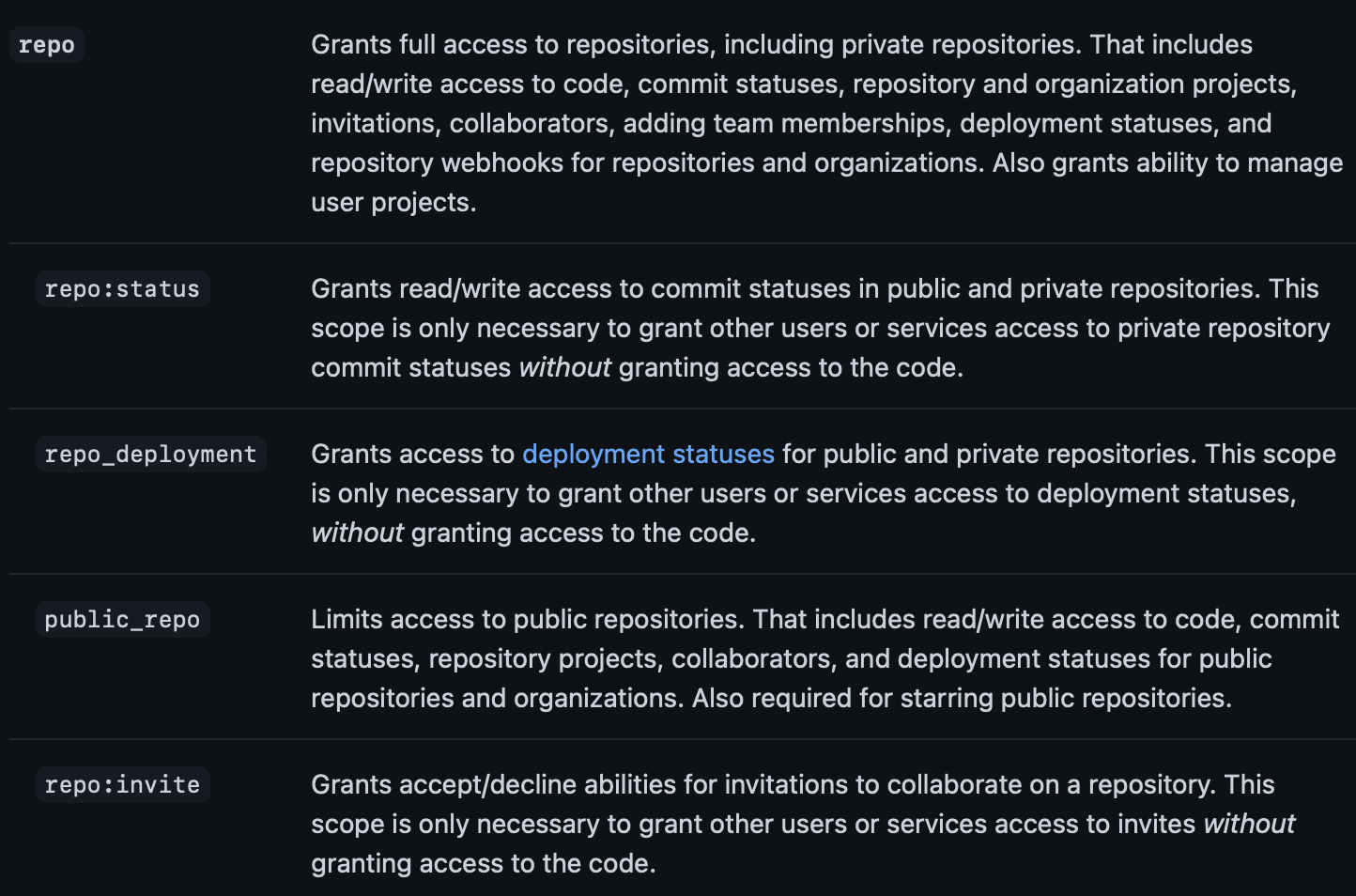
Google categorises scopes according to application — Google Drive, Docs, Slides, Sheets, and others.
Requesting for scopes
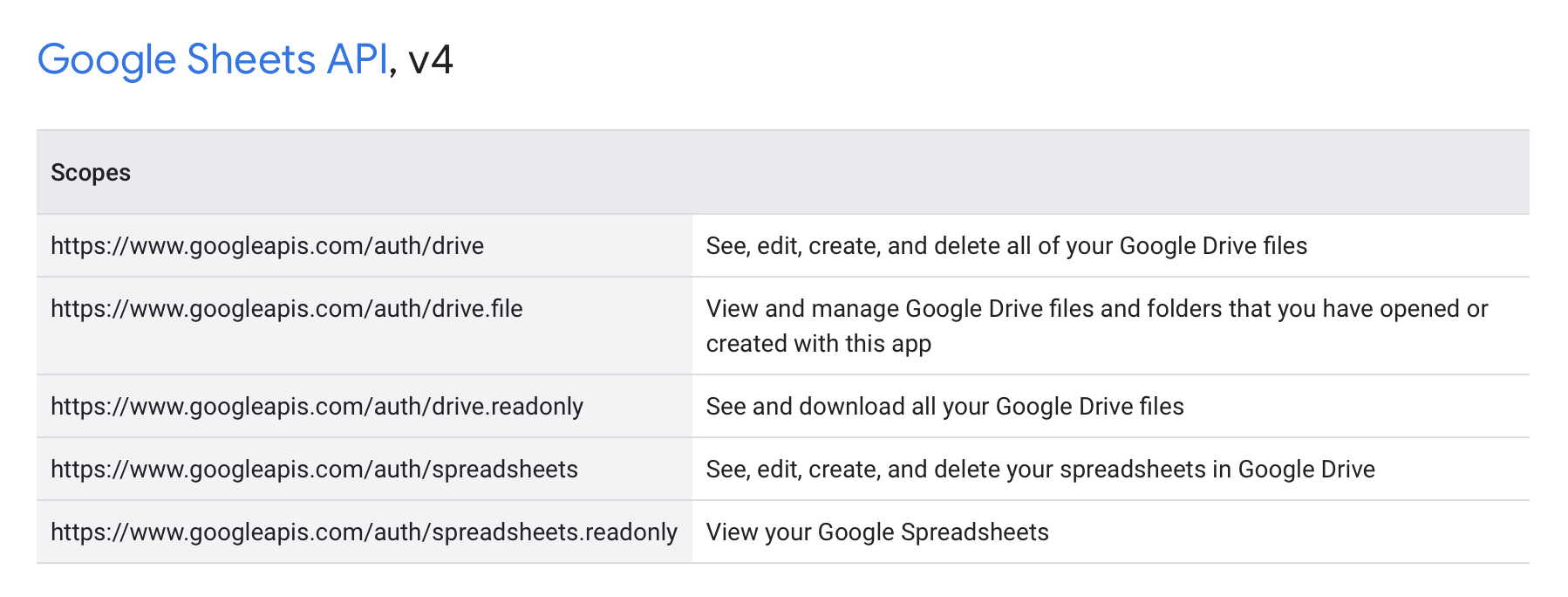
When you create a sign-in link, you can pass in a space-delimited list of scopes as a query parameter. The easiest way to do this is through URLSearchParams.
Here’s an example where I request for the user, gist, and repo scopes in Github.
const baseURL = 'https://github.com/login/oauth/authorize'
const params = {  client_id: 'CLIENT_ID',  scope: 'user repo gist',}
const query = new URLSearchParams(params)const link = baseURL + '?' + query.toString()console.log(link)
Here’s the link that was created
https://github.com/login/oauth/authorize?client_id=CLIENT_ID&scope=user+repo+gistUsers will be able to see the scopes you requested.
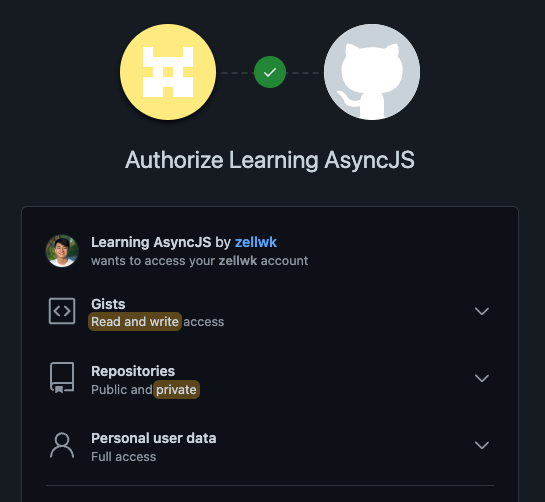
Most providers (like Github above) requires a user to accept all requested scopes if they want to authorise the application.
Some providers (like Facebook below) lets a user choose which permissions they want to accept.
- The authorisation will be successful if the user accepts an any of the listed permissions.
- If they reject any permission, the app will not be able to use the requested permissions.
Welcome! Unfortunately, you don’t have access to this lesson. To get access, please purchase the course or enroll in Magical Dev School.
Unlock this lesson