I want to walk you through what I do when I read API documentation. Knowing this will help you find information from API docs quickly.
I break what I do into three steps:
- Read the overview
- Figure out how to authenticate
- Check the reference
Step 1. Read the overview
The first thing you should do is to read the overview (or introduction) section of the API.
This section normally includes information you need to know to use the API. This includes things like:
- The root endpoint
- Rate limits
- How to authenticate requests
- Notes on custom headers you may need to send
- Pagination (for list responses)
The root endpoint
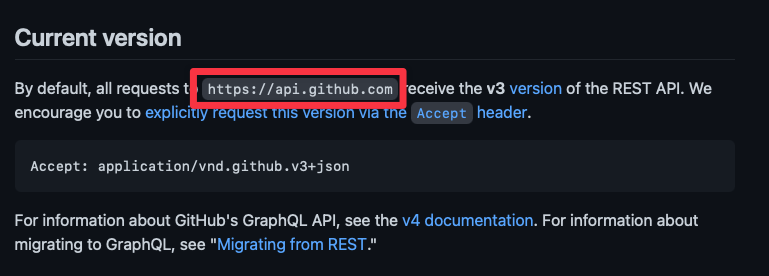
Each API will have one root. This root can often be found at the start of all API documentation. For example, you can find GitHub’s root in the Overview section
Rate limits
Rate limits tell you how many requests you can send per a certain unit of time.
For example, GitHub lets you send 60 requests every hour. If you send more, you’ll get a 403 error.

Most APIs also let you raise the rate limits if you are authenticated. For example, GitHub lets you send up to 5,000 authenticated requests every hour.
Step 2. Figure out how to authenticate
Most APIs require authentication. It will usually use one of these three methods:
- Basic Authentication
- Open Authorization (OAuth)
- API Key and Secret
You will be able to authenticate with the server successfully once you know which method(s) they accept.
Step 3. Check the reference
The reference contains a list of all available endpoints — this gives you an idea about what data you can get.
Knowing the data you can get helps you plan what you can do with the API.
A note on endpoint structure
Most REST APIs share a similar url structure as follows:
GET/items- get a list of items.GET/items/:id- get an itemPOST/items- create one or more itemsPUT/items/:id- change an itemPATCH/items/:id- change an itemDELETE/items/:id- delete an item
The : signifies a placeholder. :id here means you should replace the value with the actual id.
Some APIs may use other placeholder signifiers like {} and <>. For example, GitHub shows you the following URL to fetch a user’s repositories.

In this case, {username} is a placeholder. You should replace it with an actual
username when you use the endpoint.
Next, it helps to understand cURL
Here’s a fact you should know:
- Most APIs don’t write their docs in JavaScript or Node
- They may not use other languages like PHP, Ruby, or Python as well.
- But they will (almost always) use
cURL
If you can understand cURL, you will be able to read every Rest API documentation.
That’s what you’re going to learn next.
Welcome! Unfortunately, you don’t have access to this lesson. To get access, please purchase the course or enroll in Magical Dev School.
Unlock this lesson