To start a countdown, you need to learn how to count time in JavaScript.
Counting time
In JavaScript, we count time with milliseconds.
- 1 second is
1000milliseconds - 1 minute is
1000 * 60 = 60000milliseconds - 1 hour is
1000 * 60 * 60 = 3600000milliseconds - 1 day is
1000 * 60 * 60 * 24 = 8640000milliseconds
It can be difficult to remember these numbers. One easy way to remember them is to put them into a function.
function toMilliseconds(unit) {  const seconds = 1000  const minutes = seconds * 60  const hours = minutes * 60  const days = hours * 24
  if (unit === 'seconds') return seconds  if (unit === 'minutes') return minutes  if (unit === 'hours') return hours  if (unit === 'days') return days}
Using toMilliseconds:
console.log(toMilliseconds('seconds')) // 1000console.log(toMilliseconds('minutes')) // 60000console.log(toMilliseconds('hours')) // 360000console.log(toMilliseconds('days')) // 8640000Counting the difference between two times
Let’s say you have two times that are 10 seconds apart.
const date1 = new Date(2019, 0, 1, 0, 0, 10)const date2 = new Date(2019, 0, 1, 0, 0, 0)You use the difference in timestamps to count the number of seconds between them.
const difference = date1.getTime() - date2.getTime()console.log(difference) // 10000You can also subtract one date by another date to get the difference in milliseconds.
const difference = date1 - date2console.log(difference) // 10000To calculate the number of seconds between them, you divide the difference by 1000. You can also use toMilliseconds('seconds') to make it easier for you.
const difference = date1 - date2const seconds = difference / toMilliseconds('seconds')
console.log(seconds) // 10
Counting in minutes and seconds
Now let’s say your two dates are 10 minutes and 20 seconds apart.
const date1 = new Date(2019, 0, 1, 0, 10, 20)const date2 = new Date(2019, 0, 1, 0, 0, 0)You want to display their differences in minutes and seconds. To get the difference in minutes, you divide difference by 60000. (You can also use toMilliseconds).
const difference = date1 - date2const minutes = difference / toMilliseconds('minutes')
console.log(minutes) // 10.33333333333333
We know there’s a difference of 10.333 minutes. To get 10, you need to use Math.floor, which rounds down a number.
const difference = date1 - date2const minutes = Math.floor(difference / toMilliseconds('minutes'))
console.log(minutes) // 10
There are two methods to get the 20 seconds that’s left:
- The subtraction method
- The modulus method
The subtraction method
We know the difference between date1 and date2 is 10 minutes 20 seconds. In milliseconds, the difference is 620000
const difference = date1 - date2console.log(difference) // 620000To get the remaining difference, you subtract the difference by the number of minutes. (In milliseconds of course).
const difference = date1 - date2const minutes = Math.floor(difference / toMilliseconds('minutes'))const remainder = difference - minutes * toMilliseconds('minutes')
console.log(remainder) // 20000
Then, you get number of seconds by dividing the remaining difference by 1000.
const seconds = Math.floor(remainder / toMilliseconds('minutes'))console.log(seconds) // 20Here’s the subtraction method in full:
let difference = date1 - date2const minutes = Math.floor(difference / toMilliseconds('minutes'))
difference = difference - minutes * toMilliseconds('minutes')const seconds = Math.floor(difference / toMilliseconds('seconds'))
console.log(minutes) // 10console.log(seconds) // 20
The modulus method
The modulus operator (%) gives you the remainder of a division.
console.log(24 % 10) // 4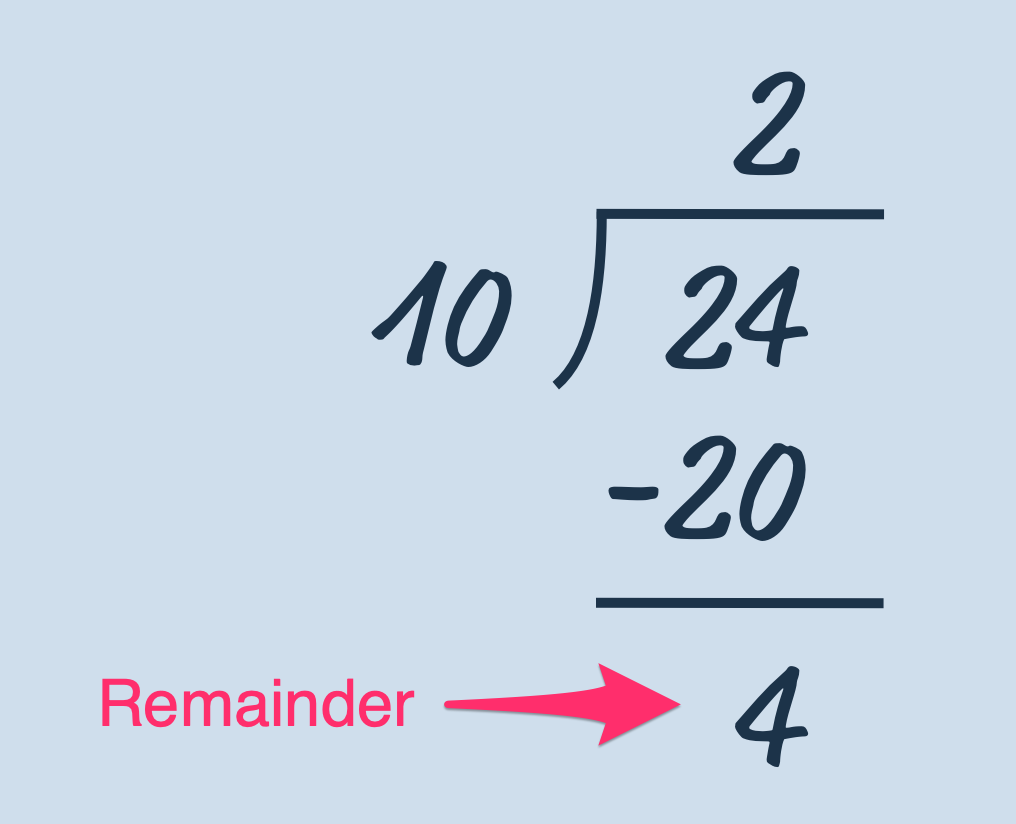
You can get the remaining timestamp with the modulus operator:
const difference = date1 - date2const minutes = Math.floor(difference / toMilliseconds('minutes'))
const remainder = difference % toMilliseconds('minutes')console.log(remainder) // 20000
To get seconds, you divide remainder by 1000.
const seconds = Math.floor(remainder / toMilliseconds('seconds'))console.log(seconds) // 20The modulus method in full:
const difference = date1 - date2const minutes = Math.floor(difference / toMilliseconds('minutes'))const seconds = Math.floor(  (difference % toMilliseconds('minutes')) / toMilliseconds('seconds'),)
console.log(minutes) // 10console.log(seconds) // 20
Counting in hours, minutes, and seconds
Now let’s say your dates are 1 hour, 10 minutes, and 20 seconds apart.
const date1 = new Date(2019, 0, 1, 1, 10, 20)const date2 = new Date(2019, 0, 1, 0, 0, 0)The difference between them (in milliseconds) is: 4220000
const difference = date1 - date2console.log(difference) // 4220000To get the number of hours between them, you divide the difference by 3600000.
const difference = date1 - date2const hours = difference / toMilliseconds('hours')
console.log(hours) // 1.1722222222222223
As before, we want to get 1 from 1.17222. The remaining should be written in minutes and seconds. To get 1, you can use Math.floor.
const difference = date1 - date2const hours = Math.floor(difference / toMilliseconds('hours'))
console.log(hours) // 1
To get the remaining difference in minutes and seconds, you can use the subtraction or modulus method.
The subtraction method
First, we need to know the remaining difference in milliseconds.
let difference = date1 - date2const hours = Math.floor(difference / toMilliseconds('hours'))
difference = difference - hours * toMilliseconds('hours')console.log(difference) // 620000
Then, we get the number of minutes.
difference = difference - hours * toMilliseconds('hours')const minutes = Math.floor(difference / toMilliseconds('minutes'))
console.log(minutes) // 10
Then we get the remaining difference (again, in milliseconds):
difference = difference - minutes * toMilliseconds('minutes')console.log(difference) // 20000Then, we get the number of seconds
const seconds = Math.floor(difference / toMilliseconds('seconds'))
console.log(seconds) // 20
The subtraction method in full:
let difference = date1 - date2const hours = Math.floor(difference / toMilliseconds('hours'))
difference = difference - hours * toMilliseconds('hours')const minutes = Math.floor(difference / toMilliseconds('minutes'))
difference = difference - minutes * toMilliseconds('minutes')const seconds = Math.floor(difference / toMilliseconds('seconds'))
console.log(hours) // 1console.log(minutes) // 10console.log(seconds) // 20
The modulus method
First, you use % to get the remaining timestamp after calculating hours.
const difference = date1 - date2const hours = Math.floor(difference / toMilliseconds('hours'))
const remainderForMin = difference % toMilliseconds('hours')console.log(remainder) // 620000
Next, you use remainderForMin get the number of minutes.
const minutes = Math.floor(remainderForMin / toMilliseconds('minutes'))
console.log(minutes) // 10
To get the remaining difference after minutes, you use % on the original difference. This time, you set the divisor to 60000. This works because 1 hour is simply 60 minutes.
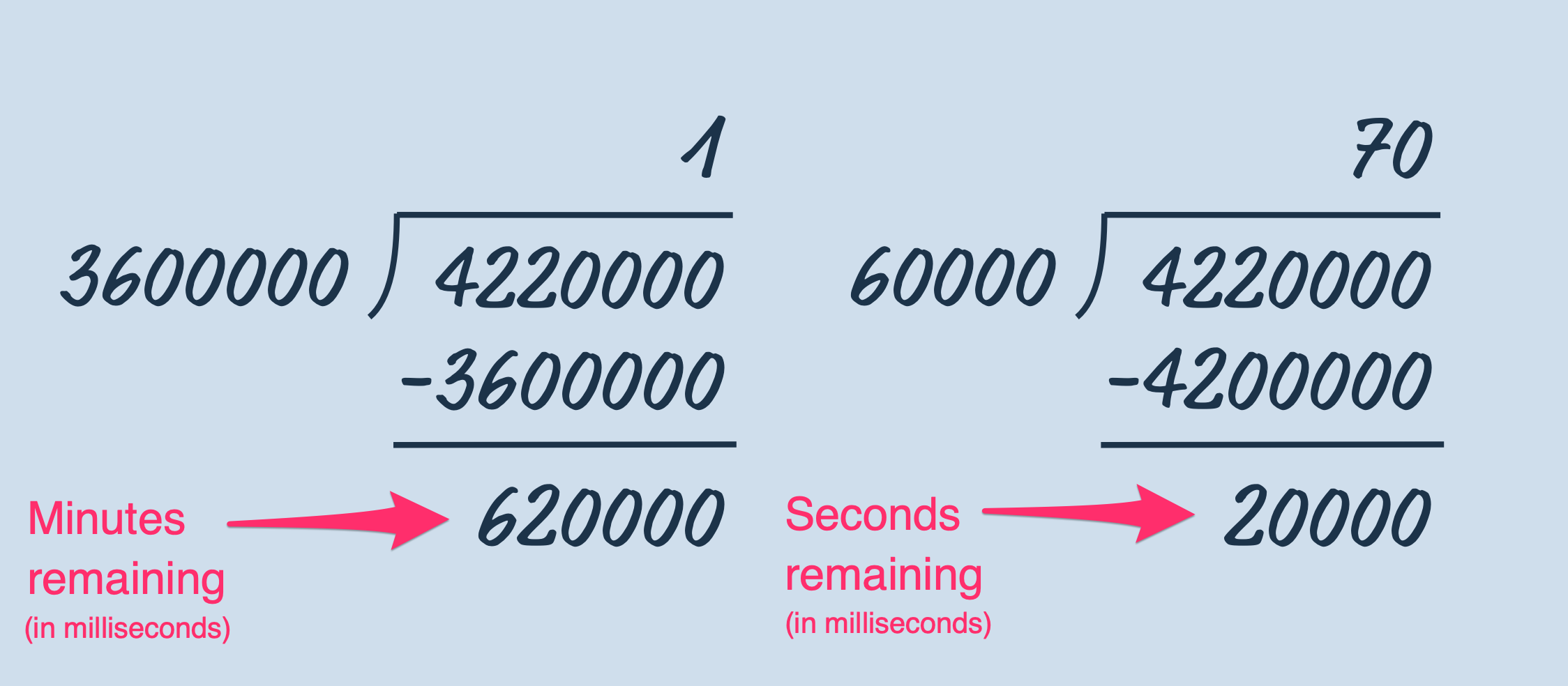
const remainderForSeconds = difference % toMilliseconds('minutes')console.log(remainderForSeconds) // 20000Then you get the number of seconds.
const remainderForSeconds = difference % toMilliseconds('minutes')const seconds = Math.floor(remainderForSeconds / toMilliseconds('seconds'))The modulus method in full:
const difference = date1 - date2const hours = Math.floor(difference / toMilliseconds('hours'))const minutes = Math.floor(  (difference % toMilliseconds('hours')) / toMilliseconds('minutes'),)const seconds = Math.floor(  (difference % toMilliseconds('minutes')) / toMilliseconds('seconds'),)
console.log(hours) // 1console.log(minutes) // 10console.log(seconds) // 20
Counting in days, hours, minutes, and seconds
Now, let’s say your dates are 5 days, 1 hour, 10 minutes and 20 seconds apart.
const date1 = new Date(2019, 0, 6, 1, 10, 20)const date2 = new Date(2019, 0, 1, 0, 0, 0)You can use the same process above to get day, hour, minute, and second values.
The subtraction method:
let difference = date1 - date2
const days = Math.floor(difference / toMilliseconds('days'))difference = difference - days * toMilliseconds('days')
const hours = Math.floor(difference / toMilliseconds('hours'))difference = difference - hours * toMilliseconds('hours')
const minutes = Math.floor(difference / toMilliseconds('minutes'))difference = difference - minutes * toMilliseconds('minutes')
const seconds = Math.floor(difference / toMilliseconds('seconds'))
console.log(days) // 5console.log(hours) // 1console.log(minutes) // 10console.log(seconds) // 20
The modulus method:
const difference = date1 - date2const days = Math.floor(difference / toMilliseconds('days'))const hours = Math.floor(  (difference % toMilliseconds('days')) / toMilliseconds('hours'),)const minutes = Math.floor(  (difference % toMilliseconds('hours')) / toMilliseconds('minutes'),)const seconds = Math.floor(  (difference % toMilliseconds('minutes')) / toMilliseconds('seconds'),)
console.log(days) // 5console.log(hours) // 1console.log(minutes) // 10console.log(seconds) // 20
A function to count
Let’s make it easy to get the countdown values in days, hours, minutes, and seconds. We’ll make a function called getCountdown and we’ll put the steps above into it.
function getCountdown(endDate, startDate) {  // Use either the subtraction method or the modulus method
  return {    days,    hours,    minutes,    seconds,  }}
Populating the Countdown
To populate the Countdown component, you need to get the values first. For now, we’ll set the difference to these two dates:
const date1 = new Date(2019, 0, 6, 1, 10, 20)const date2 = new Date(2019, 0, 1, 0, 0, 0)You can use getCountdown to get values.
const values = getCountdown(date1, date2)To populate the Countdown component, you need to change the textContent of the appropriate .timer__box.
const boxes = document.querySelectorAll('.timer__box')
boxes.forEach(box => {  const unit = box.dataset.unit  const value = values[unit]  box.firstElementChild.textContent = value})
And Voilà!

Counting down
Counting down makes sense only if you’re counting from now to a certain date. That means one of the values must be now.
const now = new Date()Let’s say we want to count to the end of the month.
const now = new Date()const nextMonth = new Date(now.getFullYear(), now.getMonth() + 1, 1)Populating the DOM with the new figures:
const values = getCountdown(nextMonth, now)const boxes = document.querySelectorAll('.timer__box')
boxes.forEach(box => {  const unit = box.dataset.unit  const value = values[unit]  box.firstElementChild.textContent = value})
To countdown, we need to do two these things every second:
- Get a new set of values from
getCountdown - Change the DOM
To perform something every second, we can use setInterval.
const now = new Date()const nextMonth = new Date(now.getFullYear(), now.getMonth() + 1, 1)
setInterval(_ => {  const now = new Date()  const values = getCountdown(nextMonth, now)  const boxes = document.querySelectorAll('.timer__box')
  boxes.forEach(box => {    const unit = box.dataset.unit    const value = values[unit]    box.firstElementChild.textContent = value  })}, 1000)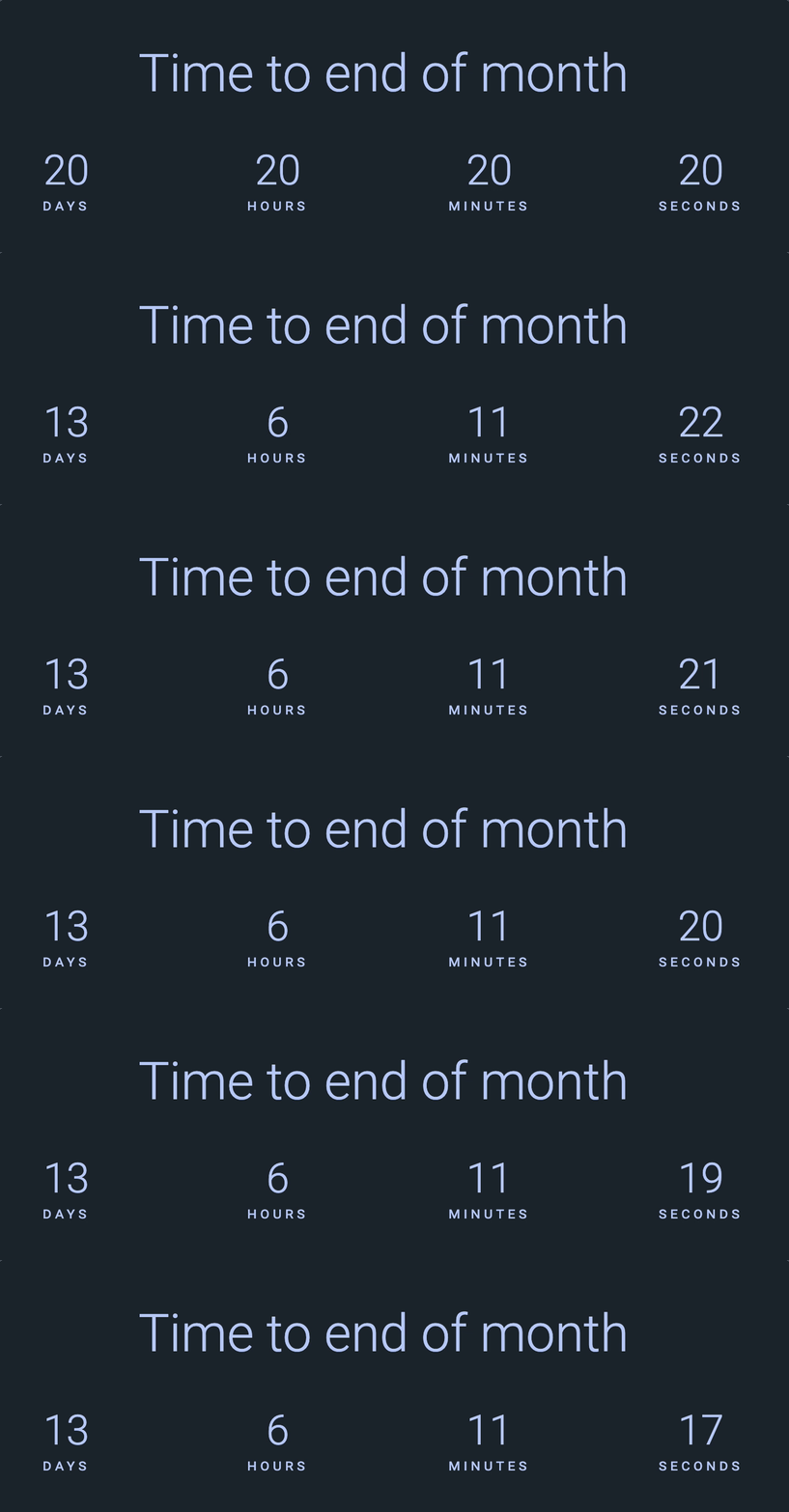
Notice the placeholder values (20 days, 20 hours, 20 minutes, and 20 seconds) before the actual countdown started?
This happened because the callback in setInterval begins only after a second. We need to change the DOM before setInterval. The easiest way is to create a function to update the countdown boxes.
function updateBoxes(endDate) {  const now = new Date()  const values = getCountdown(endDate, now)  const boxes = document.querySelectorAll('.timer__box')
  boxes.forEach(box => {    const unit = box.dataset.unit    const value = values[unit]    box.firstElementChild.textContent = value  })}
// ...
updateBoxes(nextMonth)setInterval(updateBoxes, 1000, nextMonth)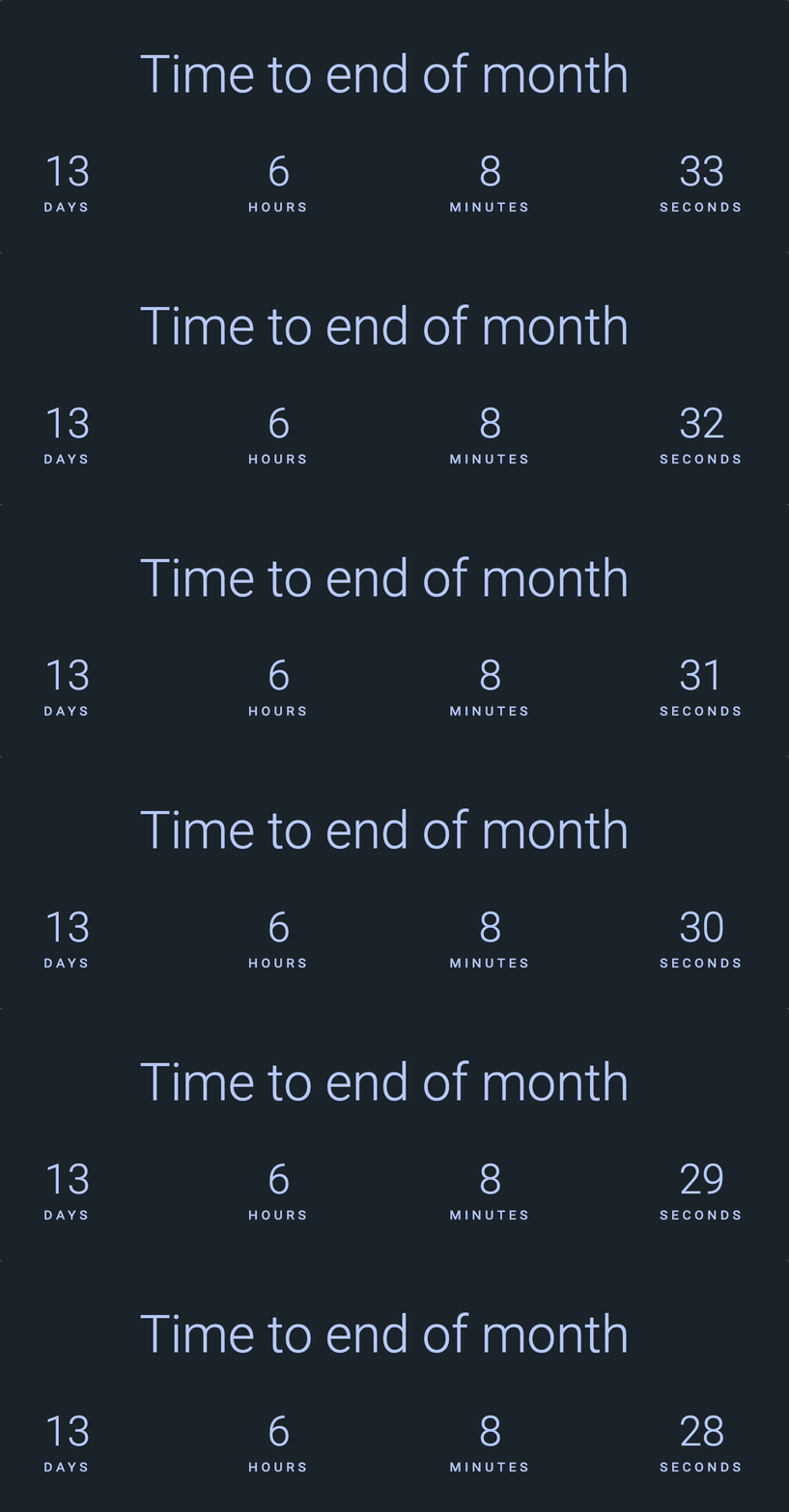
Updating the countdown target
The last thing we want to do is update the countdown target with correct value. You can use toLocaleString to do this.
const target = document.querySelector('.countdown__target')target.textContent = ` ${nextMonth.toLocaleString('en-GB', { year: 'numeric', month: 'long', day: 'numeric', })}`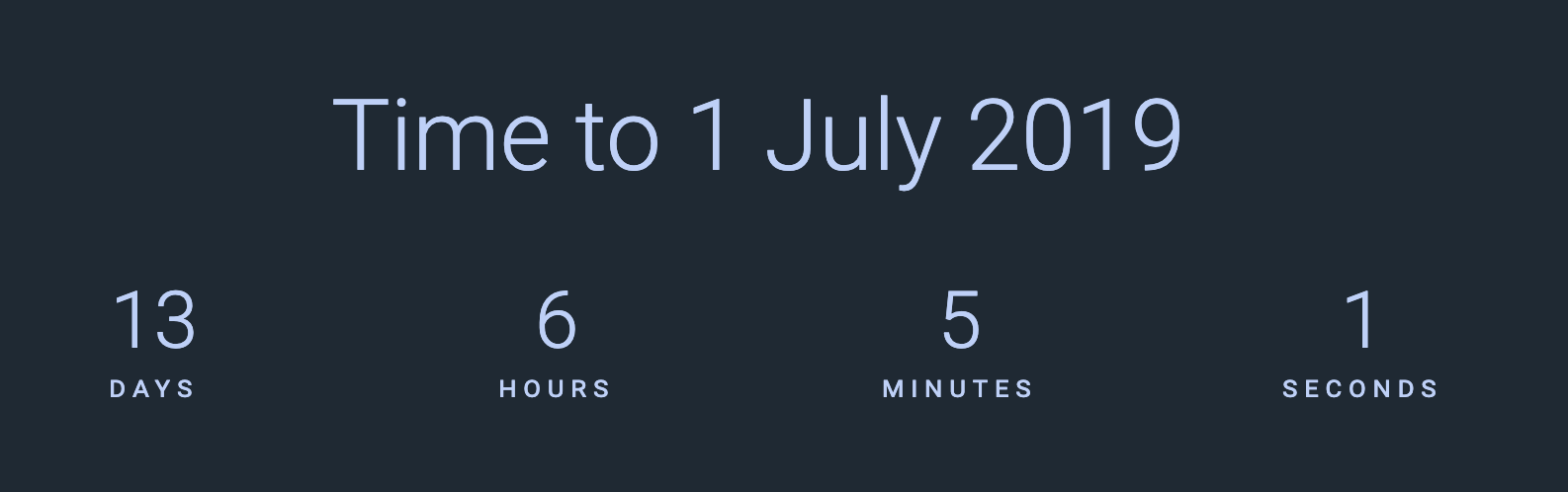
Don’t forget about the datetime attribute!
target.dataset.datetime = nextMonth.toLocaleString('en-GB', { year: 'numeric' }) + '-' + nextMonth.toLocaleString('en-GB', { month: '2-digit' }) + '-' + nextMonth.toLocaleString('en-GB', { day: '2-digit' })
Here’s a function to set the countdown target’s text and datetime attribute:
function setCountdownTarget(date) {  const target = document.querySelector('.countdown__target')  target.textContent = `    ${date.toLocaleString('en-GB', {      year: 'numeric',      month: 'long',      day: 'numeric',    })}  `
  target.dataset.datetime =    date.toLocaleString('en-GB', { year: 'numeric' }) +    '-' +    date.toLocaleString('en-GB', { month: '2-digit' }) +    '-' +    date.toLocaleString('en-GB', { day: '2-digit' })}
That’s it!
Welcome! Unfortunately, you don’t have access to this lesson. To get access, please purchase the course or enroll in Magical Dev School.
Unlock this lesson