Essential CSS
JavaScript Roadmap
Learn JavaScript
Mastering Web Typography
Practical Astro
Understanding Async JS
Unorthodox Tailwind
API Masterclass
Build and Deploy
The Beginner Freelancer
Real World Node
Profile Billing Logout
Essential CSS
Lesson Plan
  1. Introduction
    1. Welcome to Essential CSS
    2. Getting started with the course
    3. What are file formats?
    4. Web standards
    5. What is HTML?
    6. What is CSS?
    7. Devtools, your indispensable best friend
  2. CSS Key Concepts
    1. Some background about CSS
    2. CSS Syntax and Terminology
    3. Selectors
    4. Cascade and Specificity
    5. Origin and Importance
    6. Inheritance
    7. How browsers handle CSS
  3. Basic Mental Model
    1. Everything on the web is a box
    2. The box model
    3. How big is your box?
    4. The relationship between px and em
    5. The `box-sizing` property
    6. The `display` property
    7. Formatting contexts
    8. Block boxes
    9. Inline boxes
    10. What is inline-block?
  4. Flexbox and Grid
    1. The parent-child relationship
    2. Sizing in Flexbox
    3. Flex directions
    4. Basic grid concepts
    5. Setting up a grid
    6. Placing grid items
    7. Box alignment
  5. Building web layouts
    1. Arranging your boxes on the web
    2. Positioning schemes
    3. Floating boxes
  6. Typography
    1. Making your text look good
    2. What is a font?
    3. Typesetting with CSS

What is inline-block?

0m:39s

Now that you are familiar with how block boxes and inline boxes behave, it is a good time to learn about a display value of inline-block. This value tells the browser to treat the contents of the element as a singular block but lay the block inline with other inline elements.

This is the main difference from inline boxes, where content from different inline elements can appear to flow into each other. And distinct from block boxes, which do not appear on the same line as each other.

Inline block boxes have the characteristics of block boxes, which mean you can set width and height values on them. Margins and paddings also take up all four sides of the box.
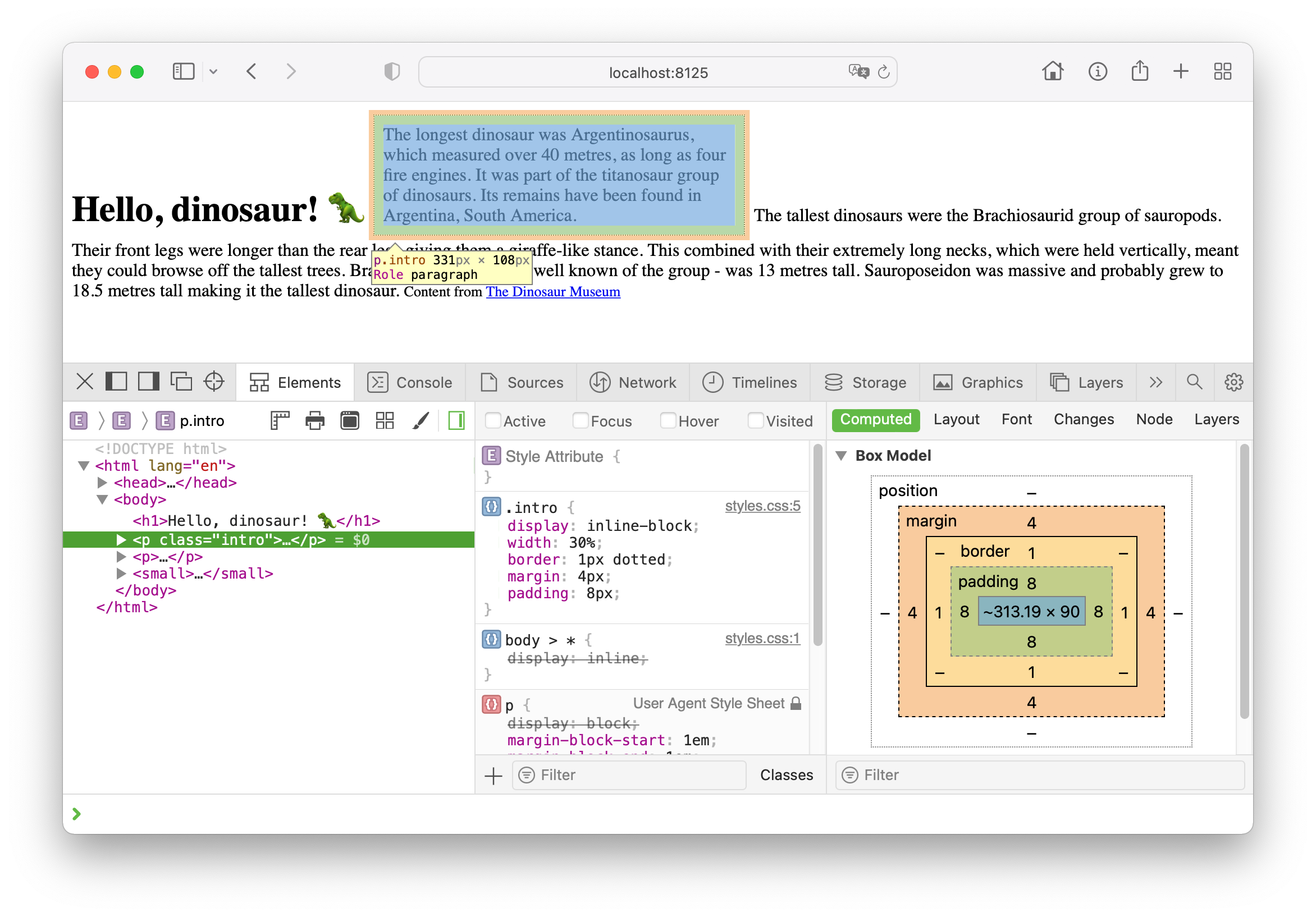
Inline block behaviour among other inline elements