You already know I used the typography scale by Robert Bringhurst, but I am so, so, so, so tempted to use the harmonious typographic scale that Spencer recreated.
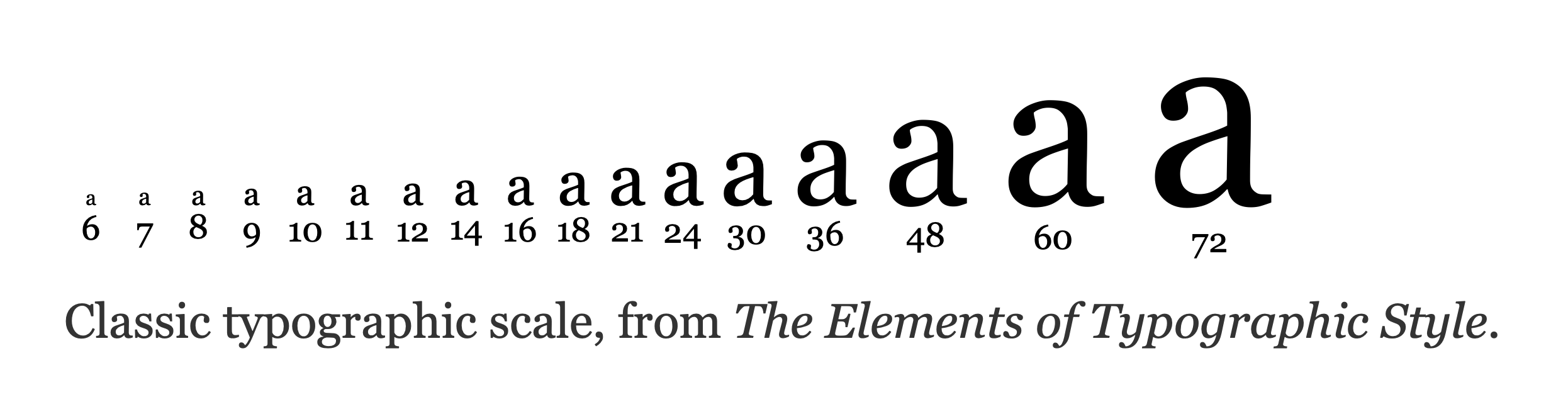
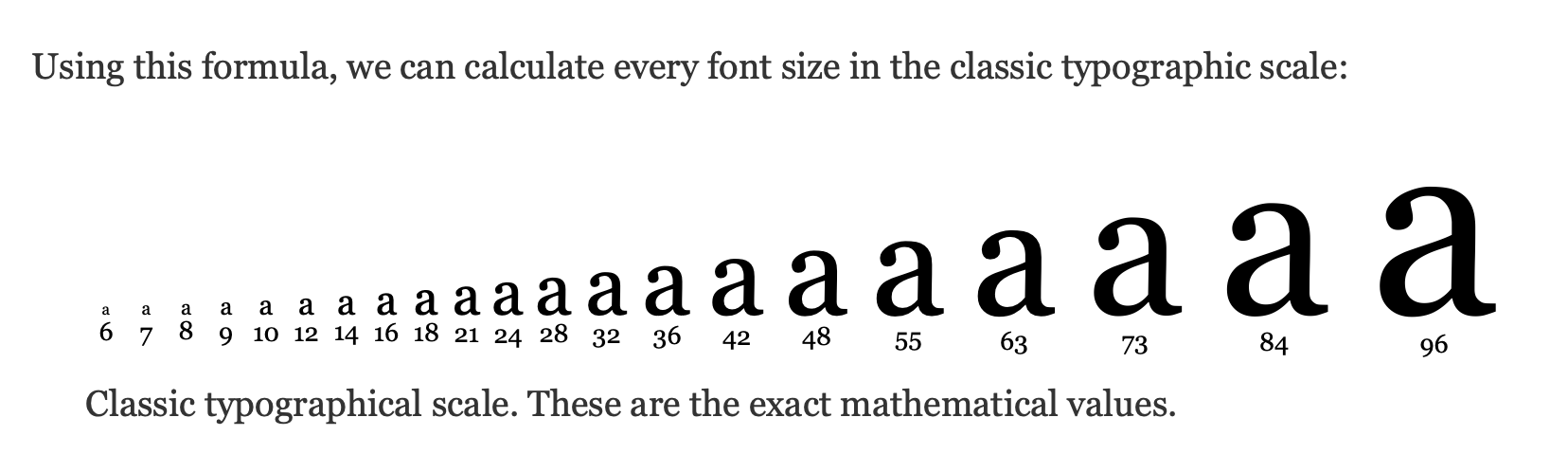
One day I will, because I have found myself reaching for 42 instinctively when I’m designing.
My typography scale
Right now, I use a modified version of Robert Bringhurst’s typography scale that:
- Gives me more numbers on the lower end, because I realize that
13pxand15pxcan be useful depending on the typeface that we are working with. - And I used
10pxas the lowest limit because I rarely use anything below that.
Taking these into account, here are the font-sizes that I’ve created for Splendid Layouts.
@theme { --text-1: 0.625rem; /* 10px */ --text-2: 0.6875rem; /* 11px */ --text-3: 0.75rem; /* 12px */ --text-4: 0.8125rem; /* 13px */ --text-5: 0.875rem; /* 14px */ --text-6: 0.9375rem; /* 15px */ --text-7: 1rem; /* 16px */ --text-8: 1.125rem; /* 18px */ --text-9: 1.3125rem; /* 21px */ --text-10: 1.5rem; /* 24px */ --text-11: 1.75rem; /* 28px */ --text-12: 2rem; /* 32px */ --text-13: 2.25rem; /* 36px */ --text-14: 2.625rem; /* 42px */ --text-15: 3rem; /* 48px */ --text-16: 3.375rem; /* 54px */ --text-17: 3.75rem; /* 60px */ --text-18: 4.5rem; /* 72px */ --text-19: 5.25rem; /* 84px */ --text-20: 6rem; /* 96px */ --text-21: 6.75rem; /* 108px */ --text-22: 7.5rem; /* 120px */}It’s included for you if you use Splendid Layouts, so there’s no need to import anything else.
/* Includes the above typography scale */@import 'splendidlabz/styles';Harmonious scale
I am tempted to use the harmonious typography scale by Spencer as well, so here is another version using the harmonious scale. (I did not adjust this to include 11px, 13px and 15px yet.)
@theme { --text-1: 0.625rem; /* 10px */ --text-2: 0.75rem; /* 12px */ --text-3: 0.875rem; /* 14px */ --text-4: 1rem; /* 16px */ --text-5: 1.125rem; /* 18px */ --text-6: 1.3125rem; /* 21px */ --text-7: 1.5rem; /* 24px */ --text-8: 1.75rem; /* 28px */ --text-9: 2rem; /* 32px */ --text-10: 2.25rem; /* 36px */ --text-11: 2.625rem; /* 42px */ --text-12: 3rem; /* 48px */ --text-13: 3.4375rem; /* 55px */ --text-14: 3.9375rem; /* 63px */ --text-15: 4.5625rem; /* 73px */ --text-16: 5.25rem; /* 84px */ --text-17: 6rem; /* 96px */ --text-18: 6.875rem; /* 110px */ --text-19: 7.9375rem; /* 127px */}Using these scales
To start using these scales, you can copy and paste the values from above into your code. Once you do that, you can use Tailwind’s text-* utilities like normal.
Except, you know that these text-* utilities only output font-size and not line-height.
Welcome! Unfortunately, you don’t have access to this lesson. To get access, please purchase the course or enroll in Magical Dev School.
Unlock this lesson