Let’s begin by creating simple effects because they are easier to understand and grasp, then we’ll make our way to more complex ones.
We’ll begin with a text rotation effect.
One of the simplest ways to rotate anything is with the rotate utility.
<div class="-rotate-3">Counterclockwise rotation</div><div class="rotate-3">Clockwise rotation</div>Counterclockwise
Clockwise
This is fine, but we run into a problem if we want to rotate text to a point where it is vertical on the left or on the right.
A transform (which rotate uses) allows the rotation to happen, but it keeps the element in the document flow as if it was still horizontal.
Counterclockwise
Clockwise
The best way to overcome this kind of issue is to use writing mode.
Using Writing Mode
Normal text has the writing mode that is horizontal-tb — horizontal first, from top to bottom.
.normal-writing-mode { writing-mode: horizontal-tb;}If we want text to be displayed vertically, we can use the vertical writing mode. There are two modes in this case: vertical-lr or vertical-rl.
vertical-lr: Vertical direction, from left to right.vertical-rl: Vertical direction, from right to left.
For languages like Chinese, it doesn’t matter whether we use vertical-lr or vertical-rl because both are readable. But it doesn’t work this way for English — the text is only understandable in vertical-rl mode.
vertical-lr
很久很久以前,山上有座庙,庙里有一个和尚。
A long time ago, there was a temple on a mountain. In the temple, there is a monk.
vertical-rl
A long time ago, there was a temple on a mountain. In the temple, there is a monk.
很久很久以前,山上有座庙,庙里有一个和尚。
You gotta rotate your head for this one!
To create text that flows from the bottom to the top (and is easily readable), we can rotate the text after using vertical-rl.
This allows the text to flow accordingly, and we do not have to arbitrarily create a height to contain that text.
<div class="writing-rotateleft">Counterclockwise</div><div class="writing-rotateright">Clockwise</div>@utility writing-rotateleft { transform: rotate(180deg); writing-mode: vertical-rl;}
@utility writing-rotateright { writing-mode: vertical-rl;}Counterclockwise
Clockwise
I used this technique to create the left header for Splendid Labz’s docs page.
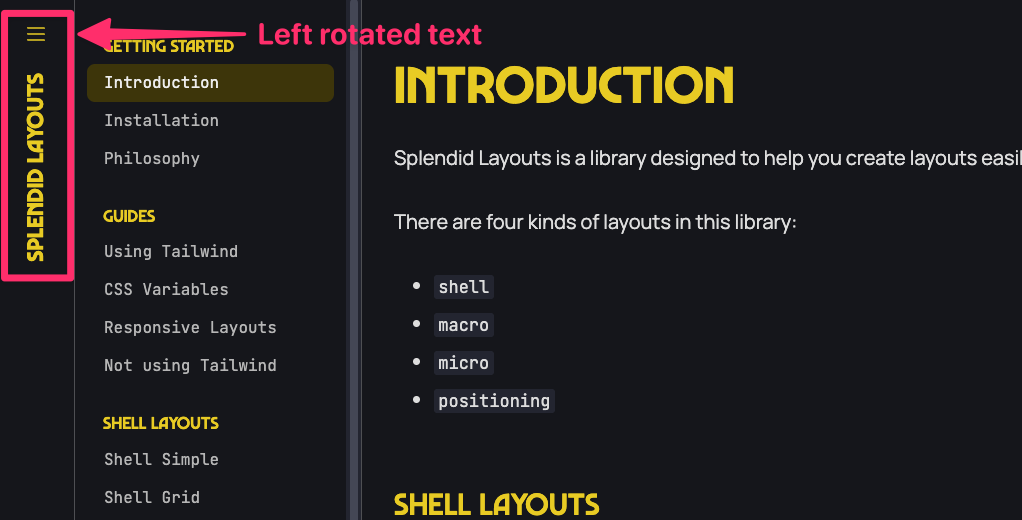
I’ll be honest with you, you won’t use this utility much, but it’s nice to have around when you need it!
Welcome! Unfortunately, you don’t have access to this lesson. To get access, please purchase the course or enroll in Magical Dev School.
Unlock this lesson