Essential CSS
JavaScript Roadmap
Learn JavaScript
Mastering Web Typography
Practical Astro
Understanding Async JS
Unorthodox Tailwind
API Masterclass
Build and Deploy
The Beginner Freelancer
Real World Node
Profile Billing Logout
Understanding Async JS
Lesson Plan
  1. Introduction
    1. What is Asynchronous JS?
    2. Callbacks are not automatically asynchronous
    3. What is an API?
    4. Evolution of HTTP APIs
    5. Ajax vs Asynchronous JavaScript
  2. Fundamental Concepts
    1. How to fetch resources
    2. Using XHR
    3. Using the Fetch API
    4. Using libraries
    5. Core JavaScript concepts
    6. Understanding Promises
    7. Understanding Async Functions
    8. Understanding the Event Loop
    9. Understanding JSON
    10. Async JS Best Practices
    11. Using Optimistic UI
  3. Understanding Rest API
    1. Diving into Rest APIs
    2. The Rest Architecture
    3. The Rest Structure
    4. Anatomy of a Request
    5. What's an endpoint
    6. Request methods
    7. Understanding request headers
    8. Understanding the request body
    9. Authentication
    10. Basic Authentication
    11. Bearer Authentication
    12. Authenticating with API keys and API Secrets
    13. Cross Origin Resource Sharing
    14. Anatomy of a response
    15. HTTP Statuses
    16. Response headers
    17. The response body
    18. Handling Errors
    19. Reading API documentations
    20. Understanding Curl
  4. Node Basics
    1. Why we are using Node
    2. Command Line Basics
    3. Installing Node
    4. Managing dependencies
    5. Using ES Modules in Node
    6. Using Node
    7. Restarting the server automatically
    8. Sending requests via Node
    9. Protecting API keys and secrets
  5. Building a server
    1. What's a server
    2. Building a simple server with Express
    3. Two kinds of servers
    4. API Server architecture
    5. Handling routes
    6. Understanding Middlewares
    7. Enabling CORS
    8. Receiving data
    9. Sending responses
    10. Handling errors in Express
    11. Using the server as a proxy
    12. Minimum viable server
  6. Open Authorization
    1. Open Authorisation (OAuth)
    2. Authenticating with Access Tokens
    3. Obtaining Access Tokens
    4. Public and Confidential Clients
    5. Authorisation Code Grant
    6. Understanding scope
    7. Proof Key for Code Exchange (PKCE)
    8. PKCE with Twitter
    9. Dynamic state and `code_verifier`
    10. Saving the access token in cookies
    11. Passing access tokens to the browser
    12. Saving the access token in local storage
    13. Refresh Token Grant
    14. Device Code Grant
    15. Client libraries vs REST
  7. Building Social Media Logins
    1. Introduction
    2. Starter Files
    3. Creating SSL certificates
    4. Login in with Github
    5. Github: Saving the token to local storage
    6. Github: Persisting the login status
    7. Login with Twitter
    8. Twitter: Saving the token to local storage
    9. Twitter: Persisting the login status
    10. Twitter: Refreshing the access token
    11. Login with Facebook
    12. Facebook: Saving the token to localStorage
    13. Facebook: Persisting the login status
    14. Facebook: Refreshing the access token
    15. Login with google
    16. Google: Saving the token to localStorage
    17. Google: Refreshing the access token

Creating SSL certificates

Normally, we don’t need to create SSL certificates when we develop locally.

We only need SSL certificates for this app because Facebook’s API complains if we don’t have one.

Creating a certificate

The easiest way to create a certificate is to use a command line tool called mkcert. I wrote about mkcert, how to use install it and how to use it in this article.

Below is a video showing you how to use mkcert for this starter project.

Running the server

Once you have the certs in place, you can use npm run server to start the project. This command simply runs nodemon server.js, so you can choose to use nodemon server.js if you wish to.

npm run server

At this point you can navigate to https://localhost to see your project.
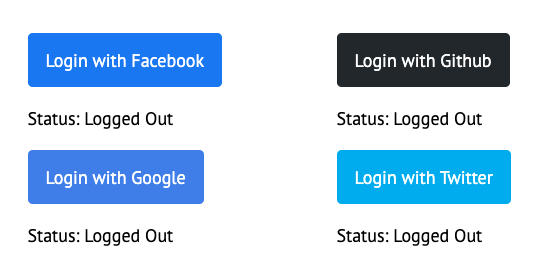
In the next lesson you’ll learn how to let users login with Github.

Quick note on HTTPS and Chrome

After you served https://localhost once, Chrome will begin to have a weird behaviour where it redirects you to the https protocol every single time.

This can be frustrating if you’re not using https on other projects.

Fixing this is simple.

  1. Go to chrome://net-internals/#hsts in your address bar.
  2. Input localhost into “Delete domain security policies” and press enter.
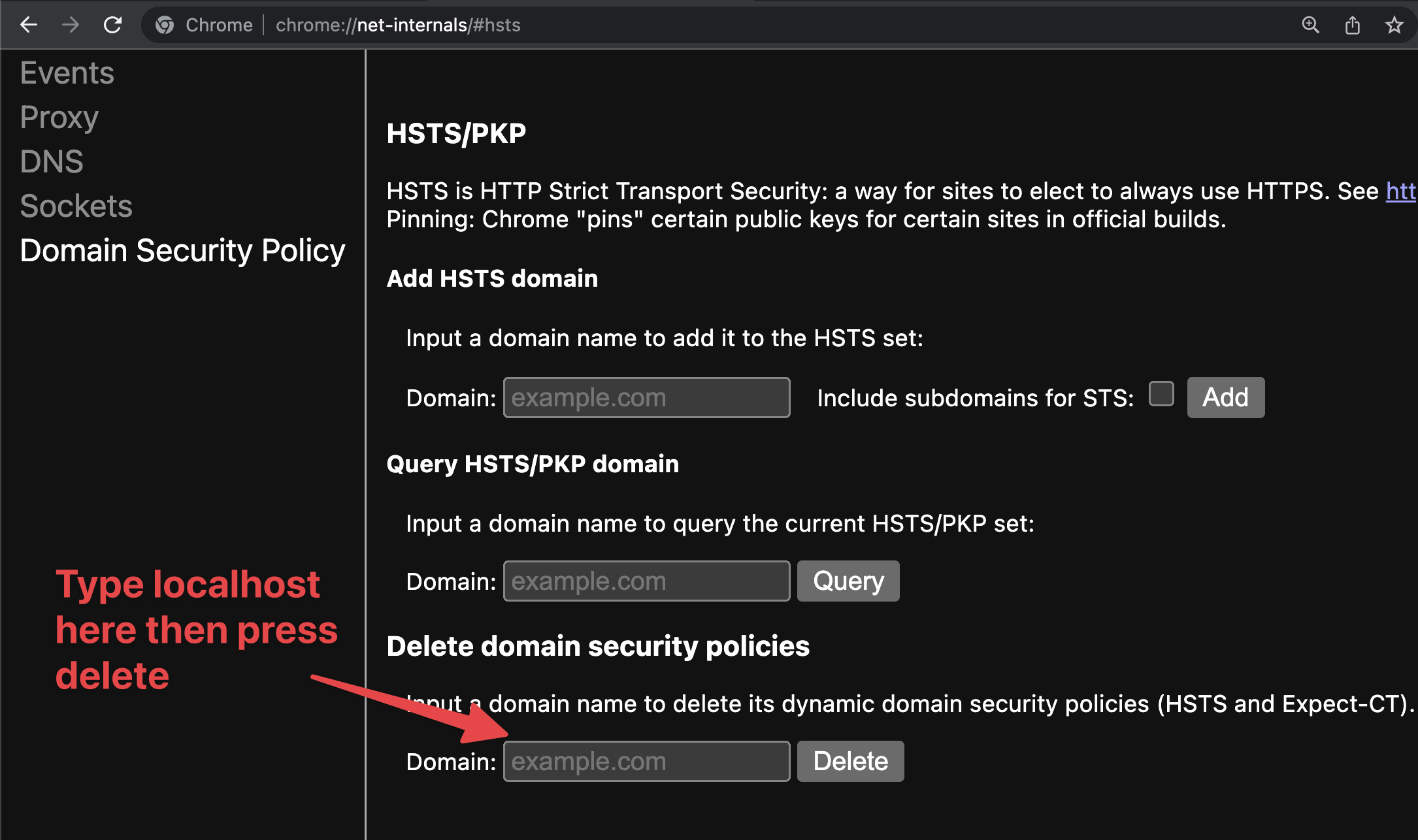
Deleting HSTS policies in Chrome Net Internals.