Location does two things:
- It lets you access information about the URL
- It also lets you change the URL
Accessing the URL
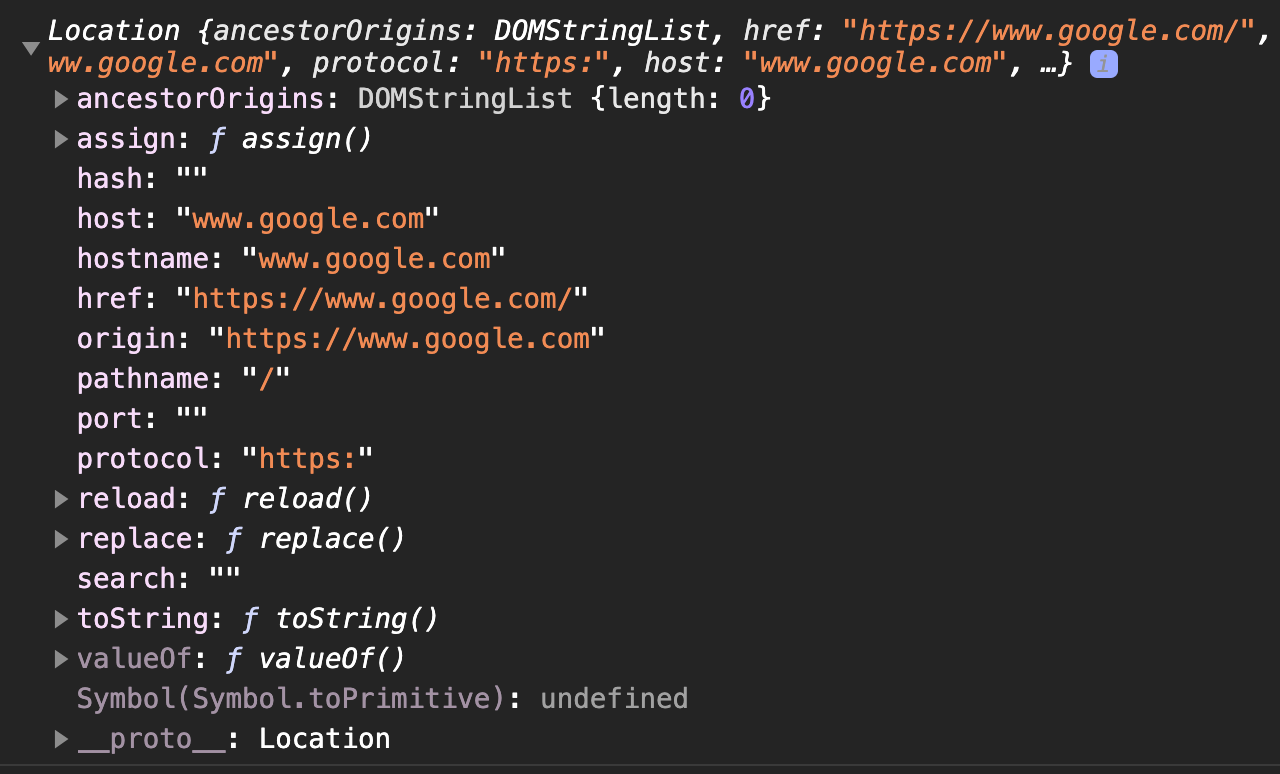
You can access the URL with the location. It gives you an object with 7 properties:
href— the entire URLprotocol— eitherhttporhttpshostname— the domain name, like zellwk.comport— the connected port, if available. Like 8080.host—hostname+porthash— stuff that comes after#search— query string in the URL, if availablepathname— the path, which is everything after hostname, but beforesearchandhash.
Here’s an example where I logged the location on google.com:
Changing the URL
You can change the URL by setting any location property. The property used will determine how the URL changes.
For example:
- if you change
href, you’ll change the entire URL. - if you change
hash, you will only change the part that goes after#.
assign and replace
Location has two methods — assign and replace— that lets you change the entire URL.
location.assign does the same thing as reassigning a URL to location.href.
// These two are the samelocation.assign(url)location.href = urllocation.replace redirects the user to the new page as well, but it changes the current item in the browser history. All other location methods and properties add to the browser history stack.
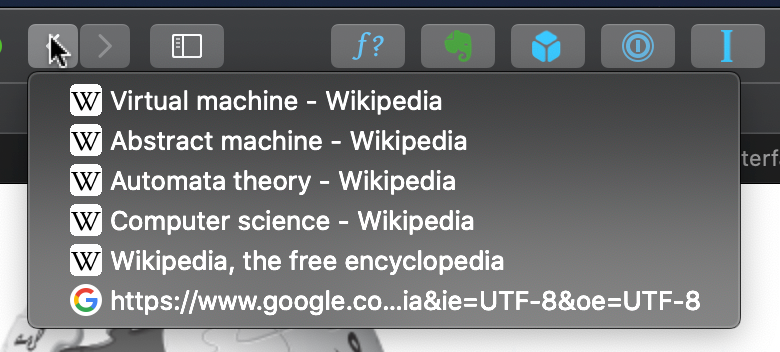
location.replace(url)The browser history stack is basically the list of pages you’ve accessed. You can see this history by clicking and holding the back or forward button.
Reloading the page
You can reload the page with location.reload. This method does not change the browser history.
Location and Single Page Apps
Changing the location via any method (except reassigning to hash) causes the browser to load a new HTML file, so we can’t build Single Page Applications with location.
We need another method — the history interface.
Welcome! Unfortunately, you don’t have access to this lesson. To get access, please purchase the course or enroll in Magical Dev School.
Unlock this lesson