When we use Object Oriented Programming, we need to be careful of leaking properties (instead of variables). We already saw how devastating it can be for users to mess with the fuel in our Car example.
class Car {  constructor() {    this.fuel = 50  }
  addFuel(amount) {    this.fuel = this.fuel + amount    if (this.fuel > 100) {      console.log('Fuel Tank Capacity is 100 litres. Pouring away excess fuel')      this.fuel = 100    }  }}
// Instances can mess with `fuel` and set it way the max capacity of 100 litresconst car = new Car()car.fuel = 5000console.log(car.fuel)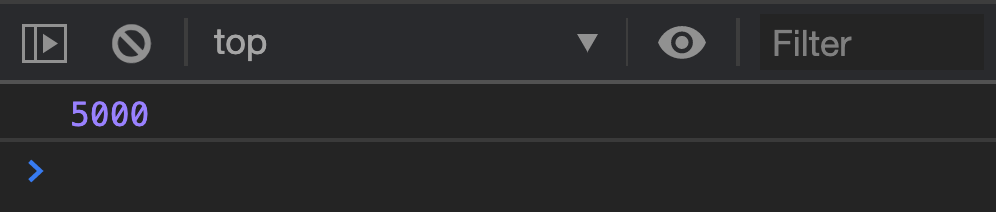
The only way to prevent properties from leaking outside a class is to use closures.
Hiding Fuel
First, we’ll rewrite Car into Factory Functions before we continue, We’ll do this since closures are more obvious with Factory Functions.
// Current faulty implementation with Factory Functionsfunction Car() { return { fuel: 50, addFuel(amount) { this.fuel = this.fuel + amount if (this.fuel > 100) { console.log( 'Fuel Tank Capacity is 100 litres. Pouring away excess fuel', ) this.fuel = 100 } }, }}Next, we’ll set fuel as a variable. We will not return fuel as a property. This ensures nobody outside Car can use the fuel variable.
function Car() {  let fuel = 50
  return {    addFuel(amount) {      this.fuel = this.fuel + amount      if (this.fuel > 100) {        console.log(          'Fuel Tank Capacity is 100 litres. Pouring away excess fuel',        )        this.fuel = 100      }    },  }}
Next, we need to adjust addFuel to use the new fuel variable.
function Car() {  let fuel = 50
  return {    addFuel(amount) {      fuel = fuel + amount      if (fuel > 100) {        console.log(          'Fuel Tank Capacity is 100 litres. Pouring away excess fuel',        )        fuel = 100      }    },  }}
We can still add fuel to Car instances. It works, but we can’t detect the amount of fuel yet.
const car = Car()car.addFuel(300)
We cannot use the fuel property because car instances don’t have access to it. We can log a car instance to verify this.
const car = Car()console.log(car.fuel) // undefinedconsole.log(car)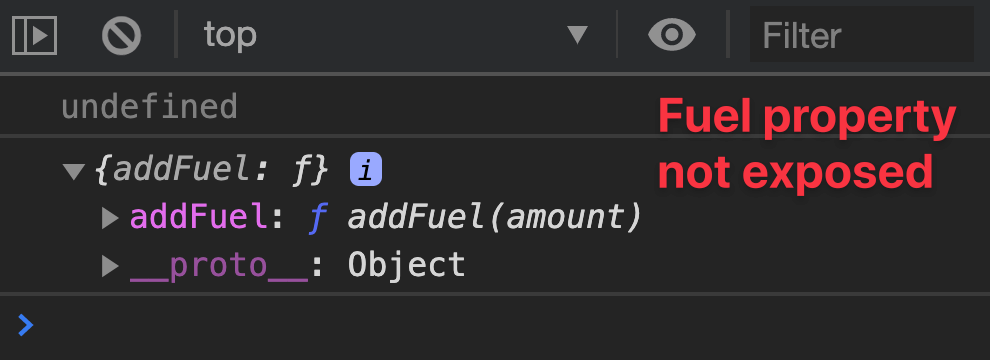
We need another method to return fuel so users can see the amount of fuel left. Let’s name this getFuel.
function Car() {  let fuel = 50
  return {    // ...    getFuel() {      return fuel    },  }}
We can now see the amount of fuel left in the car.
const car = Car()car.addFuel(300)console.log(car.getFuel()) // 100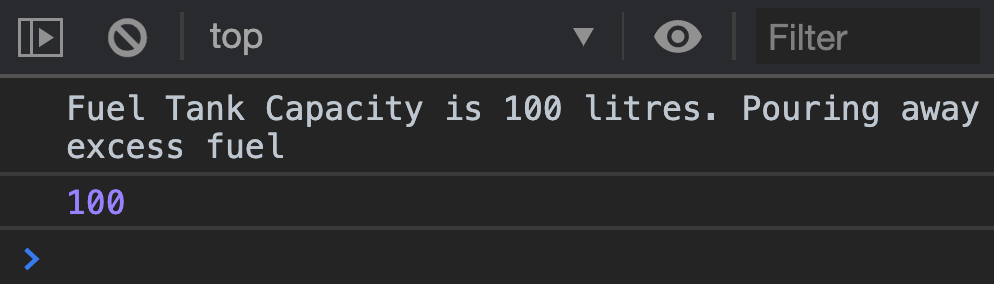
Public, Private, and Privileged members
In Object Oriented Programming, we use three words to name properties and methods depending on whether they’re exposed.
- Public: Properties that are exposed to users.
- Private: Variables that are completely hidden from users.
- Privileged: Methods that have access to private variables.
In the Car example above:
fuelis a private variablegetFuelandaddFuelare privileged methods
Variables, properties, and methods can also be called members in an Object Oriented Programming context.
Private members with Constructors, Classes, and OLOO
If you want to create a private variable, you need to put the property inside the constructor function. Privileged functions (that need access to private properties) must be created within the constructor.
// Constructor Syntaxfunction Car() { let fuel = 50 this.getFuel = function () { /* ... */ } this.addFuel = function () { /* ... */ }}// Class Syntaxclass Car { constructor() { let fuel = 50 this.getFuel = function () { /* ... */ } this.addFuel = function () { /* ... */ } }}// OLOO Syntaxconst Car = { init() { let fuel = 50 this.getFuel = function () { /* ... */ } this.addFuel = function () { /* ... */ } },}Private member syntax for Classes
Classes let you create private properties and methods by prefixing the member with #. You can then get the private member with this.#memberName.
class Car = {  // Creates a private property  #fuel = 50
  getFuel () {    // Uses a private property    return this.#fuel  }}
If you want to create a private property inside a constructor, you need to define the property upfront first. Then, you use this.#propertyName to change/access it.
class Car = {  // Creates a private property  #fuel = 50
  constructor (fuel) {    // Changes the private property    this.#fuel = fuel  }}
Note: class uses = to assign properties that are declared outside the constructor.
This syntax looks weird. I expected Classes to behave more like objects, so I expected : instead of =. But this syntax has already been accepted into the Class definition so there’s nothing much we can do about it.
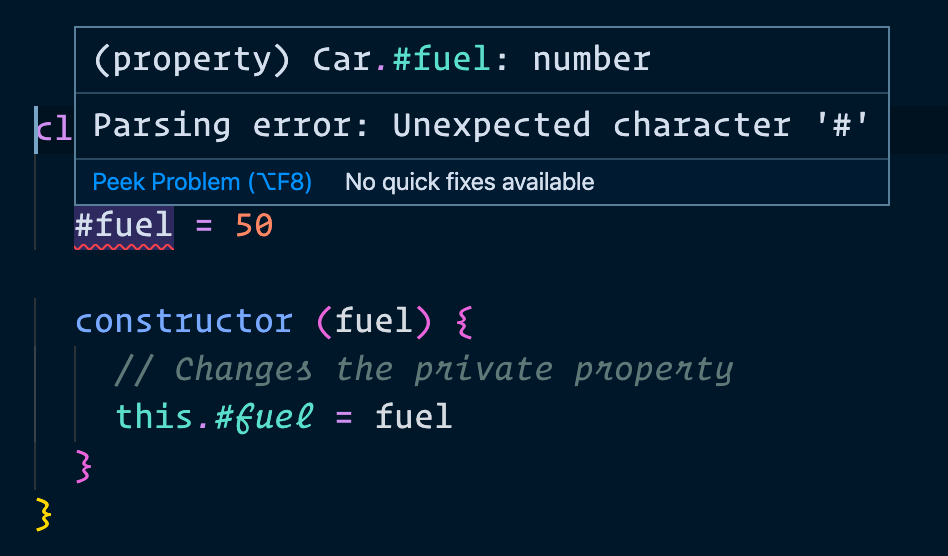
One thing though: Standard (the linter we use) will complain about the syntax. If you want to use Classes, you need to switch Standard to another ESLint configuration.
Private by Convention
If you observe code from open source projects, you may notice properties and methods that prefixed with an underscore (_).
Here’s an example:
class Car { constructor() { // Prefixed fuel with an underscore this._fuel = 50 }}Do not use these properties or methods.
The _ prefix symbolises private members. Developers don’t want you to touch them. We say they’re private by convention because they’re actually exposed to the public.
Why do developers use _ instead of closures? Three possible reasons:
- They didn’t know how to use closures.
- They didn’t want to use closures because you have to write all your code inside the constructor function.
- They wrote the code before
#came along.
It doesn’t matter why developers choose the _ prefix. It’s our onus to understand _ is private by convention. We must not use them. If we use them, we must be prepared for our code to break without warning.
Welcome! Unfortunately, you don’t have access to this lesson. To get access, please purchase the course or enroll in Magical Dev School.
Unlock this lesson