We used elementFromPoint to check whether the user dragged the original element over a dropzone.
function move(event) { // ... const hitTest = document.elementFromPoint(left, top) // ...}This works because we rotated the original element. The rotation exposes the top-left corner of the bounding box, which allows the browser to get the element that’s below the dragged element.
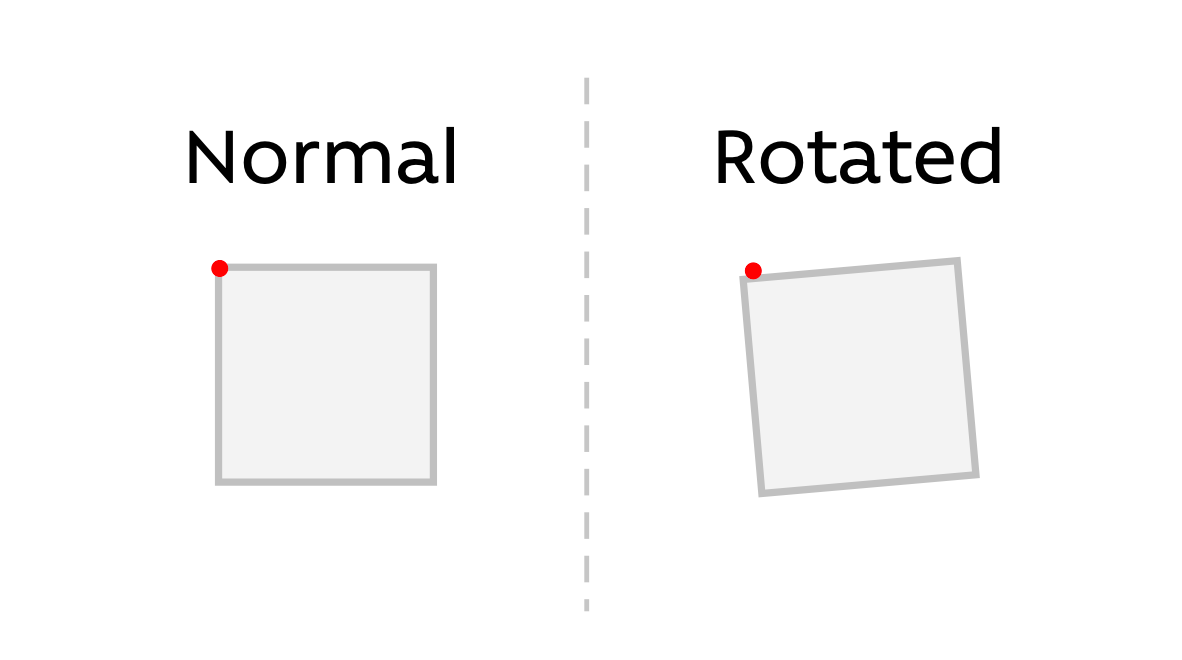
If we did not rotate the dragged element, we would NOT be able to get the dropzone, even if the dropzone is directly below the dragged element.
You can tell this by logging hitTest. hitTest will always be the dragged element.
// Assumes you don't rotate the dragged elementfunction move(event) { // ... const hitTest = document.elementFromPoint(left, top) console.log(hitTest) // ...}To prove this point, you can try dragging the original element around. You’ll notice it doesn’t work smoothly. When it does work, it’s a stroke of luck.
Ideally, we want elementFromPoint to penetrate the dragged element so it detects the dropzone below the dragged element.
Ensuring elementFromPoint penetrates the dragged element
elementFromPoint has a unique characteristic. It ignores elements that have pointer-events set to none.
If we want elementFromPoint to penetrate the dragged element, we can set the dragged element’s pointer-events property to none before we use elementFromPoint.
draggable.addEventListener('pointermove', event => {  // ...  target.style.pointerEvents = 'none'
const hitTest = document.elementFromPoint(left, top) console.log(hitTest) // ...})We will then restore pointer-events back to auto using elementFromPoint.
draggable.addEventListener('pointermove', event => {  // ...  target.style.pointerEvents = 'none'
  const hitTest = document.elementFromPoint(left, top)  const dropzone = hitTest.closest('[data-dropzone]')
  target.style.pointerEvents = 'auto'  // ...})
A neat trick
Since we captured all pointer events with setPointerCapture, we can set the dragged element’s pointer-events to none in pointerdown.
We can then restore pointer-events in pointerup.
draggable.addEventListener('pointerdown', event => {  // ...  target.style.pointerEvents = 'none'  // ...
function up(event) { // ... target.style.pointerEvents = 'auto' }})Welcome! Unfortunately, you don’t have access to this lesson. To get access, please purchase the course or enroll in Magical Dev School.
Unlock this lesson