If a user decides on a prediction, they will most likely hit one of these:
- Enter
- Tab
This is because:
- People use Enter to confirm things
- They use Tab to move to the next field
We want to listen to these keys too.
input.addEventListener('keydown', event => { const { key } = event if (key === 'Enter') { /*...*/ } if (key === 'Tab') { /*...*/ }})Enter key
If they press Enter, we want to select the prediction. To select a prediction we close the prediction list. (I know this doesn’t sound like a “selection”, but it is in this case).
input.addEventListener('keydown', event => { const { key } = event if (key === 'Enter') { ul.setAttribute('hidden', true) }})The Enter key submits the form. If you do not wish to submit the form, you need to prevent the default action.
Let’s say this Typeahead is one of the items in a form. In this case, we want to prevent Enter from submitting the form (if it originates from the Typeahead).
input.addEventListener('keydown', event => { const { key } = event if (key === 'Enter') { ul.setAttribute('hidden', true) if (event.target.closest('.typeahead')) { event.preventDefault() } }})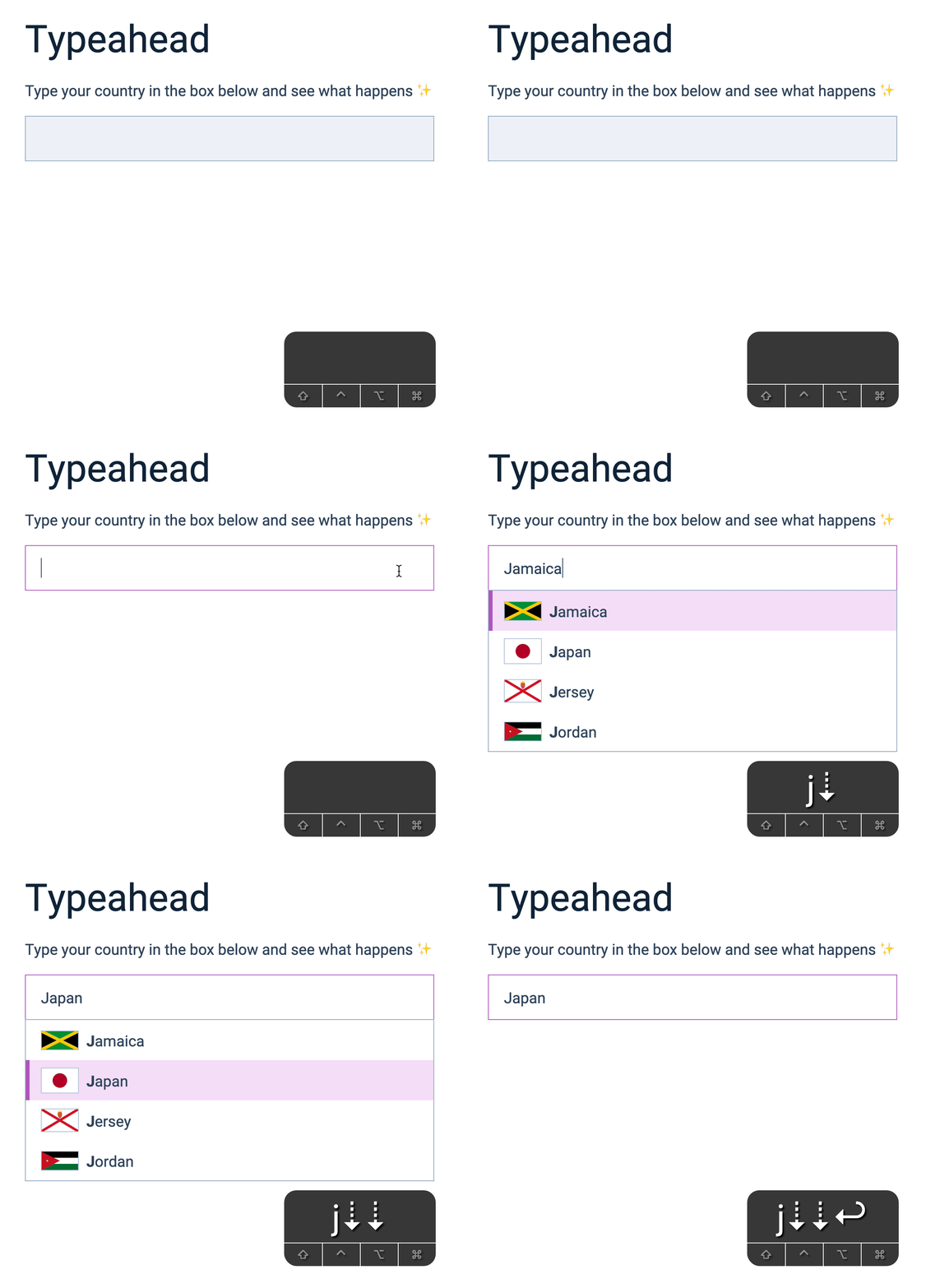
We’re almost done.
If you press Up or Down after pressing Enter, you’re still able to switch to other predictions.
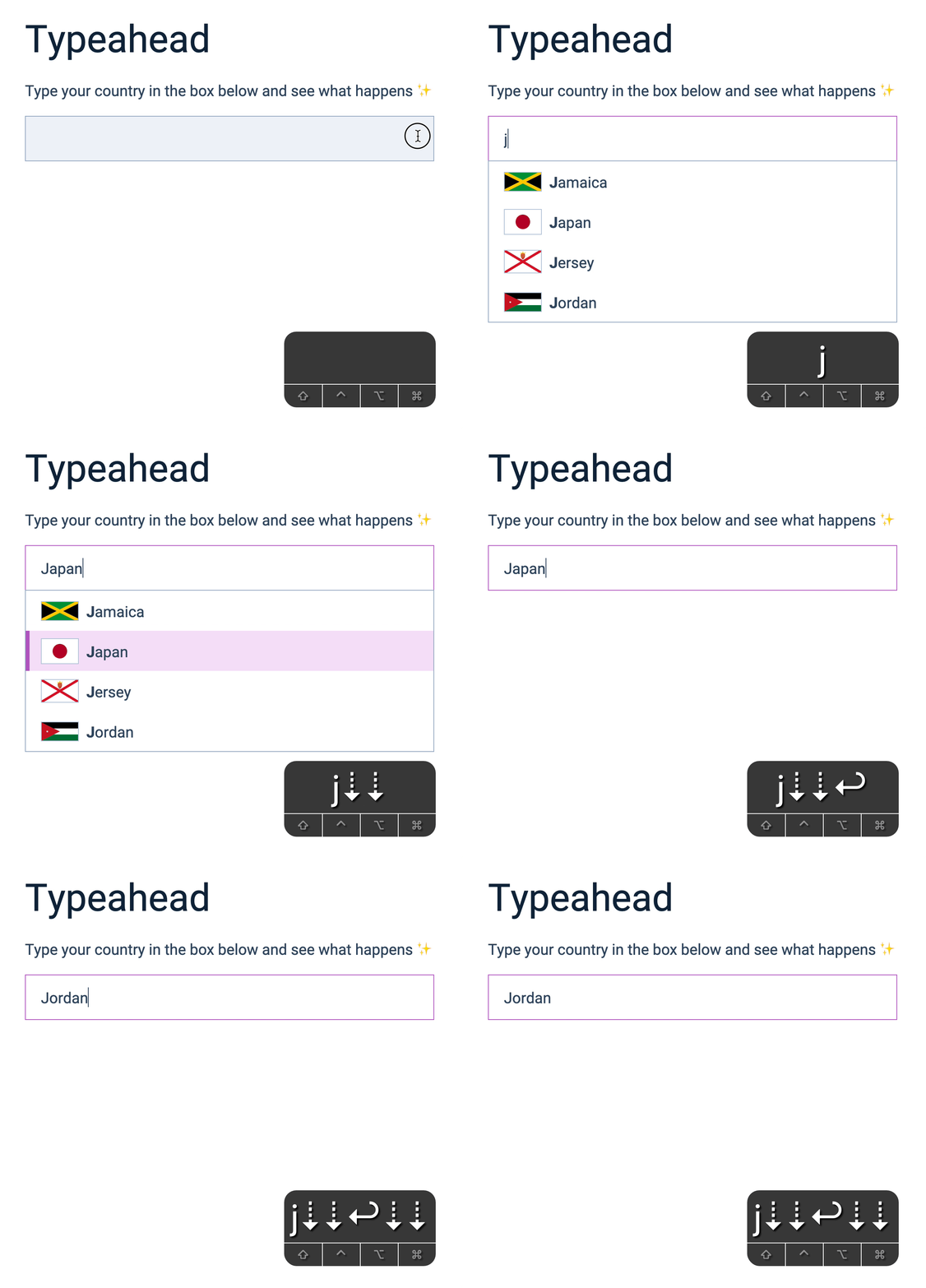
This happens because JavaScript is still able to find the prediction list (even though it is hidden). The best way to fix this is to remove all predictions.
input.addEventListener('keydown', event => { const { key } = event if (key === 'Enter') { ul.setAttribute('hidden', true) ul.innerHTML = '' if (event.target.closest('.typeahead')) { event.preventDefault() } }})Tab key
Imagine there’s another input field after the Typeahead. If you press Tab, you would expect to select the prediction, then move to the next field.
To select the prediction, we remove the prediction list.
To move to the next field, we just have to make sure we don’t prevent the default behaviour.
input.addEventListener('keydown', event => { // ... if (key === 'Tab') { ul.setAttribute('hidden', true) ul.innerHTML = '' }})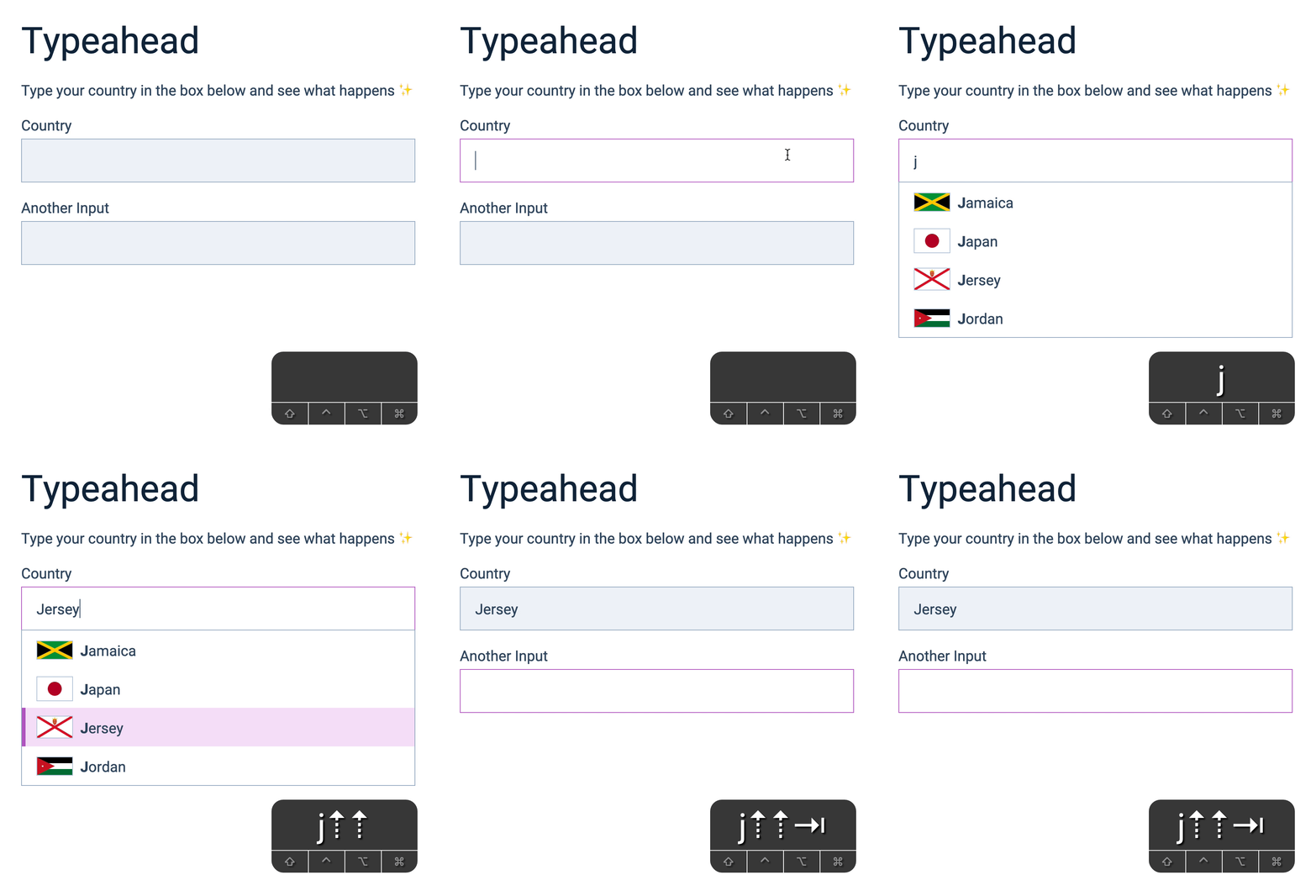
Cancelling a prediction
What if users decide NOT to choose a prediction? In Google’s case, if you press the Escape key, Google removes the prediction list and reverts the input back to the user’s entered value.
We can do the same too.
First, we check for the Escape key.
input.addEventListener('keydown', event => { const { key } = event // ... if (key === 'Escape') { // ... }})Here, we simply close the list (like Enter and Tab keys). Then, we set the input’s value to userEnteredValue.
input.addEventListener('keydown', event => { const { key } = event // ... if (key === 'Escape') { ul.setAttribute('hidden', true) ul.innerHTML = '' input.value = userEnteredValue }})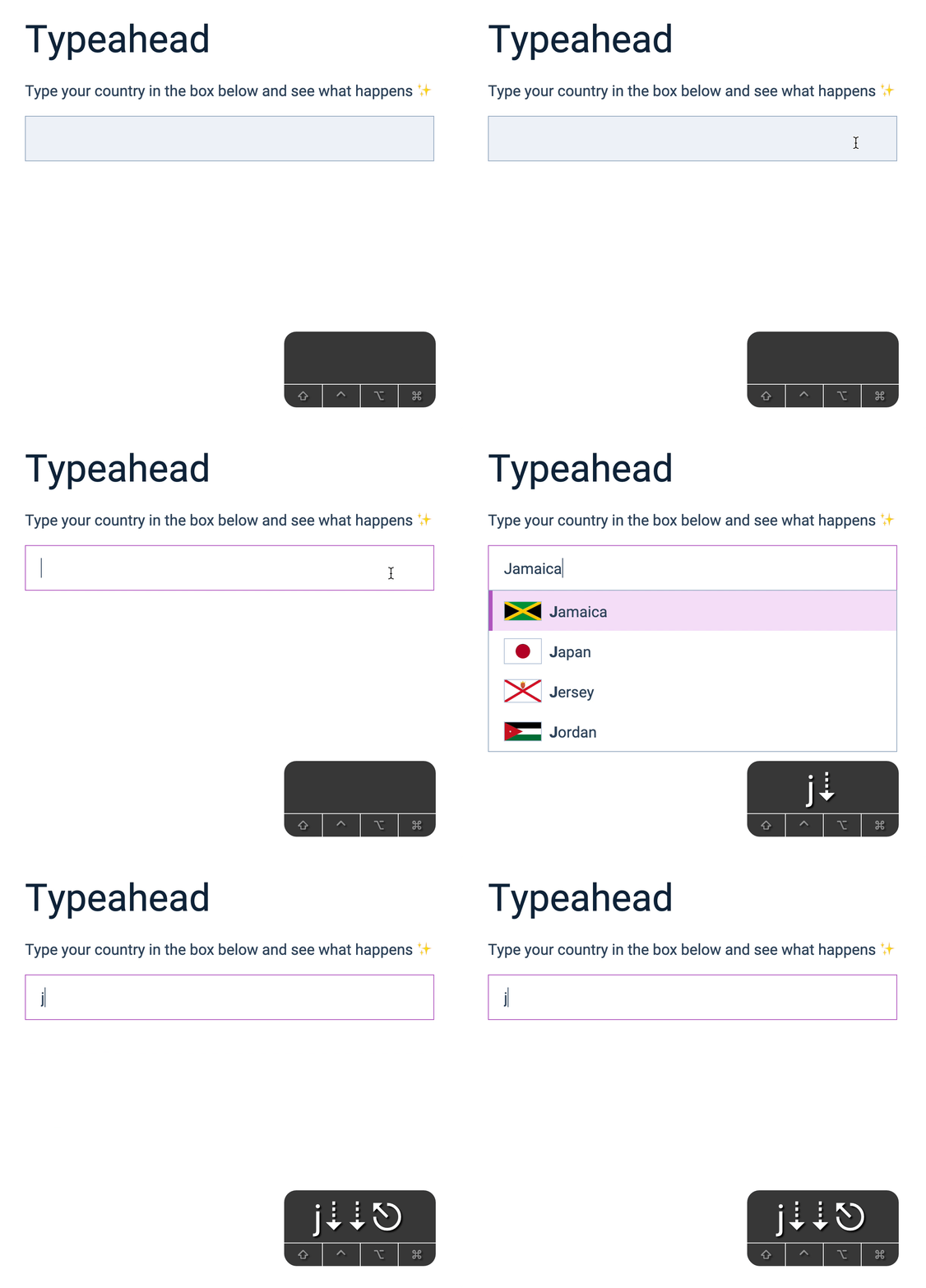
Refactoring
Here’s a small cleanup.
When we hide the list of predictions, we used these two lines of code:
ul.setAttribute('hidden', true)ul.innerHTML = ''We can simplify things if we put this into a function.
function hidePredictionList() { ul.setAttribute('hidden', true) ul.innerHTML = ''}Then we can use it everywhere.
input.addEventListener('keydown', event => {  const { key } = event
  if (key === 'Enter') {    hidePredictionList()    if (event.target.closest('.typeahead')) {      event.preventDefault()    }  }
  if (key === 'Tab') {    hidePredictionList()  }
  if (key === 'Escape') {    hidePredictionList()    input.value = userEnteredValue  }})
In the input event listener:
input.addEventListener('input', event => { // ... if (!inputValue) return hidePredictionList()})In the click event listener.
ul.addEventListener('click', event => { // ... hidePredictionList()})In the document’s click event listener
document.addEventListener('click', event => { if (!event.target.closest('.typeahead')) { hidePredictionList() }})That’s it!
Welcome! Unfortunately, you don’t have access to this lesson. To get access, please purchase the course or enroll in Magical Dev School.
Unlock this lesson