You will learn to handle keyboard interactions for the modal in this lesson. Specifically, you will learn to:
- Open the modal with the keyboard
- Close the modal with the keyboard
- Why you should trap focus inside the modal (and how)
- Prevent users from tabbing into the hidden modal
Opening the modal
You can open the modal by:
- Focusing on the
<button> - Hitting the Space or Enter key
This works because Space and Enter trigger a click event on buttons.
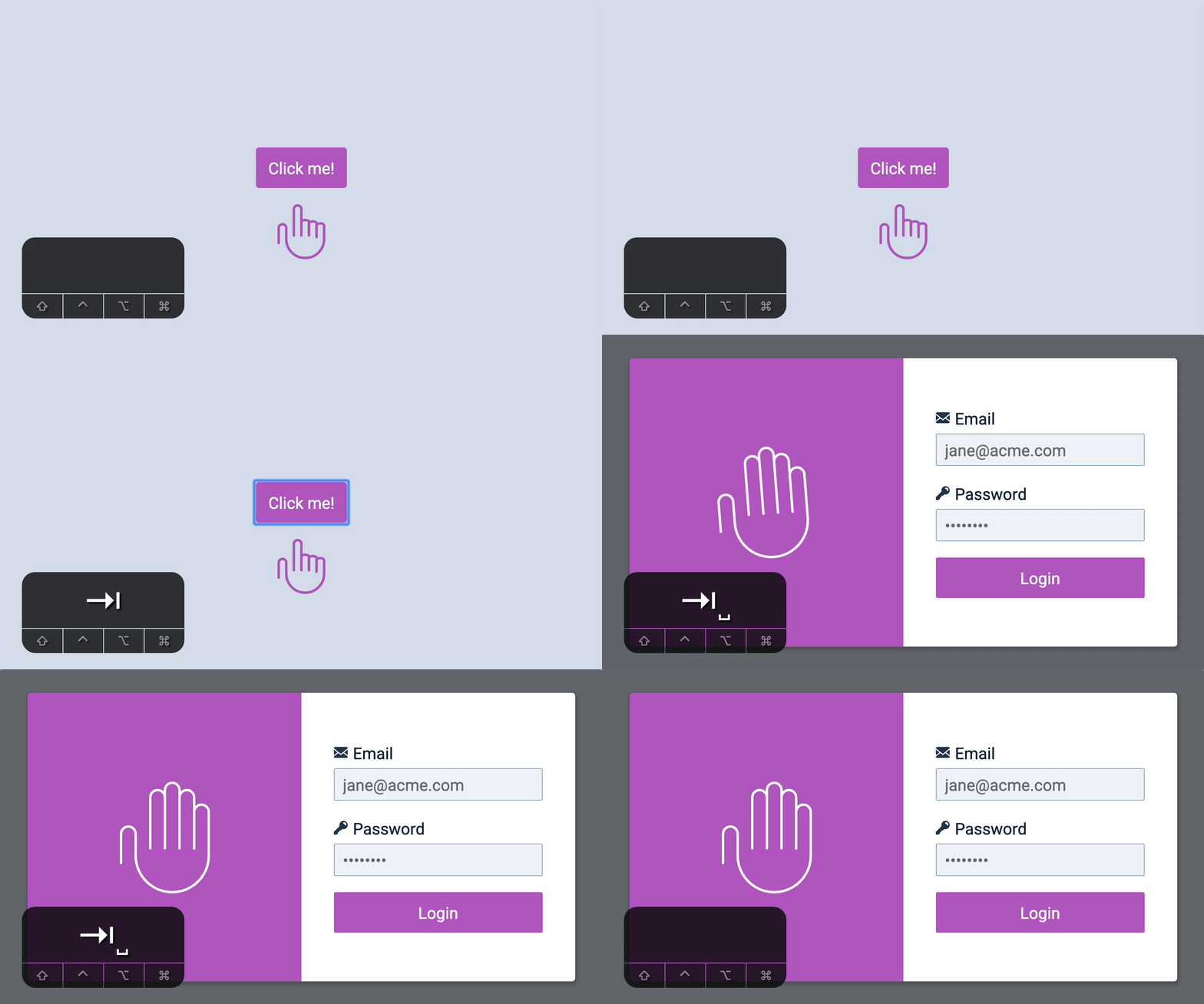
Focus when opening
When users opens the modal, we want them to fill up their email and password. We can focus on the email field to make it easier for them.
const modal = document.querySelector('.modal')
modalButton.addEventListener('click', event => {  document.body.classList.add('modal-is-open')  wave(wavingHand)
  const input = modal.querySelector('input')
  // Focus on input  input.focus()})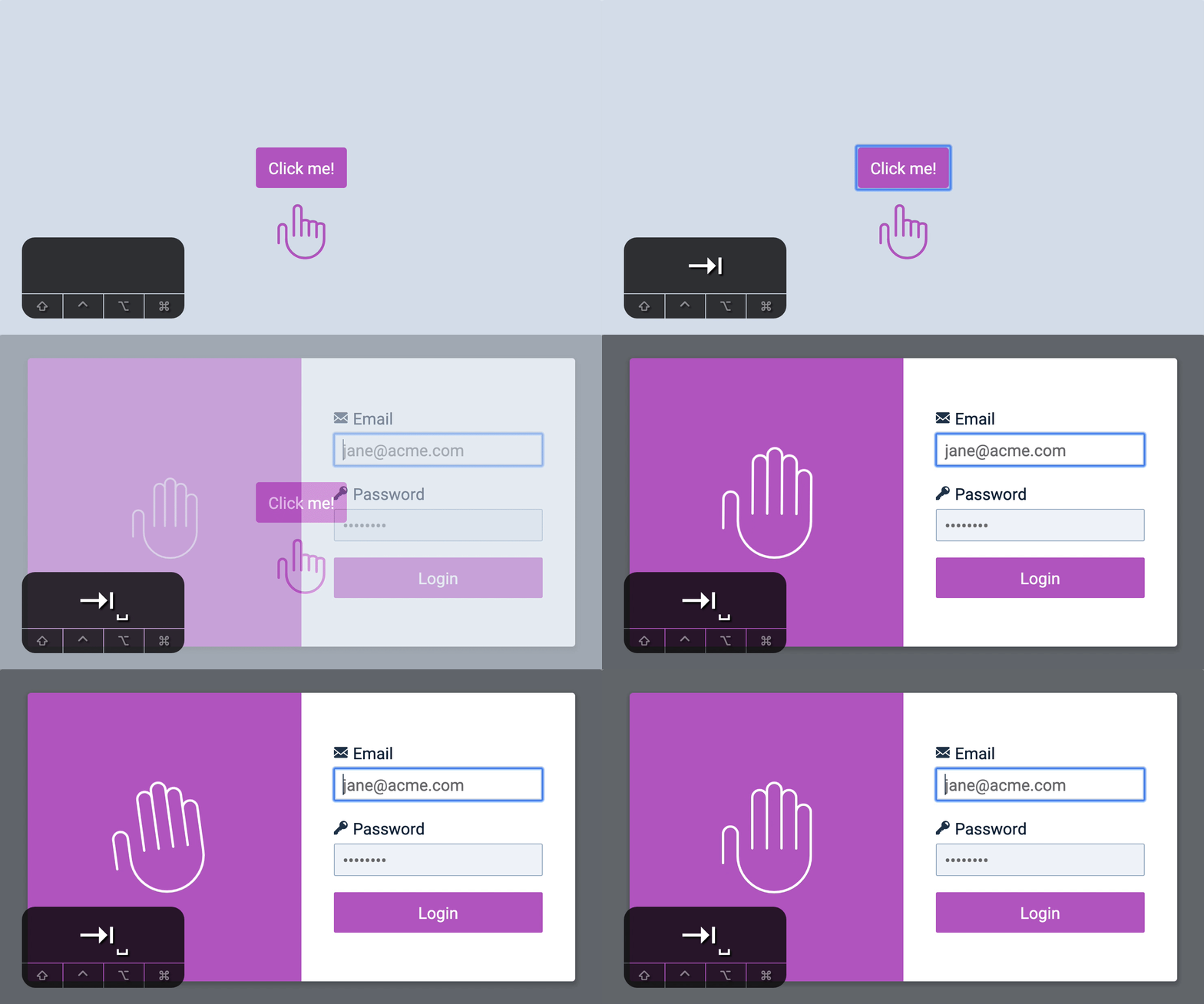
Closing the modal
It makes sense for users to close the modal with an Escape key. To close the modal with an escape key, you listen for the keydown event.
document.addEventListener('keydown', event => { // ...})We want the Escape key to close the modal only if the modal is opened. We can check for the Escape key with event.key and we can check whether the modal is open with classList.contains.
document.addEventListener('keydown', event => { if ( event.key === 'Escape' && document.body.classList.contains('modal-is-open') ) { document.body.classList.remove('modal-is-open') }})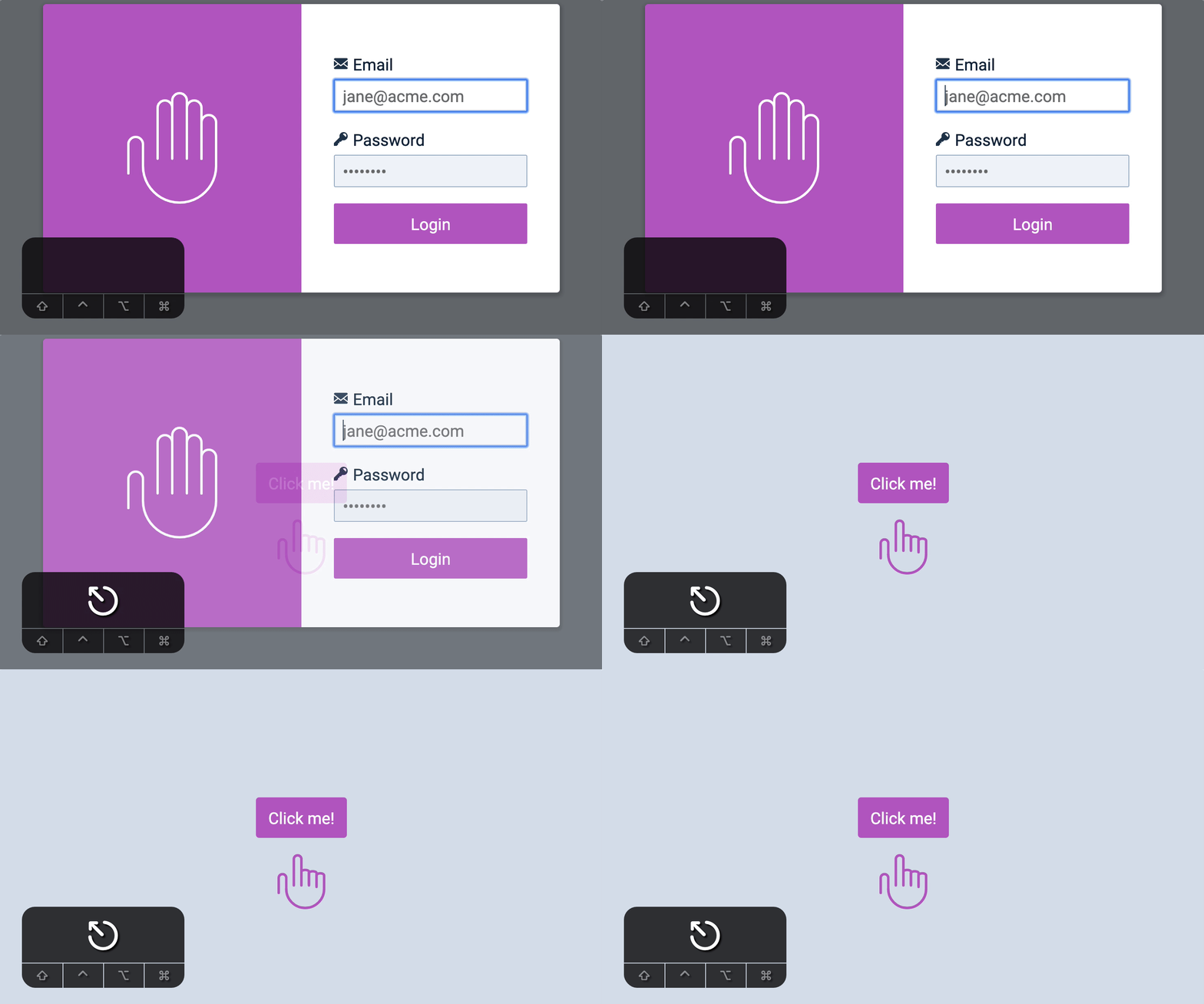
Focus when closing
When we close the modal, we should focus on the button that opened the modal. This allows users to continue navigating from that button.
modalCloseButton.addEventListener('click', event => {  // ...  modalButton.focus()})
modalOverlay.addEventListener('click', event => {  if (!event.target.closest('.modal')) {    // ...    modalButton.focus()  }})
document.addEventListener('keydown', event => {  if (    event.key === 'Escape' &&    document.body.classList.contains('modal-is-open')  ) {    // ...    modalButton.focus()  }})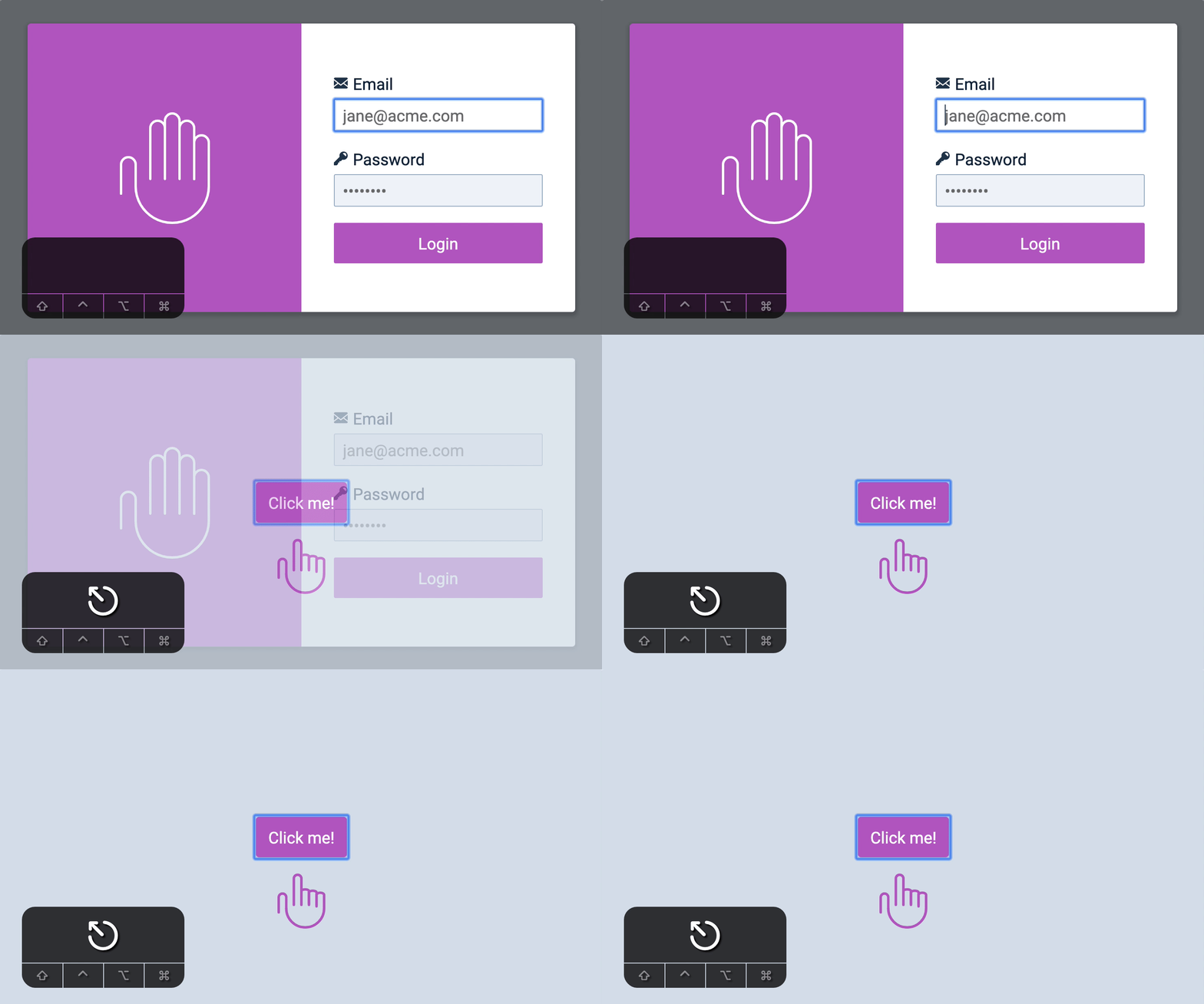
Function to open and close modal
At this point, it makes sense to create a function to close the modal.
/** * Closes Modal */function closeModal() { document.body.classList.remove('modal-is-open') modalButton.focus()}Using closeModal:
modalCloseButton.addEventListener('click', event => {  closeModal()})
modalOverlay.addEventListener('click', event => {  if (!event.target.closest('.modal')) {    closeModal()  }})
document.addEventListener('keydown', event => {  if (    event.key === 'Escape' &&    document.body.classList.contains('modal-is-open')  ) {    closeModal()  }})
Since we have closeModal, it also makes sense to create an openModal.
/** * Opens Modal */function openModal() {  document.body.classList.add('modal-is-open')  wave(wavingHand)
  // Focus on input  const input = modal.querySelector('input')  input.focus()}
Using openModal:
modalButton.addEventListener('click', event => { openModal()})Finally, it makes sense to have a function to check whether the modal is opened or closed.
/** * Checks if modal is open */function isModalOpen() { return document.body.classList.contains('modal-is-open')}Using isModalOpen
document.addEventListener('keydown', event => { if (isModalOpen() && event.key === 'Escape') { closeModal() }})Focus trapping
It is important to recognize the difference between a dialog and a modal. According to Nielsen Norman Group (paraphrased):
- A dialog is a window above the main content. Users can still interact with the main content. We also call them non-modal dialogs.
- A modal is also a window above the main content. But users can only interact with the content in the modal. We also call them modal dialogs.
For simplicity, I’m calling them dialog and modal respectively. In this case, we’re building a modal.
When the modal is open, we want users to interact only with things in the modal. We don’t want them to interact with anything else.
We already prevented mouse users from interacting with the main content by using a modal overlay. We also need to prevent keyboard users from interacting with the main content. We can do this by trapping focus within the modal.
This means users will not be able to Tab or Shift + Tab out of the modal:
- If the user hits Tab on the last focusable element, we bring focus to the first focusable element
- If the user hits Shift and Tab on the first focusable element, we bring the user to the last focusable element
We will trap focus when the modal is open
function openModal() { // ... // Trap focus}To trap focus, we need to know what elements are focusable. In this case, focusable elements are <input>s and <button>s
function openModal() {  // ...
  // Trap focus  const focusables = modal.querySelectorAll('input, button')  console.log(focusables)}
In this case, the first focusable element is the close button. The last focusable element is the submit button.
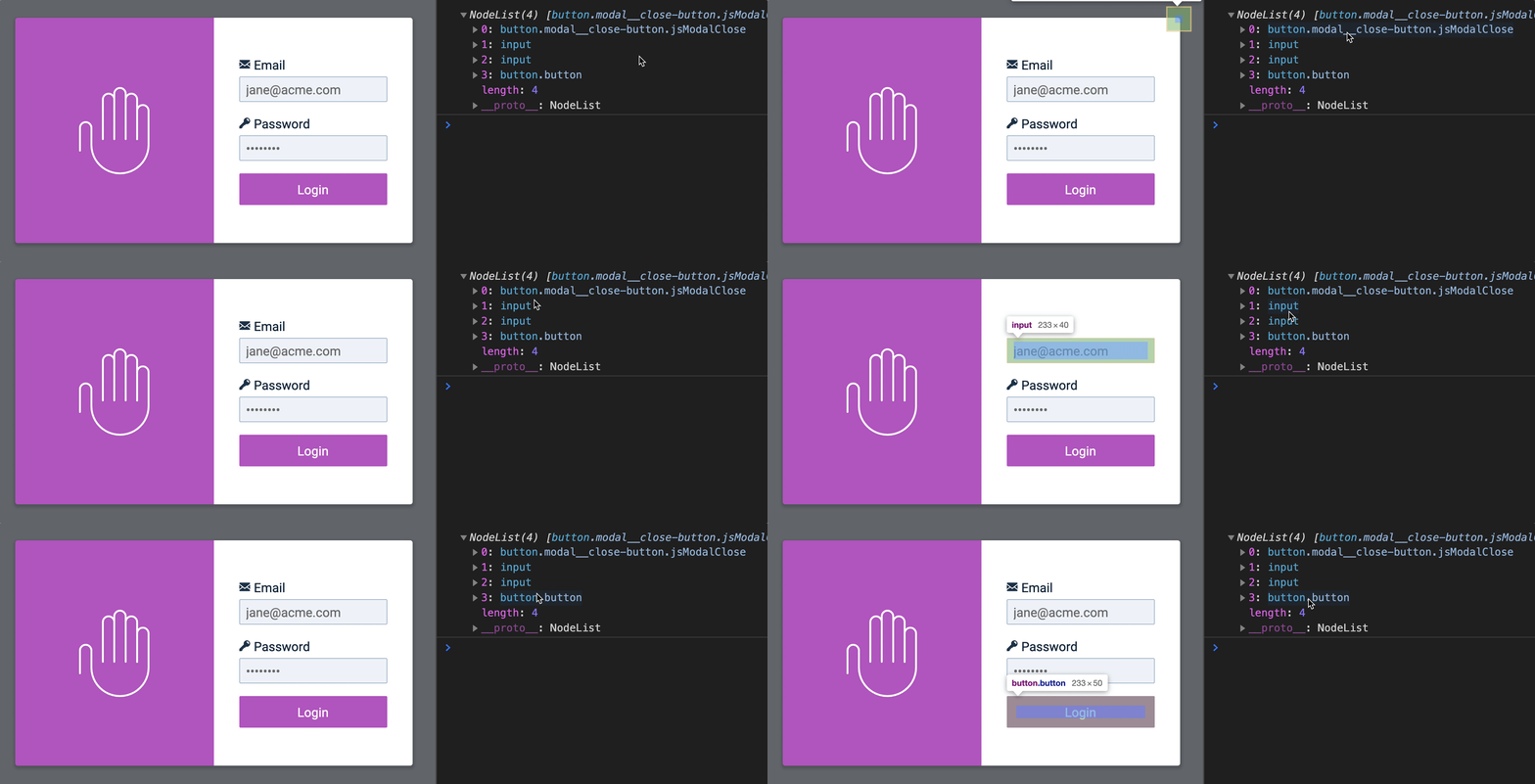
When a user hits Tab on the last focusable element (the submit button), we want to bring focus back to the first focusable element (the close button).
To do that, we need to get the first and last focusable elements from focusables first.
function openModal() {  // ...
  // Trap focus  const focusables = modal.querySelectorAll('input, button')  const firstFocusable = focusables[0]  const lastFocusable = focusables[focusables.length - 1]}
When users hits the Tab key (without Shift), we want to check if they’re on the last focusable element. We do this with document.activeElement. If the user is on the last focusable element, we return focus to the first focusable element.
function openModal() { // ... document.addEventListener('keydown', event => { if ( document.activeElement === lastFocusable && event.key === 'Tab' && !event.shiftKey ) { firstFocusable.focus() } })}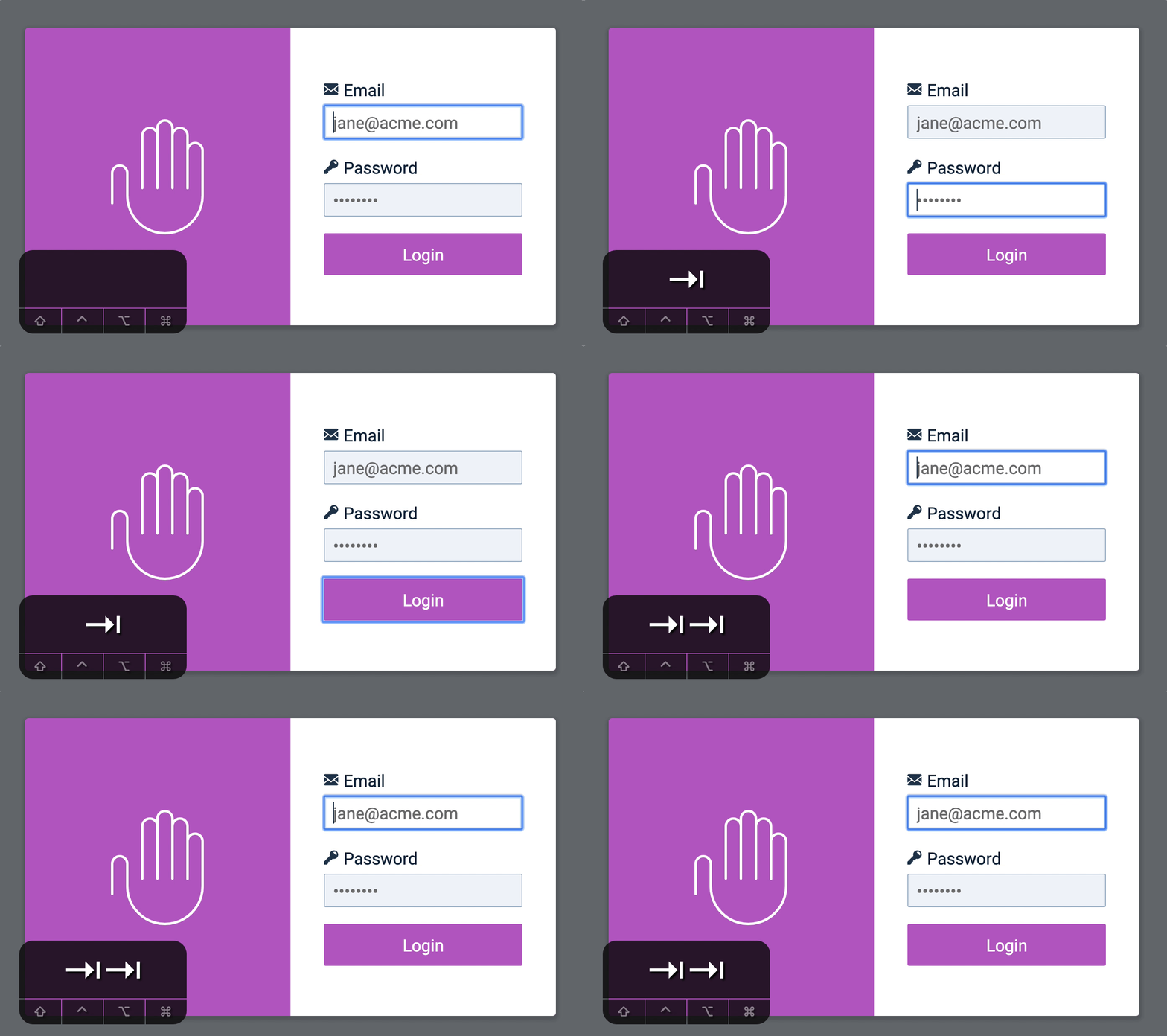
Notice a problem?
The first focusable element is the close button. We should focus on it. But our code focuses on the input, which is the second focusable element.
This happens because the Tab key shifts focus to the next focusable element by default. We need to prevent this default action when we direct focus.
function openModal() { // ... document.addEventListener('keydown', event => { if ( document.activeElement === lastFocusable && event.key === 'Tab' && !event.shiftKey ) { event.preventDefault() firstFocusable.focus() } })}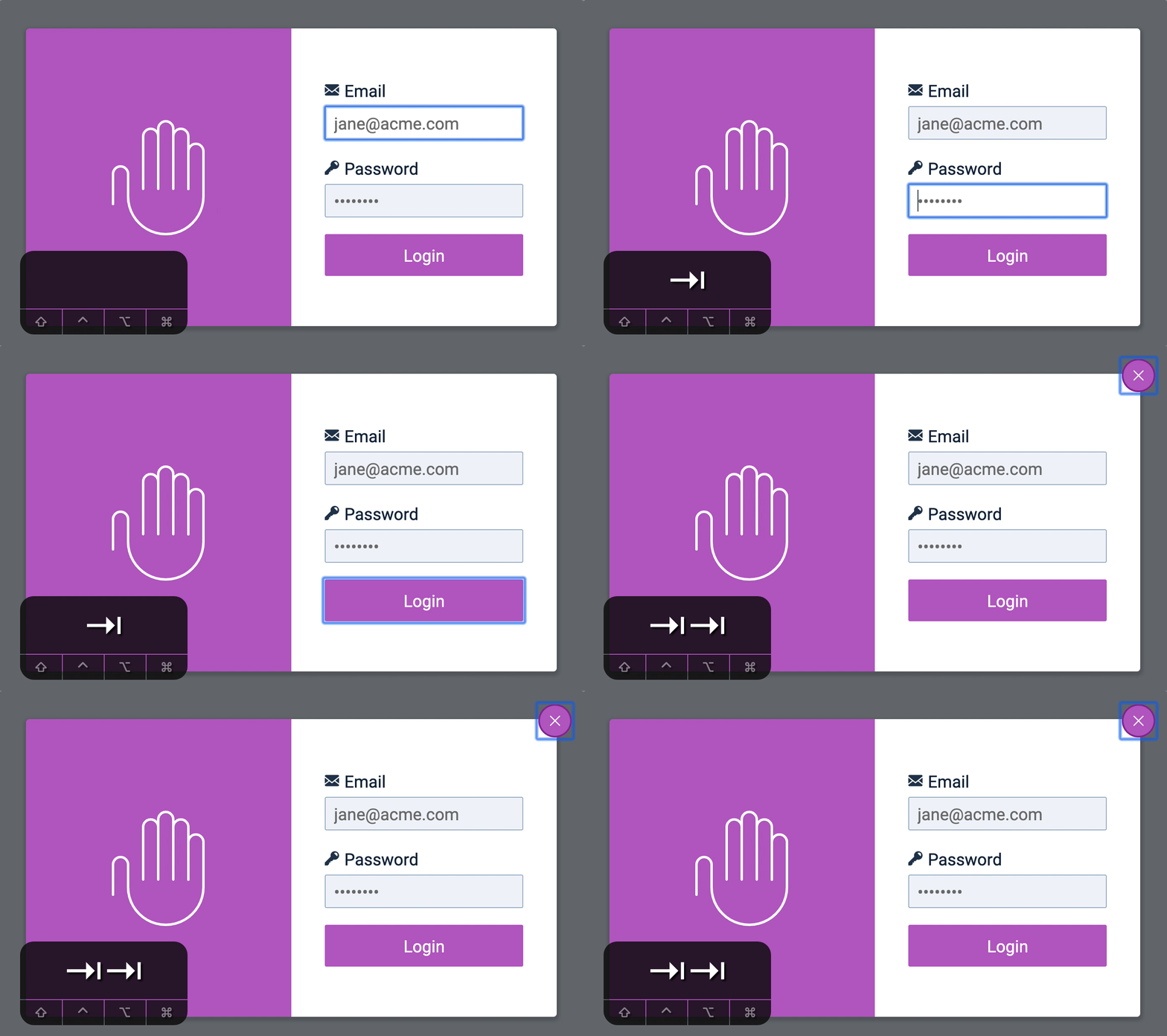
If the user hits Shift and Tab when they’re on the first focusable element, we direct focus back to the last focusable element. The steps are the same:
function openModal() {  // ...  document.addEventListener('keydown', event => {    // Directs to first focusable    if (      document.activeElement === lastFocusable &&      event.key === 'Tab' &&      !event.shiftKey    ) {      event.preventDefault()      firstFocusable.focus()    }
    // Directs to last focusable    if (      document.activeElement === firstFocusable &&      event.key === 'Tab' &&      event.shiftKey    ) {      event.preventDefault()      lastFocusable.focus()    }  })}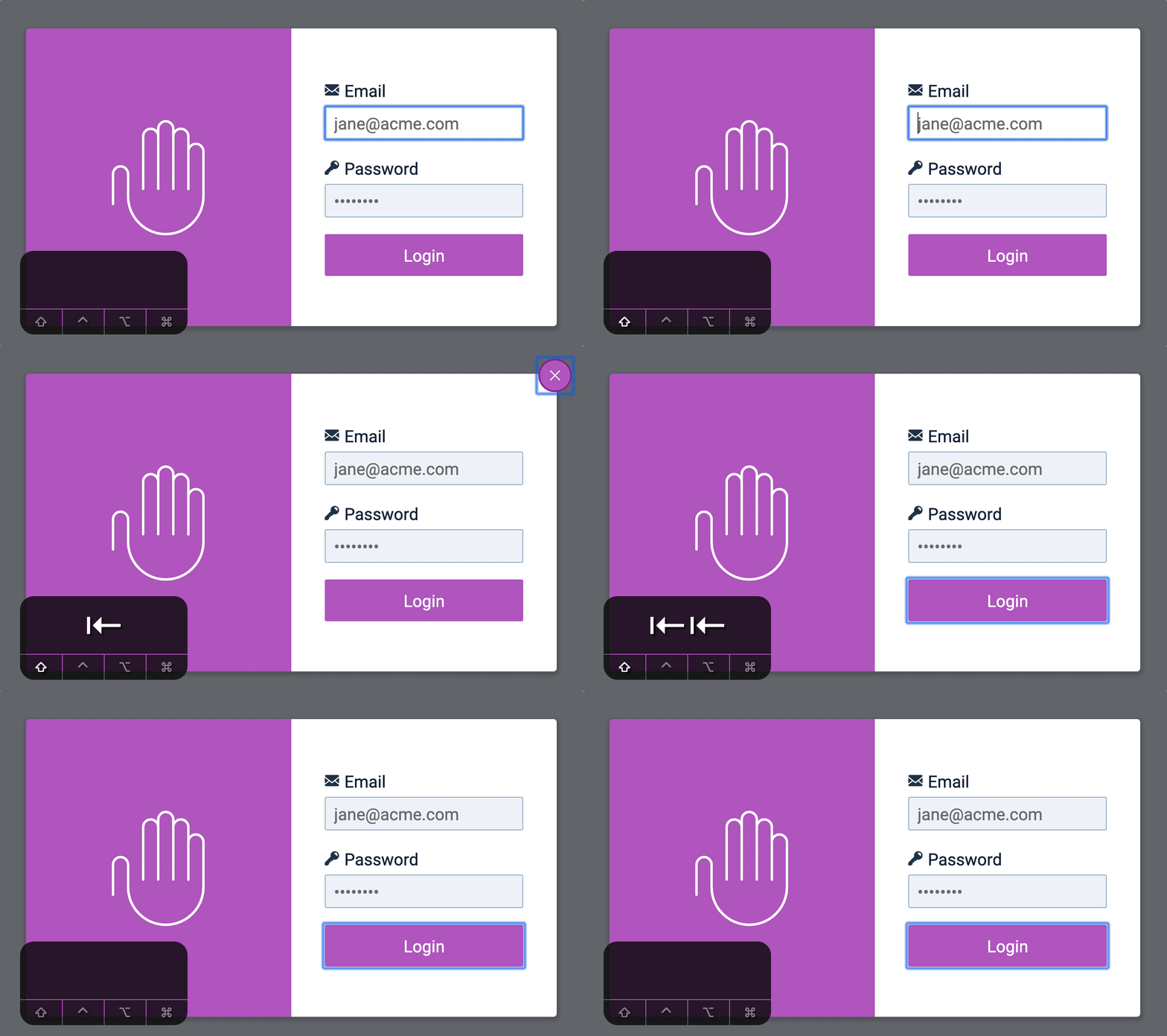
Removing the focus trap
If a user closes the modal, they need to be able to focus on other elements. Right now, they can’t. If they somehow Tab into the modal (which shouldn’t happen, and we’re going to fix this later), their focus remains trapped in it.
You can see this is happening by looking at how document.activeElement cycles through the four focusable elements in the modal.
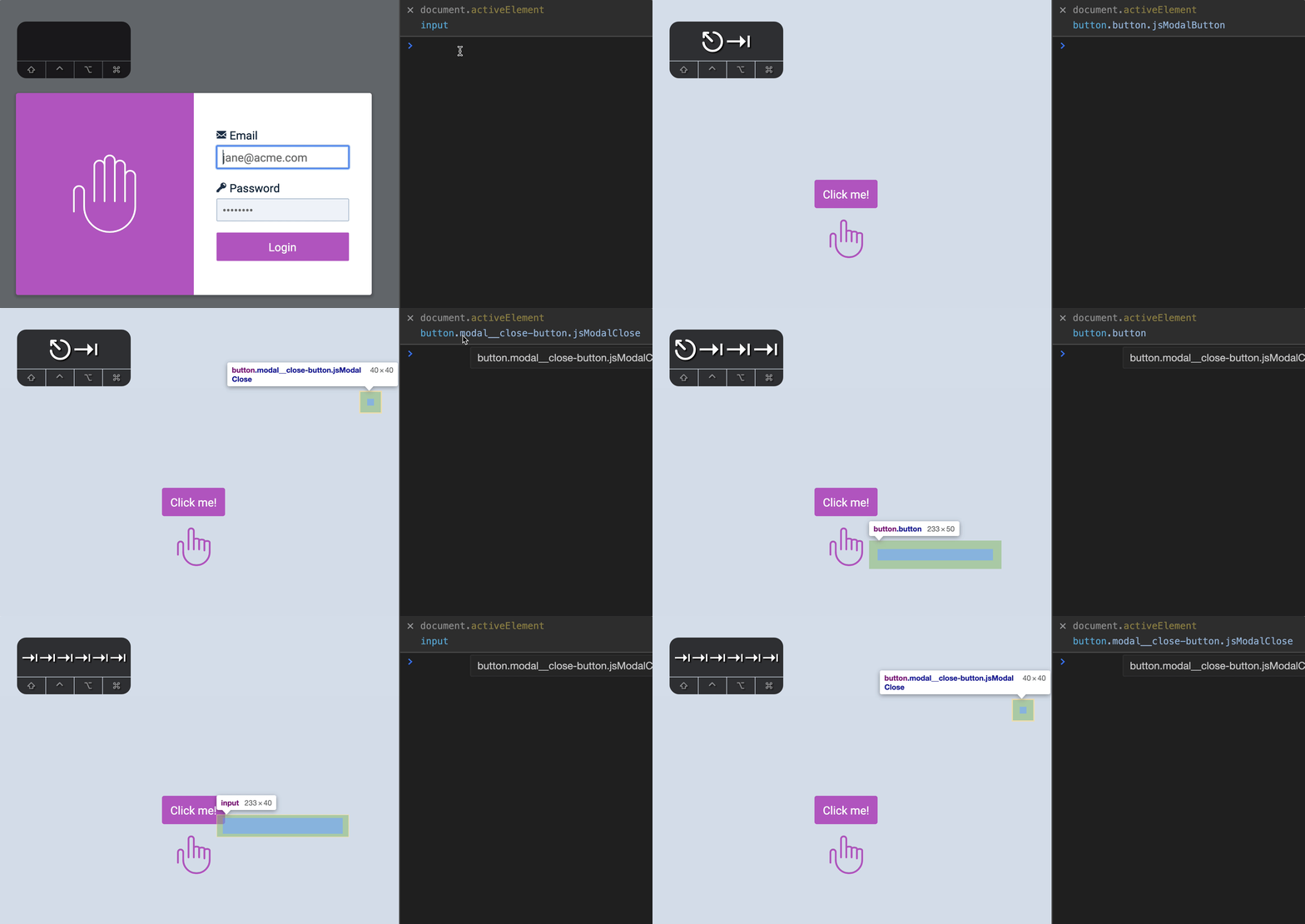
To remove the focus trap, we need to remove the keydown event listener we used for the trap.
// Remove this event listenerdocument.addEventListener('keydown', event => {  // Directs to first focusable  if (    document.activeElement === lastFocusable &&    event.key === 'Tab' &&    !event.shiftKey  ) {    event.preventDefault()    firstFocusable.focus()  }
  // Directs to last focusable  if (    document.activeElement === firstFocusable &&    event.key === 'Tab' &&    event.shiftKey  ) {    event.preventDefault()    lastFocusable.focus()  }})
To remove an event listener, we need to pass the same callback reference to both addEventListener and removeEventListener. This means we can’t use an anonymous arrow function as the callback. We need to use a named function.
// Callback for the event listenersfunction trapFocus(event) {  // ...}
// Adding an event listenerdocument.addEventListener('keydown', trapFocus)
// Removing an event listenerdocument.removeEventListener('keydown', trapFocus)
From the code above, we know trapFocus needs to know the first and last focusable elements. We need to find the focusable elements within trapFocus.
function trapFocus(event) {  const focusables = modal.querySelectorAll('input, button')  const firstFocusable = focusables[0]  const lastFocusable = focusables[focusables.length - 1]
  // ...}
Then, we add the rest of the code that creates the trap.
function trapFocus(event) {  // ...
  // Directs to first focusable  if (    document.activeElement === lastFocusable &&    event.key === 'Tab' &&    !event.shiftKey  ) {    event.preventDefault()    firstFocusable.focus()  }
  // Directs to last focusable  if (    document.activeElement === firstFocusable &&    event.key === 'Tab' &&    event.shiftKey  ) {    event.preventDefault()    lastFocusable.focus()  }}
Here’s how you trap focus and remove the focus trap with trapFocus.
// Traps focusfunction openModal() {  // ...  document.addEventListener('keydown', trapFocus)}
// Removes focus trapfunction closeModal() {  // ...  document.removeEventListener('keydown', trapFocus)}
Now, even if users manage to focus on an element inside the modal, their focus does not get trapped in the modal.
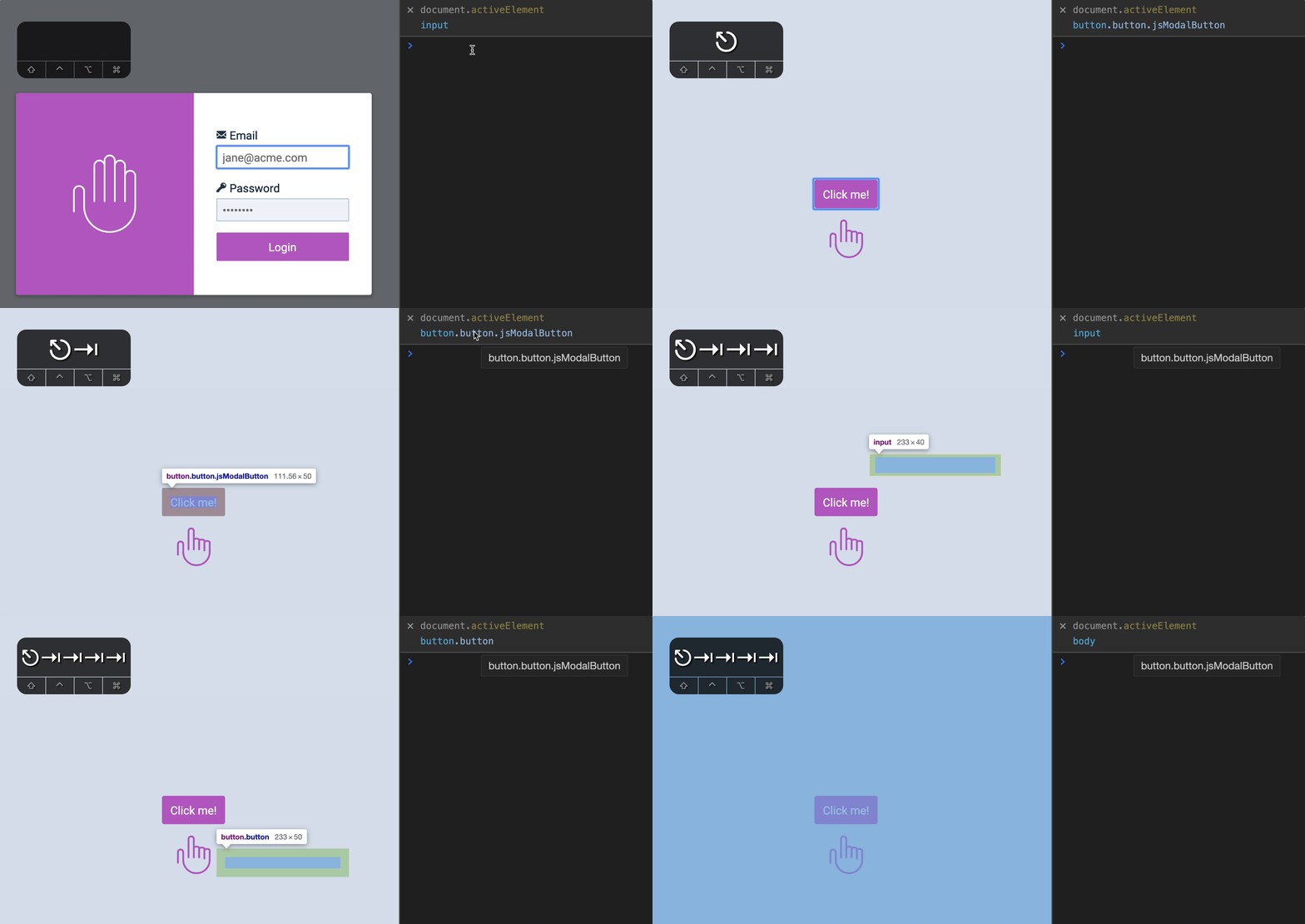
If you use Firefox, you can also confirm that trapFocus event gets removed.
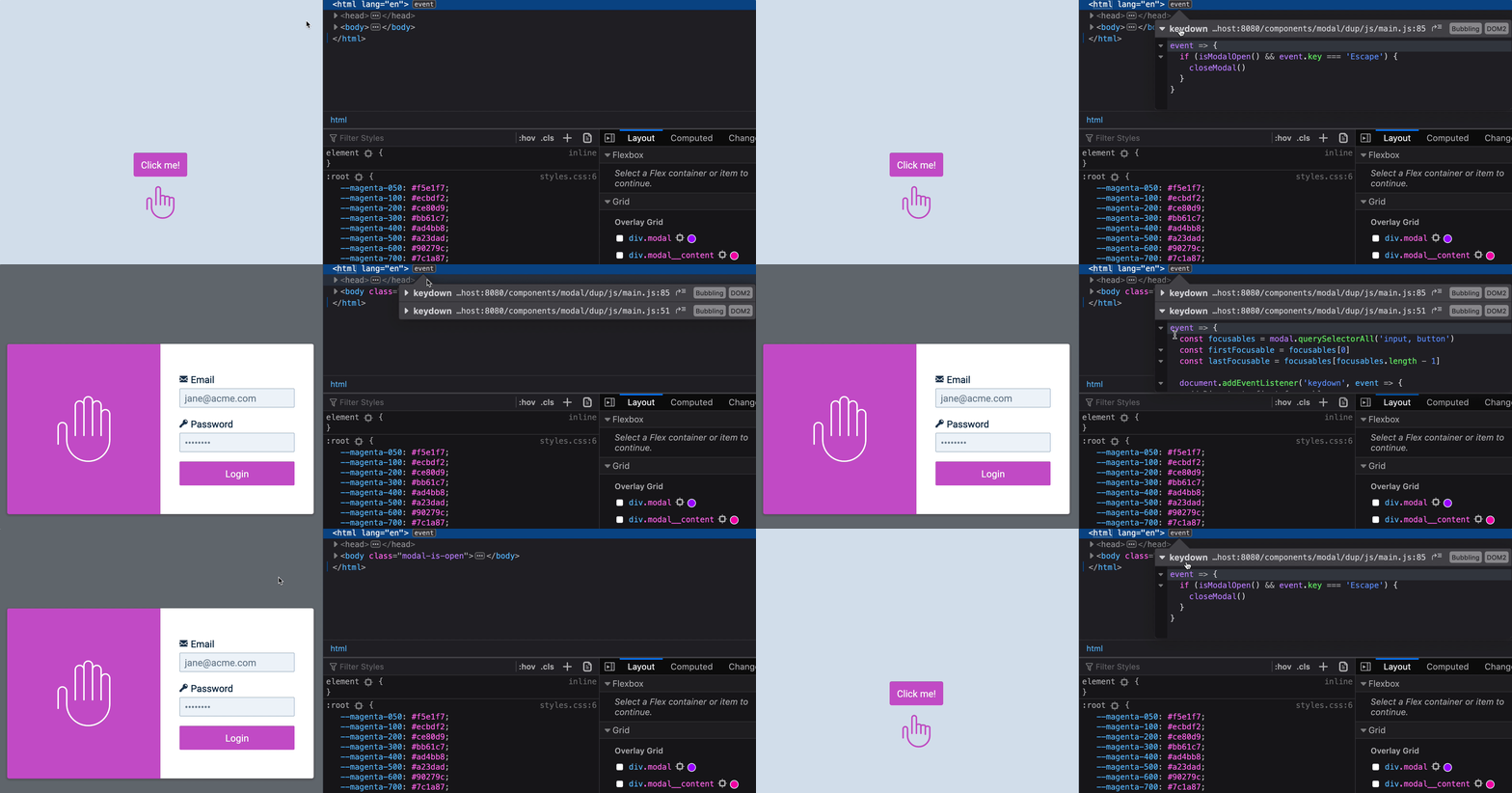
Preventing users from tabbing into a hidden modal
If users cannot interact with the modal, they should not be able to focus on things in the modal.
We can prevent them from focusing on things in the modal by setting visibility to hidden.
.modal-overlay { visibility: hidden;}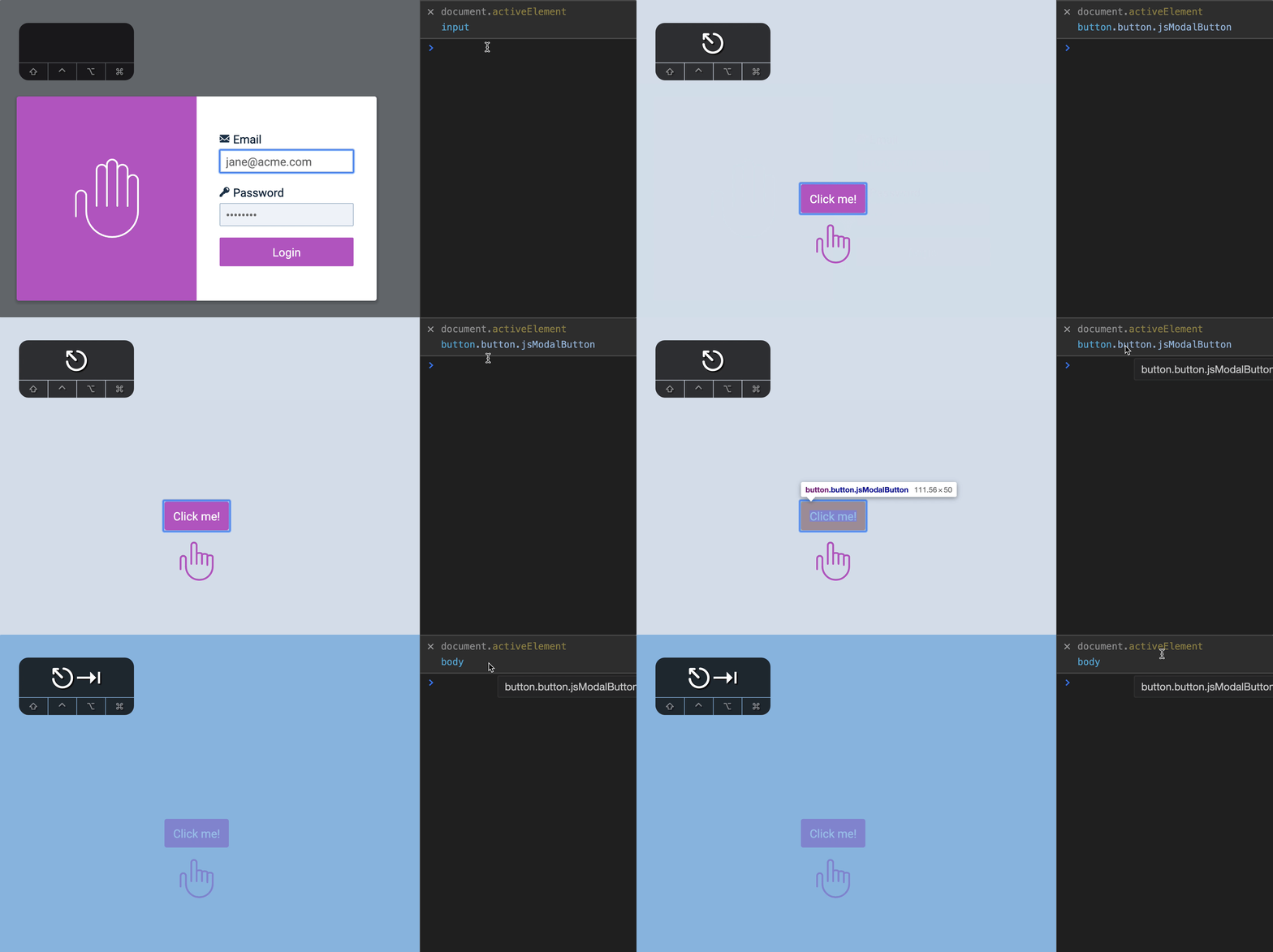
When we open the modal, we want users to be able to Tab through focusable elements in the modal. We can do this by setting visibility back to visible.
.modal-is-open .modal-overlay { visibility: visible;}Finally, we need to adjust the transition-delay for visibility.
.modal-overlay {  transition:    opacity 0.3s ease-out,    z-index 0s 0.3s,    visibility 0s 0.3s;  visibility: hidden;}
.modal-overlay.is-open {  transition-delay: 0s;  visibility: visible;}
That’s it!
Welcome! Unfortunately, you don’t have access to this lesson. To get access, please purchase the course or enroll in Magical Dev School.
Unlock this lesson