If you want to do something later (like one second later), you can use setTimeout. It has the following syntax:
setTimeout(callback, wait)callbackis the function you want to executewaitis the number of milliseconds you want to wait before executing a function. (Remember,1000 milliseconds === 1 second)
Let’s say you want to log Hello World into the console after one second. Here’s what you can do:
function callback() {  console.log('Hello world')}
console.log('Now')setTimeout(callback, 1000)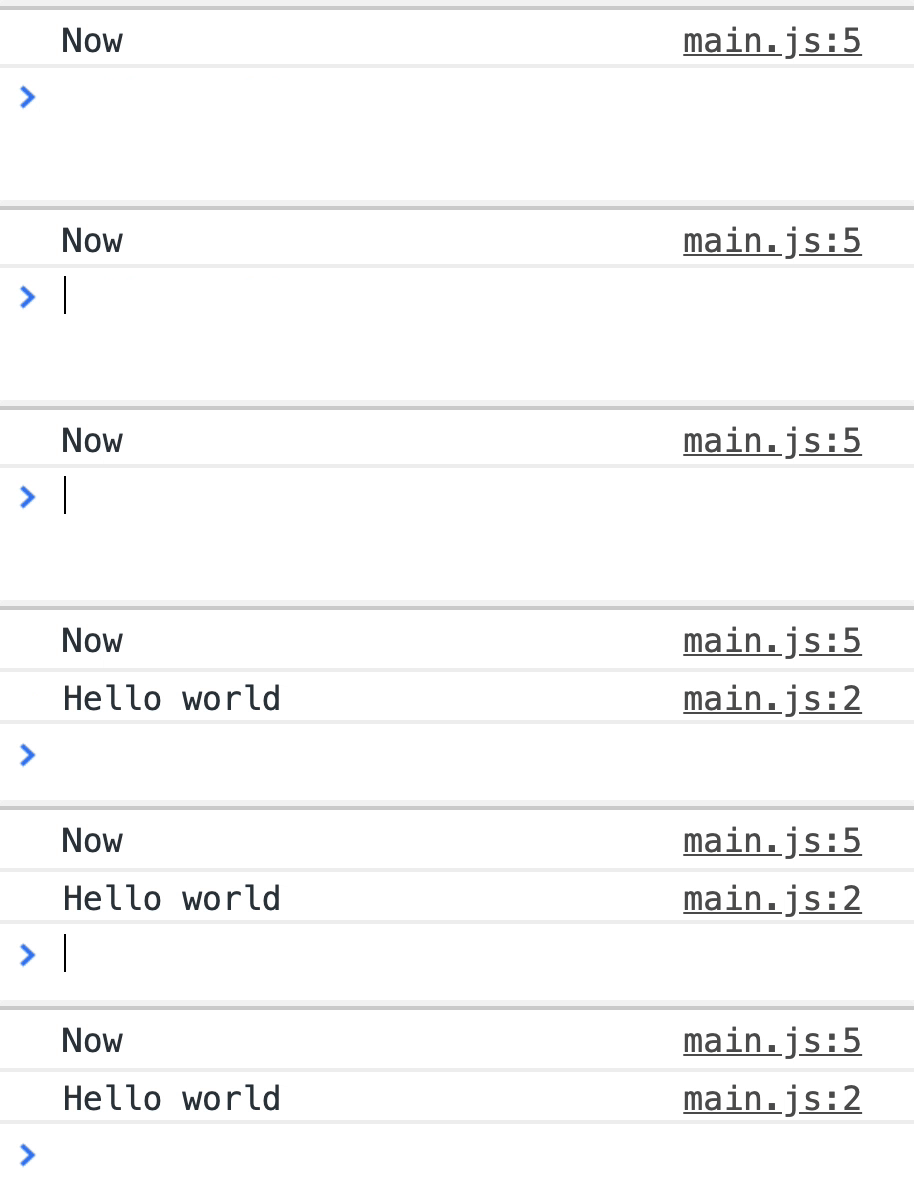
You can write the callback directly in setTimeout if you want to. Here’s the same example with the callback written within setTimeout.
setTimeout(_ => { console.log('Hello world')}, 1000)Adding more arguments
You can send more arguments into the callback by writing them after wait.
function callTheAvengers(...superheroes) {  superheroes.forEach(hero => {    console.log(`${hero} has arrived!`)  })}
setTimeout(callTheAvengers, 1000, 'Iron Man', 'Hulk', 'Thor')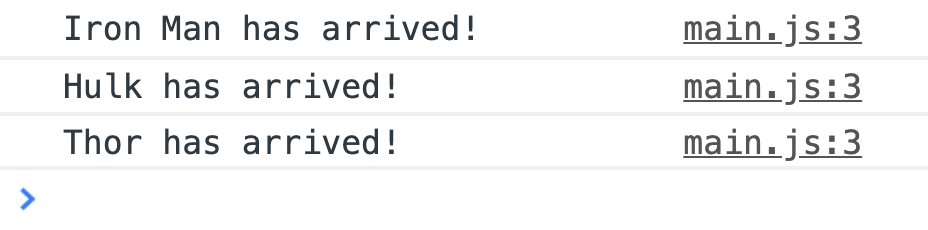
Cancelling a timeout
setTimeout returns an id for the timeout. You can assign it to a variable.
const id = setTimeout(() => {  console.log('Hello world')}, 1000)
console.log(id) // 1
To cancel a timeout, you use clearTimeout. You need the id of the timeout to cancel it.
clearTimeout(id)If you cancel the timeout before the callback runs, you prevent the callback from running.
// Nothing will be logged in this exampleconst id = setTimeout(() => { console.log('Hello world')}, 1000)clearTimeout(id)1000 milliseconds might not be 1 second
Remember the event loop?
setTimeout queues the callback to run after 1 second if you set wait to 1000ms. This doesn’t mean JavaScript will run the callback after 1 second has passed.
JavaScript needs to wait until it’s free to run a function before it can run the callback. This means 1000ms may become 1200ms or more if JavaScript is busy.
We talked about this way back in the Callbacks lesson. Feel free to revisit the event loop if you need to.
Welcome! Unfortunately, you don’t have access to this lesson. To get access, please purchase the course or enroll in Magical Dev School.
Unlock this lesson