Typeaheads are generally used in two ways:
- Choosing predictions is optional
- Choosing predictions is compulsory
You don’t need to handle errors if predictions are optional, but you have to handle errors if predictions are compulsory.
When predictions are optional
You want consider what happens if the GET request fails.
If predictions are optional, users can type what they want into the input field manually. It’s not a big deal if predictions don’t show up.
For example, try going offline before typing into the search form on Google. Google doesn’t show any predictions.

When prediction are compulsory
Airline websites are great examples where this happen.
There’s a code for each airport. Like SIN or WSSS for Singapore’s airport. Airlines websites probably need one of these airport codes in the backend. (I’m not sure which one though).
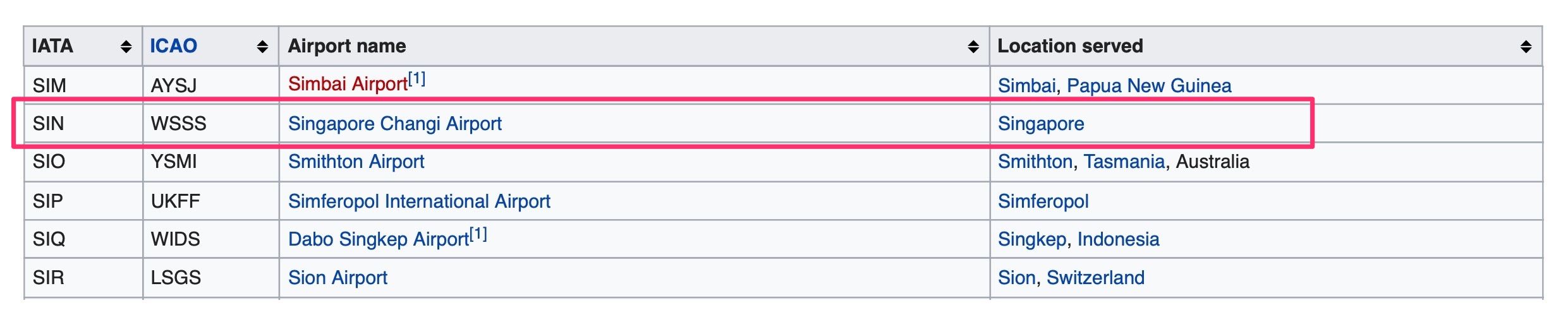
Airlines need to gather the correct airport code from what users select, so they need users to select a prediction.
Here’s an example: I typed the correct countries into the “From” and “To” fields. But the website showed me an error. This happened even though there’s only one prediction!
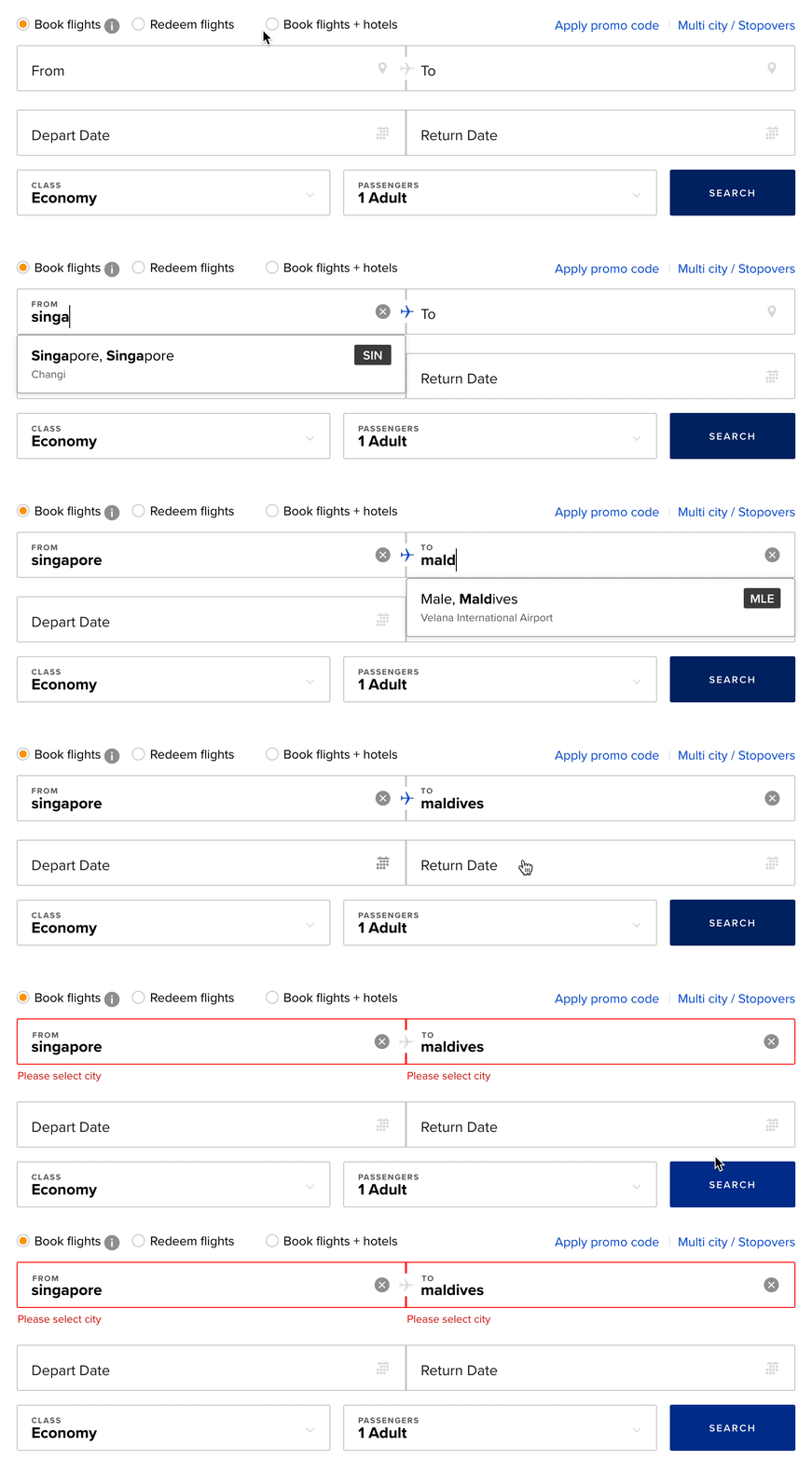
There are two ways you can handle these types of errors:
- Check the input in the backend (assuming you have a backend) and refresh the page with an error.
- Check the input and create an error message. (This uses Ajax).
Either way works.
Error handling for the Typeahead
Predictions are optional for our Typeahead, so we won’t need to show any errors.
Welcome! Unfortunately, you don’t have access to this lesson. To get access, please purchase the course or enroll in Magical Dev School.
Unlock this lesson