We’re going to look deeper into requests and responses in this lesson.
The anatomy of a request
A request consist of four parts:
- The endpoint
- The method
- The body
- The headers
The endpoint
The endpoint is the URL you send a request to. It is made up of three things:
- The root endpoint
- The path
- Query parameters
root-endpoint/path?paramsThe root endpoint is the starting point of the API you’re requesting from. Github API’s root endpoint is https://api.github.com.
The path determines what you request for. For example, to get a user’s repositories from Github, you will need to use /users/:username/repo.
Here, :username is a variable. You can replace it with your Github username to fetch a list of your repositories.
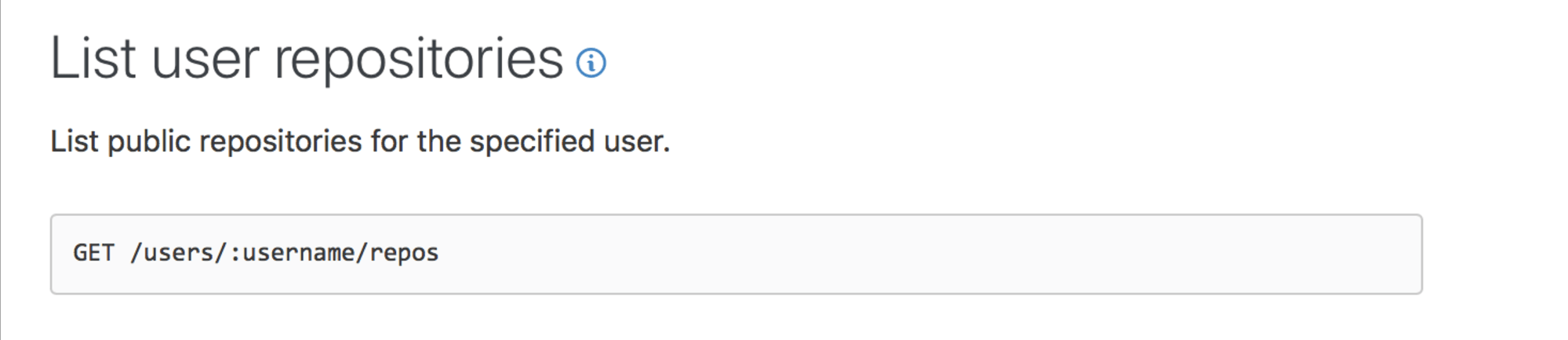
Query parameters lets you modify a request. They begin with a question mark at the end of the path. Each query parameter is a key-value pair, separated by an ampersand.
?query1=value1&query2=value2If you want to get a list of my repositories that is sorted by push date, you can set the sort parameter to pushed.
https://api.github.com/users/zellwk/repos?sort=pushed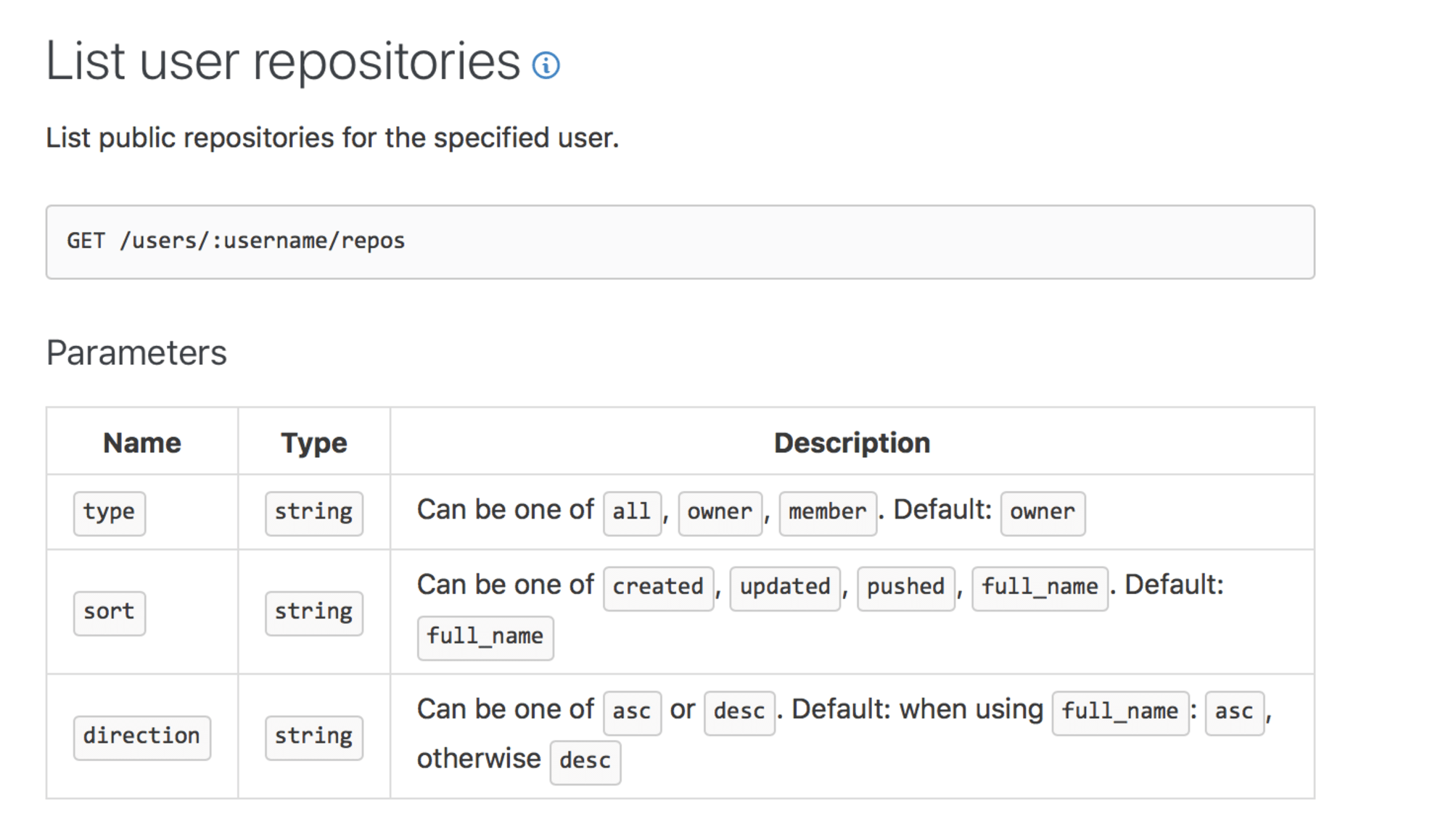
The method
You can send five kinds of requests:
- Get—used to get (or read) information
- Post—used to create new pieces of information
- Put—used to update information
- Patch—used to update information too
- Delete—used to delete information.
API documentation will tell you which method to use. For example, you use get to fetch a list of repositories. You use post to create a new repository.
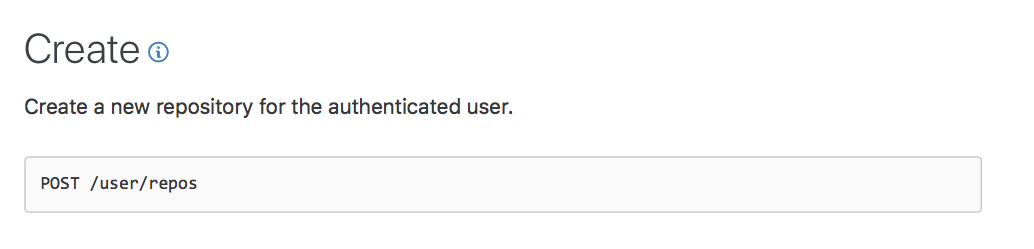
To specify a method with XHR, you pass the method as the first argument when you call open.
request.open('post', url)To specify a method with fetch, you pass an object as the second argument. In this object, you set the method property to the method you want. It defaults to get if no method is defined.
fetch('some-url', { method: 'post',})When you hear about APIs, you may also hear about CRUD operations.
CRUD stands for Create, Read, Update, and Delete. It is a set of operations we use to get servers to update databases with.
- Create—create a database entry
- Read—get a database entry
- Update—change a database entry
- Delete—delete a database entry
When we work on the frontend, we don’t have to worry about CRUD. They’re taken care of by API developers. We only need to use the correct method specified in the documentation.
But for your information, here’s how they’re mapped together:
- Read operation =>
getrequest - Create operation =>
postrequest - Update operation =>
putorpatchrequest - Delete operation =>
deleterequest
The Body
The body contains information you want to send to the server. It is only used with POST, PUT, or PATCH requests.
We’ll examine the body in details when we send post request in a later lesson.
Headers
Headers provide extra information to the server. You’ll learn more about headers as you go through the course. For now, know that they exist.
You can find a list of valid headers on MDN’s HTTP Headers Reference.
The anatomy of a response
A response contains these things:
- A
status - A
statusText - Headers
- The body
Status and StatusText
status and statusText tells you whether the request has succeeded.
There are five status categories:
- 1xx—informational responses
- 2xx—successful responses
- 3xx—redirection responses
- 4xx—client error responses
- 5xx—server error responses
Note: you can substitute xx with numbers. 1xx means 100 - 199, 2xx means 200 to 299, and so on.
What you need to know are 2xx, 4xx, and 5xx responses.
- 2xx means the server responded with a success message.
- You’ll get an error with 4xx messages. These mean you provided wrong information, or you didn’t provide the required information.
- You’ll also get an error with 5xx messages. These mean something wrong happened in the server. The error you get is not your fault! (unless you programmed the server…)
Headers
Response headers provide extra information to the browser. You’ll learn more about headers as you go through the course. For now, know that they exist.
Note: status and statusText are parts of the header.
Body
The body contains information the server sends to you. Some programmers call it the payload. Some documentation calls it the response (even though response means more than the payload).
Documentation often gives you an example of the body. This is what Github responds with when you ask for a list of repositories.
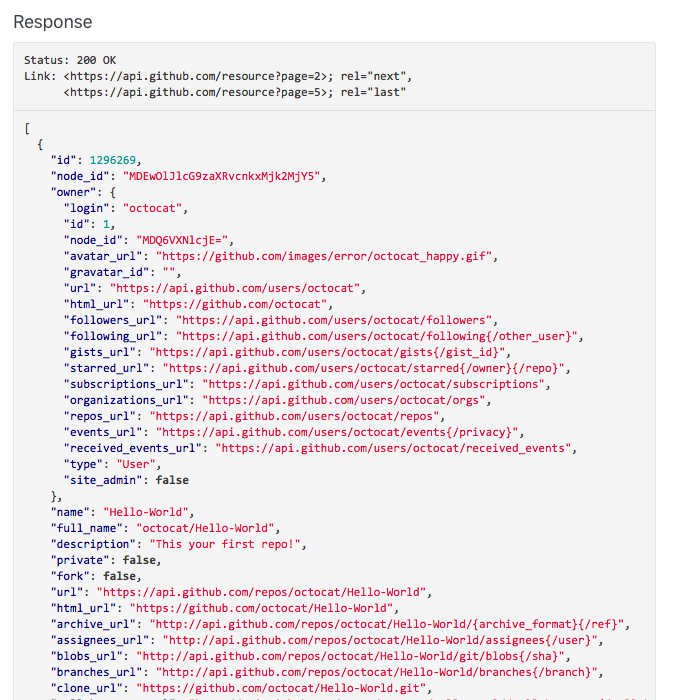
If you encounter an error, you can find information about the error in the body.
Exercise
Answer these questions:
- What is an endpoint?
- What are the five kinds of requests you can send?
- What is a get request used for?
- What is a post request used for?
- What is a payload?
- What are headers?
Welcome! Unfortunately, you don’t have access to this lesson. To get access, please purchase the course or enroll in Magical Dev School.
Unlock this lesson