You learned to filter heroes according to attack type in the previous lesson. For this lesson, we’re going to continue filtering heroes based on the other two categories: primary attribute and roles.
Filtering by primary attribute
If there are two sets of filters, we want to get heroes that match both sets. This means we can run a second filter function on top of the first one.
filtersDiv.addEventListener('change', event => { // ... const filtered = heroes.filter(/* filter by attack type */).filter(hero => { // ... })})Before we run the filter, we need to get the selected primary attributes.
filtersDiv.addEventListener('change', event => { // ... const selectedPrimaryAttributes = [ ...document.querySelectorAll('#primary-attribute input:checked'), ].map(checkbox => checkbox.id)})If the user did not check a checkbox in the primary attributes category, we return the heroes that have passed the previous filter.
filtersDiv.addEventListener('change', event => { // ... const filtered = heroes.filter(/* filter by attack type */).filter(hero => { if (selectedPrimaryAttributes.length === 0) return true // ... })})Getting the primary attribute
If you look at a hero, you’ll notice they have primary_attr.
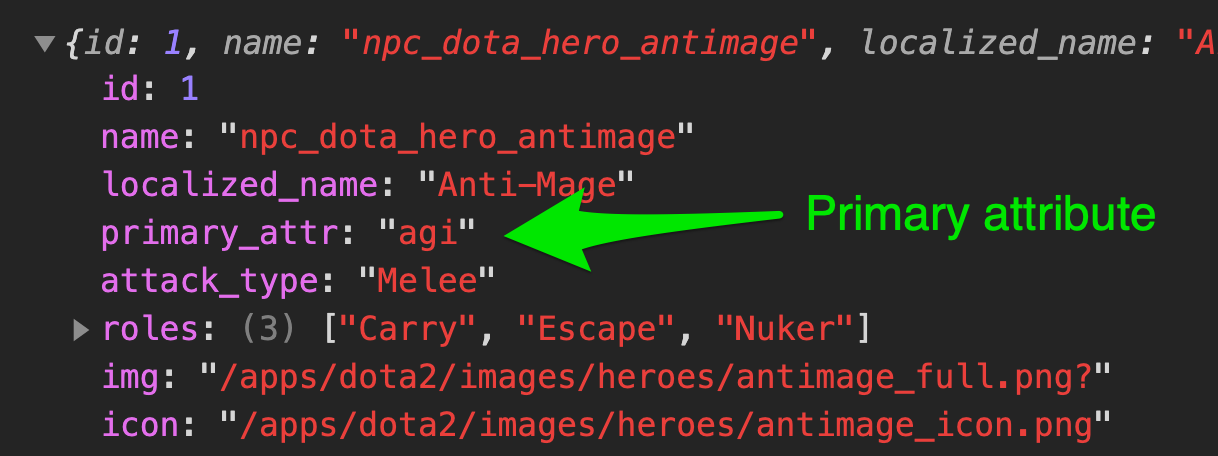
We can use includes to check if the hero’s primary attribute is selected by the user.
filtersDiv.addEventListener('change', event => { // ... const filtered = heroes.filter(/* filter by attack type */).filter(hero => { if (selectedPrimaryAttributes.length === 0) return true return selectedPrimaryAttributes.includes(hero.primary_attr) })})Filtering by roles
Heroes can have more than one role. For example, Anti-Mage has three roles:
- Carry
- Escape
- Nuker
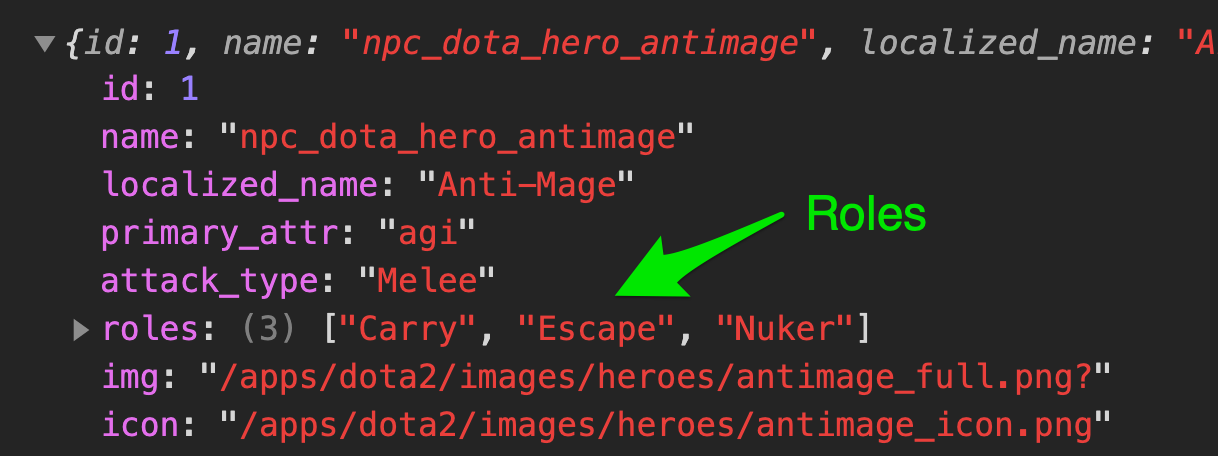
First, we need to know what roles are checked.
filtersDiv.addEventListener('change', event => { // ... const selectedRoles = [ ...document.querySelectorAll('#role input:checked'), ].map(checkbox => checkbox.id)})We need to filter heroes according to roles, so we’ll pass heroes through another filter function.
filtersDiv.addEventListener('change', event => { // ... const filtered = heroes .filter(/* filter by attack type */) .filter(/* filter by primary attribute */) .filter(hero => { // ... })})If the user did not check anything under the role category, we want to return all filtered heroes.
filtersDiv.addEventListener('change', event => { // ... const filtered = heroes .filter(/* filter by attack type */) .filter(/* filter by primary attribute */) .filter(hero => { if (selectedRoles.length === 0) return true // ... })})Getting a matched role
We know hero.roles is an array. We also know each role is in sentence case. We have to convert them into lowercase. So we’ll loop through the roles with map.
filtersDiv.addEventListener('change', event => { // ... const filtered = heroes .filter(/* filter by attack type */) .filter(/* filter by primary attribute */) .filter(hero => { // ... const heroRoles = hero.roles.map(role => role.toLowerCase()) })})We want to check if any of the hero’s roles matches any of the user’s selected roles. Here, we can loop through heroRoles or selectedRoles. Either works.
Looping through selectedRoles make more sense to me.
filtersDiv.addEventListener('change', event => { // ... const filtered = heroes .filter(/* filter by attack type */) .filter(/* filter by primary attribute */) .filter(hero => { // ... for (const role of selectedRoles) { // ... } })})If role exists in heroRoles, we know the hero matches the criteria. We can return true. If all selected roles don’t exist in heroRoles, we know the hero doesn’t match the criteria, and we return false.
filtersDiv.addEventListener('change', event => { // ... const filtered = heroes .filter(/* filter by attack type */) .filter(/* filter by primary attribute */) .filter(hero => { // ... for (const role of selectedRoles) { if (heroRoles.includes(role)) return true } return false })})You can also use an array method called some to do the same thing.
filtersDiv.addEventListener('change', event => { // ... const filtered = heroes .filter(/* filter by attack type */) .filter(/* filter by primary attribute */) .filter(hero => { // ... return selectedRoles.some(role => { return heroRoles.includes(role) }) })})That’s it!
Welcome! Unfortunately, you don’t have access to this lesson. To get access, please purchase the course or enroll in Magical Dev School.
Unlock this lesson