Basic async and await is simple. Things get a bit more complicated when you try to use await in loops.
Preparing an example
For this lesson, let’s say you want to get the number of fruits from a fruit basket.
const fruitBasket = { apple: 27, grape: 0, pear: 14,}You want to get the number of each fruit from the fruitBasket. To get the number of a fruit, you can use a getNumFruit function.
function getNumFruit(fruit) {  return fruitBasket[fruit]}
const numApples = getNumFruit('apple')console.log(numApples) // 27
Now, let’s say fruitBasket lives on a remote server. Accessing it takes one second. We can mock this one-second delay with a timeout.
x
function sleep(ms) {  return new Promise(resolve => setTimeout(resolve, ms))}
function getNumFruit(fruit) {  return sleep(1000).then(v => fruitBasket[fruit])}
getNumFruit('apple').then(num => console.log(num)) // 27
Finally, let’s say you want to use await and getNumFruit to get the number of each fruit in asynchronous function.
async function control() {  console.log('Start')
  const numApples = await getNumFruit('apple')  console.log(numApples)
  const numGrapes = await getNumFruit('grape')  console.log(numGrapes)
  const numPears = await getNumFruit('pear')  console.log(numPears)
  console.log('End')}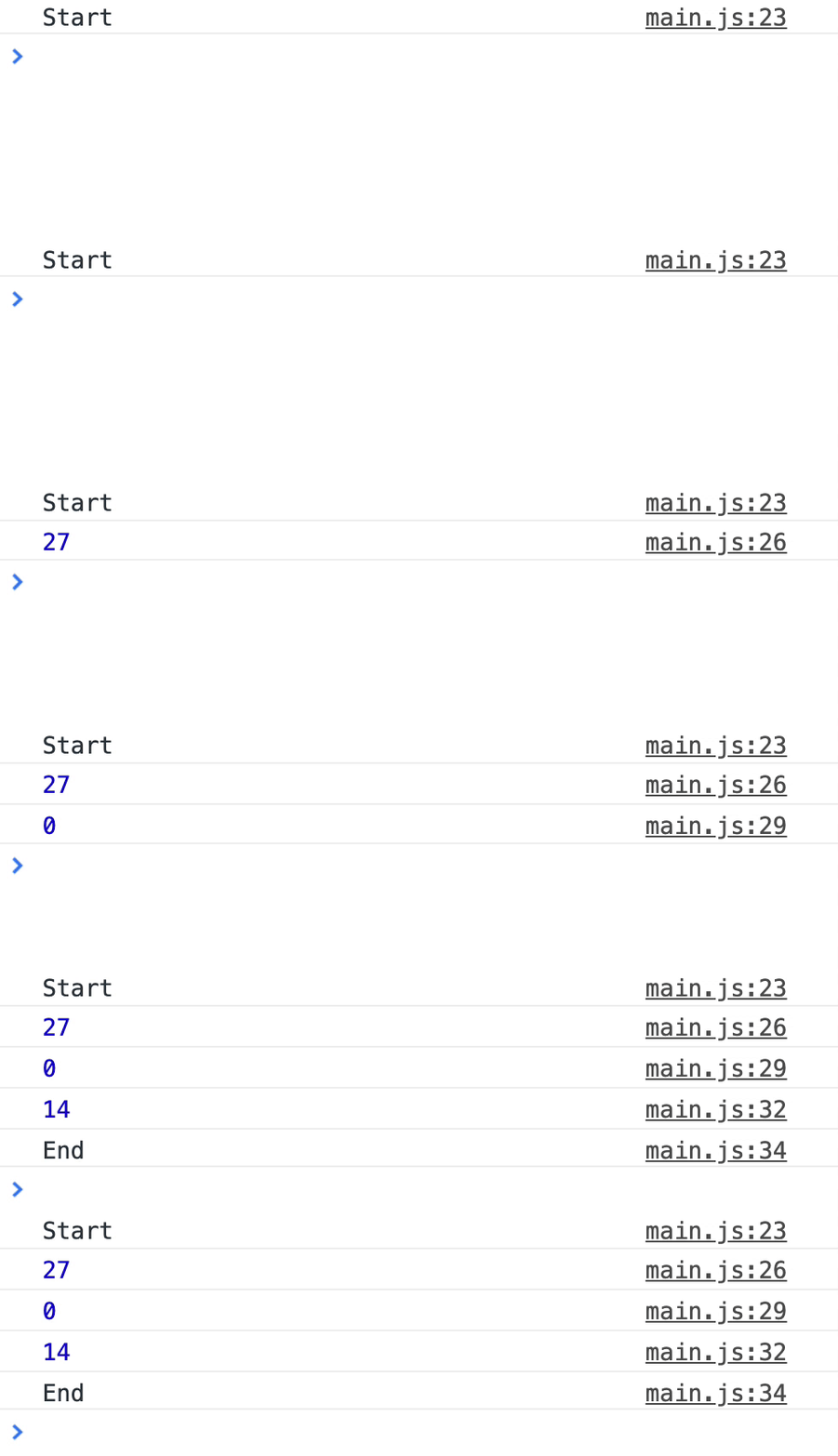
With this, we can begin looking at await in loops.
Await in a for loop
Let’s say we have an array of fruits we want to get from the fruit basket.
const fruitsToGet = ['apple', 'grape', 'pear']We are going to loop through this array.
async function forLoop() {  console.log('Start')
  for (let index = 0; index < fruitsToGet.length; index++) {    // Get num of each fruit  }
  console.log('End')}
In the for-loop, we will use getNumFruit to get the number of each fruit. We’ll also log the number into the console.
Since getNumFruit returns a promise, we can await the resolved value before logging it.
async function forLoop() {  console.log('Start')
  for (let index = 0; index < fruitsToGet.length; index++) {    const fruit = fruitsToGet[index]    const numFruit = await getNumFruit(fruit)    console.log(numFruit)  }
  console.log('End')}
When you use await, you expect JavaScript to pause execution until the awaited promise gets resolved. This means awaits in a for-loop should get executed in series.
The result is what you’d expect.
'Start''Apple: 27''Grape: 0''Pear: 14''End'This behaviour works with most loops (like while and for-of loops)…
But it won’t work with loops that require a callback. Examples of such loops that require a fallback include forEach, map, filter, and reduce. We’ll look at how await affects forEach, map, and filter in the next few sections.
Await in a forEach loop
We’ll do the same thing as we did in the for-loop example. First, let’s loop through the array of fruits.
function forEachLoop() {  console.log('Start')
  fruitsToGet.forEach(fruit => {    // Send a promise for each fruit  })
  console.log('End')}
Next, we’ll try to get the number of fruits with getNumFruit. (Notice the async keyword in the callback function. We need this async keyword because await is in the callback function).
function forEachLoop() {  console.log('Start')
  fruitsToGet.forEach(async fruit => {    const numFruit = await getNumFruit(fruit)    console.log(numFruit)  })
  console.log('End')}
You might expect the console to look like this:
'Start''27''0''14''End'But the actual result is different. JavaScript proceeds to call console.log('End') before the promises in the forEach loop gets resolved.
The console logs in this order:
'Start''End''27''0''14'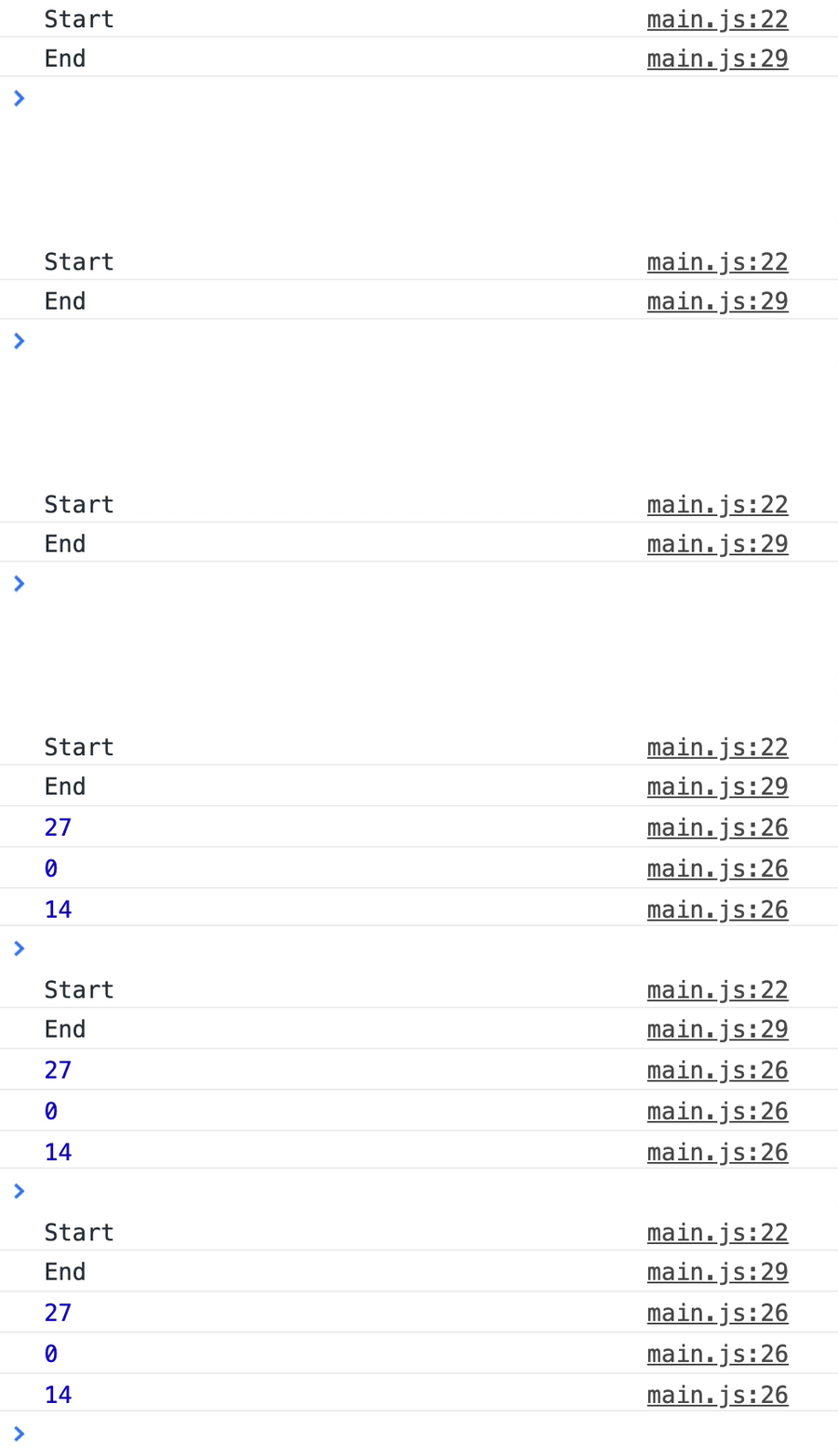
JavaScript does this because forEach is not promise-aware. It cannot support async and await. You cannot use await in forEach.
Await with map
If you use await in a map, map will always return an array of promises. This is because asynchronous functions always return promises.
async function mapLoop() {  console.log('Start')
  const numFruits = await fruitsToGet.map(async fruit => {    return getNumFruit(fruit)  })
  console.log(numFruits)
console.log('End')}'Start''[Promise, Promise, Promise]''End'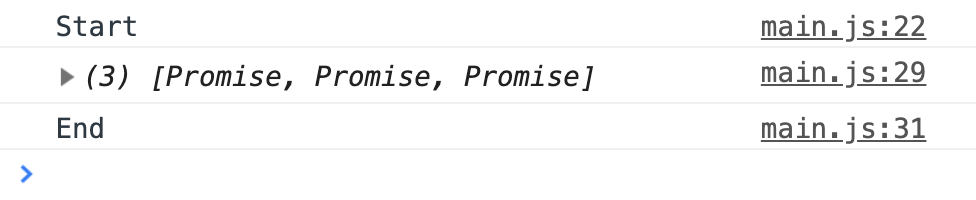
Since map always return promises (if you use await), you have to wait for the array of promises to get resolved. You can do this with await Promise.all(arrayOfPromises).
async function mapLoop() {  console.log('Start')
  const promises = fruitsToGet.map(async fruit => {    return getNumFruit(fruit)  })
  const numFruits = await Promise.all(promises)  console.log(numFruits)
  console.log('End')}
Here’s what you get:
'Start''[27, 0, 14]''End'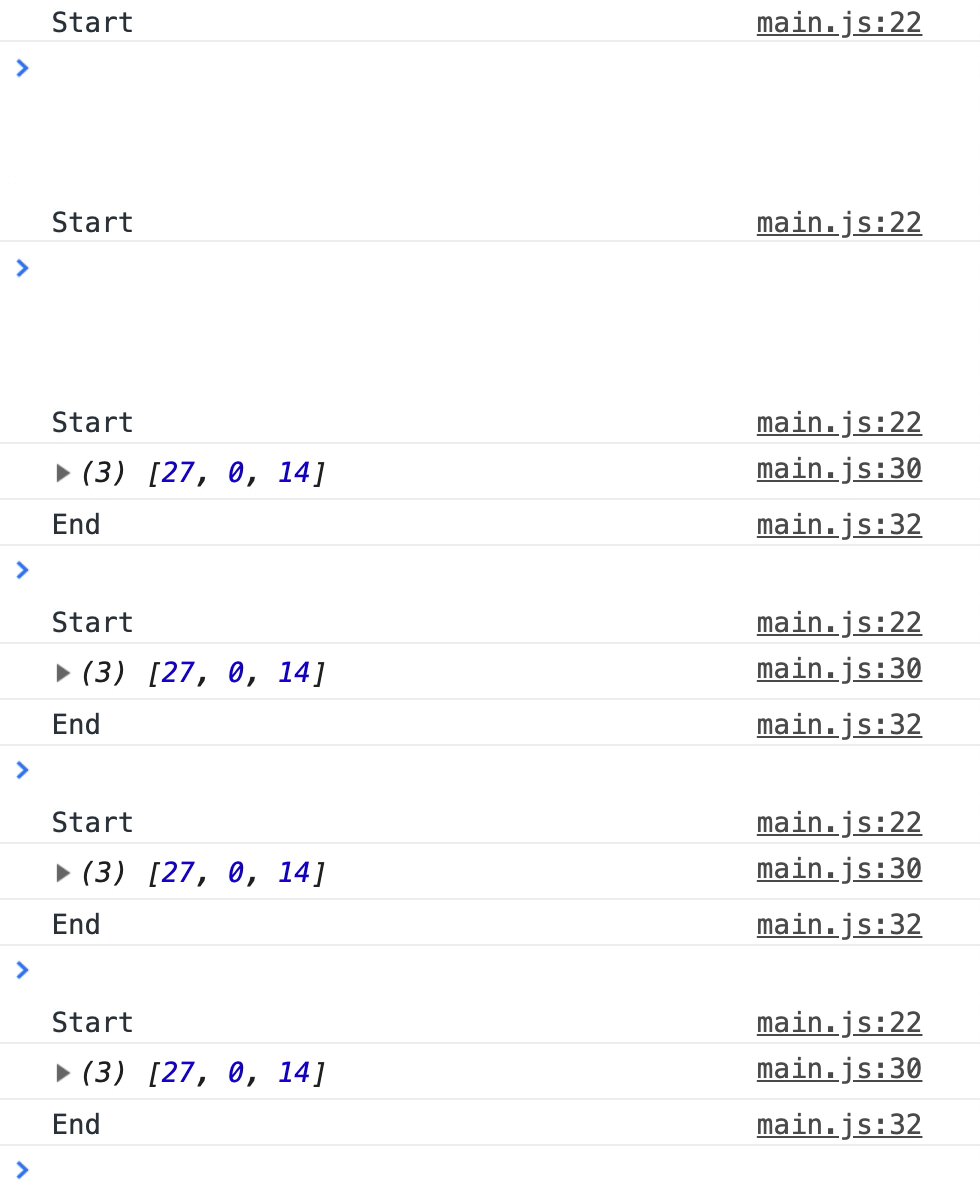
You can manipulate the value you return in your promises if you wish to. The resolved values will be the values you return.
async function mapLoop() { // ... const promises = fruitsToGet.map(async fruit => { const numFruit = await getNumFruit(fruit) // Adds fruits before returning return numFruit + 100 }) // ...}'Start''[127, 100, 114]''End'Await with filter
When you use filter, you want to filter the array with a specific criteria. Let’s say we want to create an array with more than 20 fruits.
If we use filter normally (without await), we’ll use it like this:
// Filter if there's no awaitfunction filterLoop() {  console.log('Start')
  const moreThan20 = fruitsToGet.filter(fruit => {    const numFruit = fruitBasket[fruit]    return numFruit > 20  })
  console.log(moreThan20)  console.log('End')}
We’d expect moreThan20 to contain only apples since there are 27 apples.
'Start'['apple'];('End')await in filter doesn’t work the same way. In fact, it doesn’t work at all. You get the unfiltered array back…
async function filterLoop() {  console.log('Start')
  const moreThan20 = await fruitsToGet.filter(async fruit => {    const numFruit = await getNumFruit(fruit)    return numFruit > 20  })
console.log(moreThan20) console.log('End')}'Start'[('apple', 'grape', 'pear')];('End')
Here’s why it happens.
When you use await in a filter callback, the callback always returns a promise. Since promises are always truthy, everything item in the array passes the filter. Writing await in a filter is like writing this code:
// Everything passes the filter...const filtered = array.filter(() => true)There are three steps to use await and filter properly:
- Use
mapto return an array promises awaitthe array of promisesfilterthe resolved values
async function filterLoop() {  console.log('Start')
  const promises = await fruitsToGet.map(fruit => getNumFruit(fruit))  const numFruits = await Promise.all(promises)
  const moreThan20 = fruitsToGet.filter((fruit, index) => {    const numFruit = numFruits[index]    return numFruit > 20  })
console.log(moreThan20) console.log('End')}Start['apple']End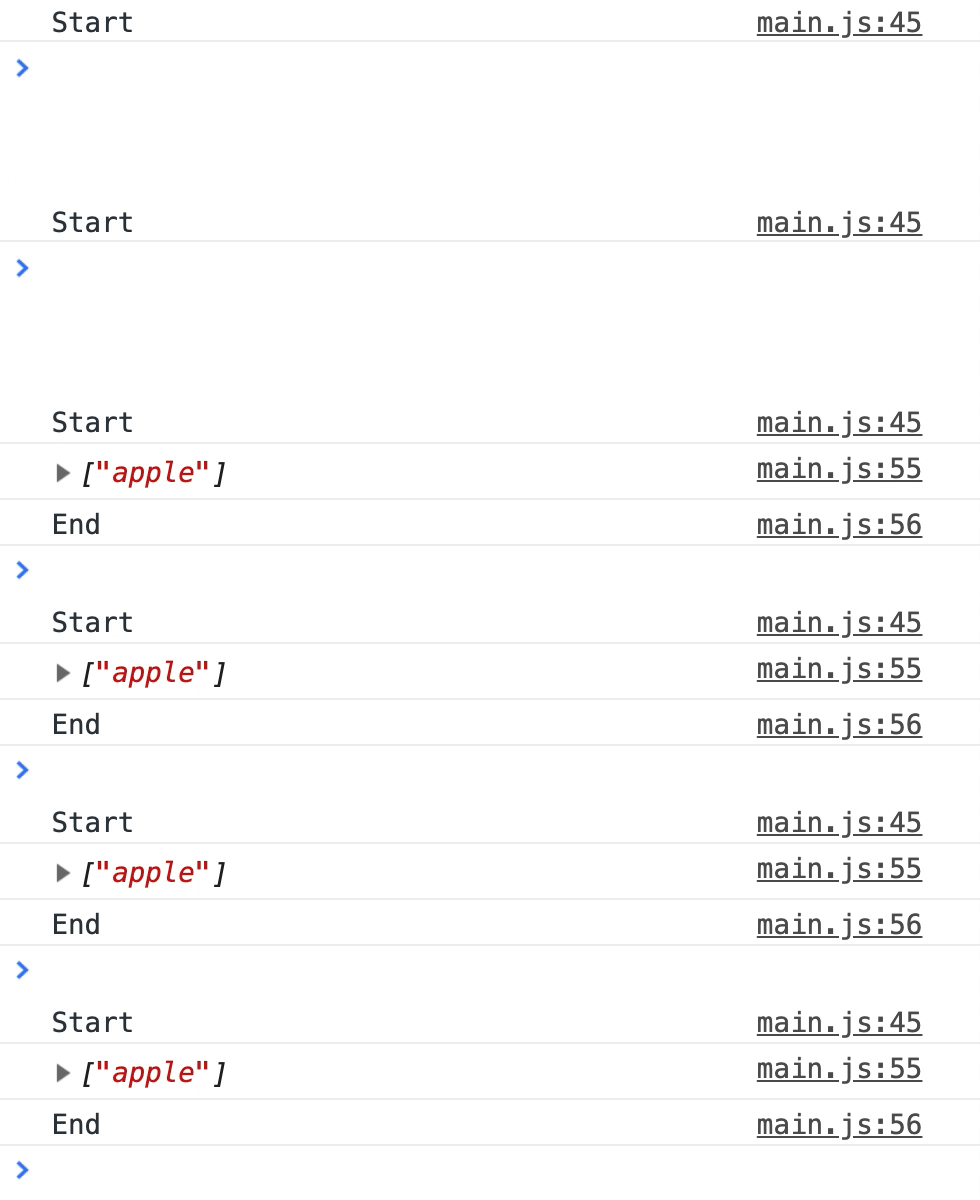
Await with reduce
For this case, let’s say you want to find out the total number of fruits in the fruitBasket. Normally, you can use reduce to loop through an array and sum the number up.
// Reduce if there's no awaitfunction reduceLoop() {  console.log('Start')
  const sum = fruitsToGet.reduce((sum, fruit) => {    const numFruit = fruitBasket[fruit]    return sum + numFruit  }, 0)
  console.log(sum)  console.log('End')}
You’ll get a total of 41 fruits. (27 + 0 + 14 = 41).
'Start''41''End'
When you use await with reduce, the results get extremely messy.
// Reduce if we await getNumFruitasync function reduceLoop() {  console.log('Start')
  const sum = await fruitsToGet.reduce(async (sum, fruit) => {    const numFruit = await getNumFruit(fruit)    return sum + numFruit  }, 0)
console.log(sum) console.log('End')}'Start''[object Promise]14''End'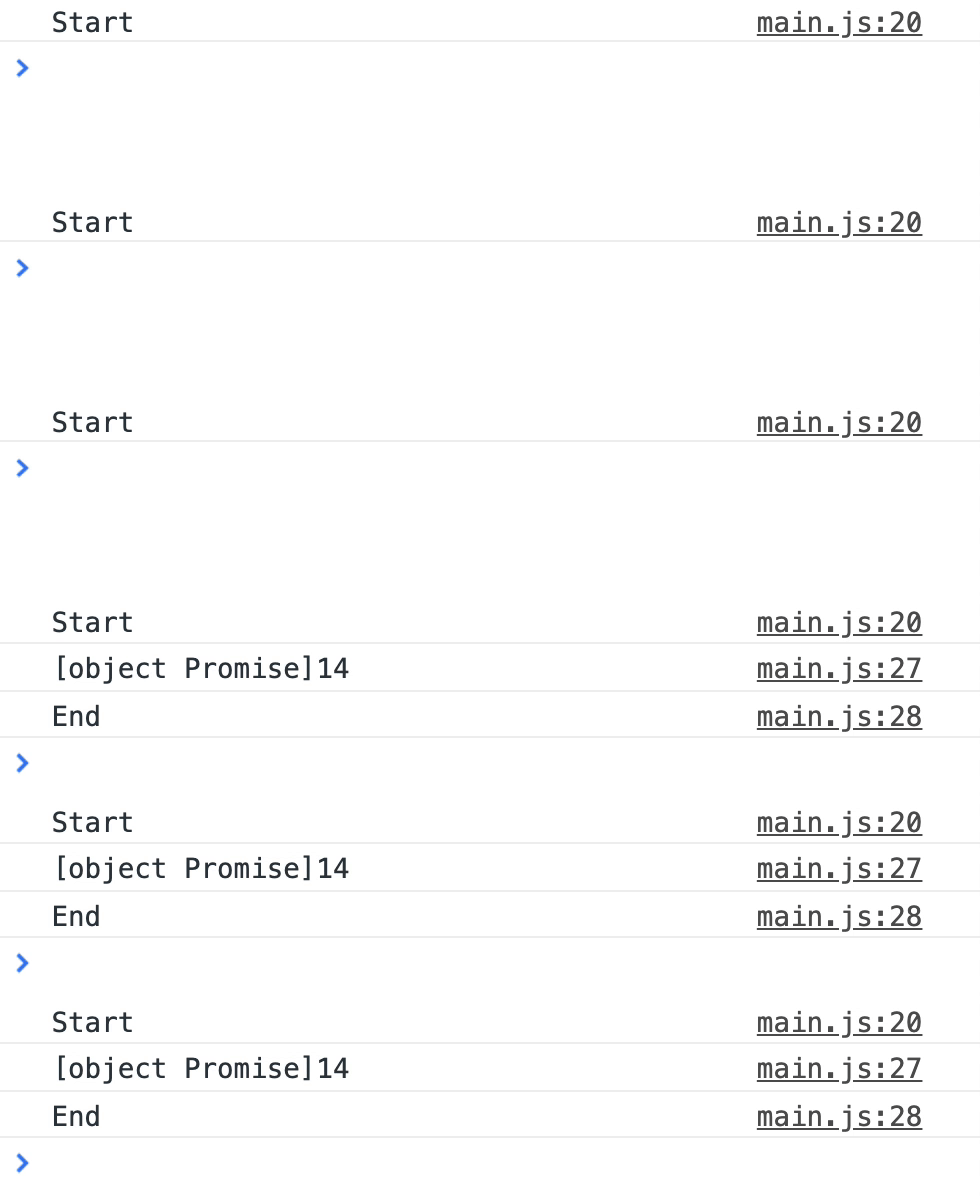
What?! [object Promise]14?!
Dissecting this is interesting.
- In the first iteration,
sumis0.numFruitis 27 (the resolved value fromgetNumFruit('apple')).0 + 27is 27. - In the second iteration,
sumis a promise. (Why? Because asynchronous functions always return promises!)numFruitis 0. A promise cannot be added to an object normally, so the JavaScript converts it to[object Promise]string.[object Promise] + 0is[object Promise]0 - In the third iteration,
sumis also a promise.numFruitis14.[object Promise] + 14is[object Promise]14.
Mystery solved!
This means, you can use await in a reduce callback, but you have to remember to await the accumulator first!
async function reduceLoop() {  console.log('Start')
  const sum = await fruitsToGet.reduce(async (promisedSum, fruit) => {    const sum = await promisedSum    const numFruit = await getNumFruit(fruit)    return sum + numFruit  }, 0)
console.log(sum) console.log('End')}'Start''41''End'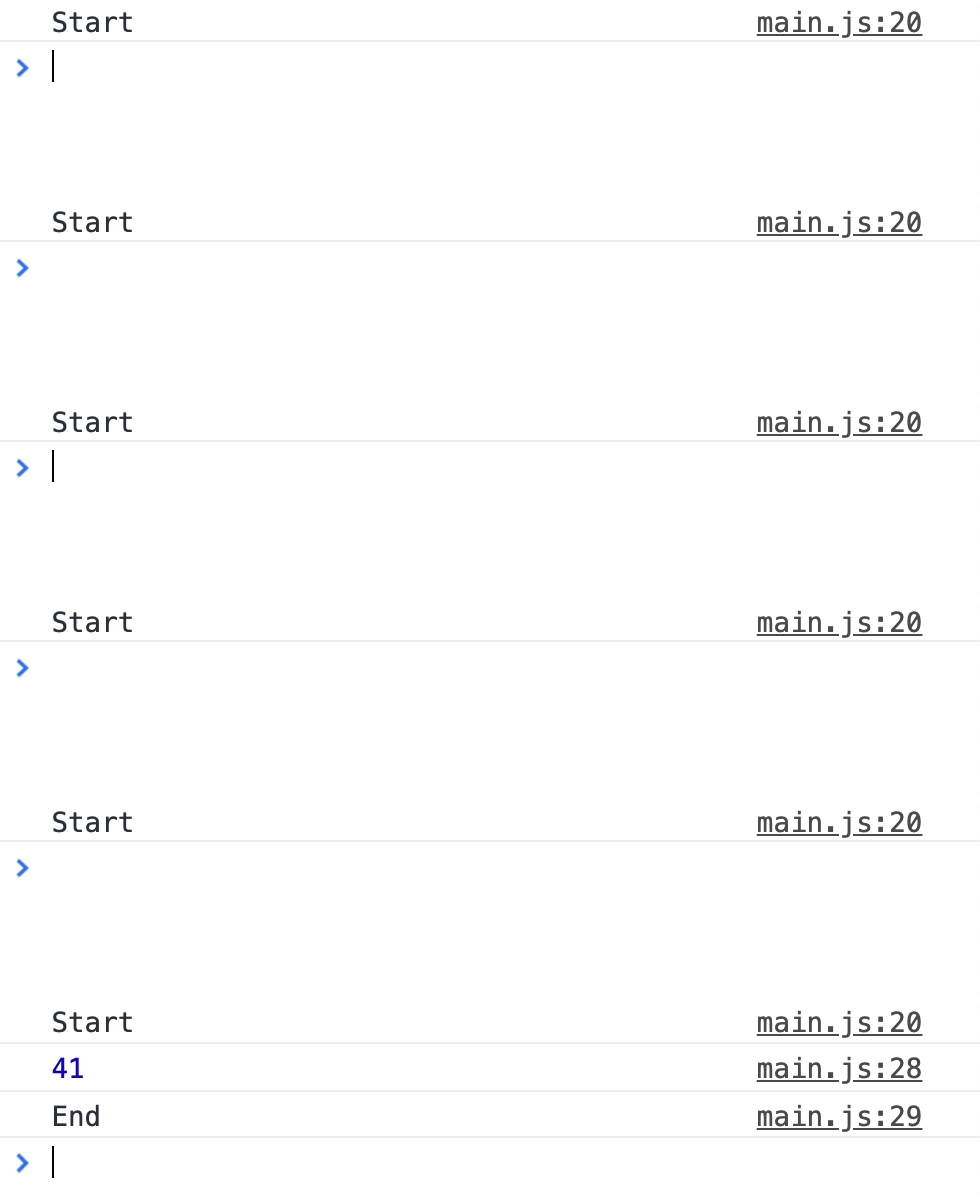
But… as you can see from the gif, it takes pretty long to await everything. This happens because reduceLoop needs to wait for the promisedSum to be completed for each iteration.
There’s a way to speed up the reduce loop. If you await getNumFruits() first before await promisedSum, the reduceLoop takes only one second to complete:
async function reduceLoop() {  console.log('Start')
  const sum = await fruitsToGet.reduce(async (promisedSum, fruit) => {    // Heavy-lifting comes first.    // This triggers all three `getNumFruit` promises before waiting for the next interation of the loop.    const numFruit = await getNumFruit(fruit)    const sum = await promisedSum    return sum + numFruit  }, 0)
  console.log(sum)  console.log('End')}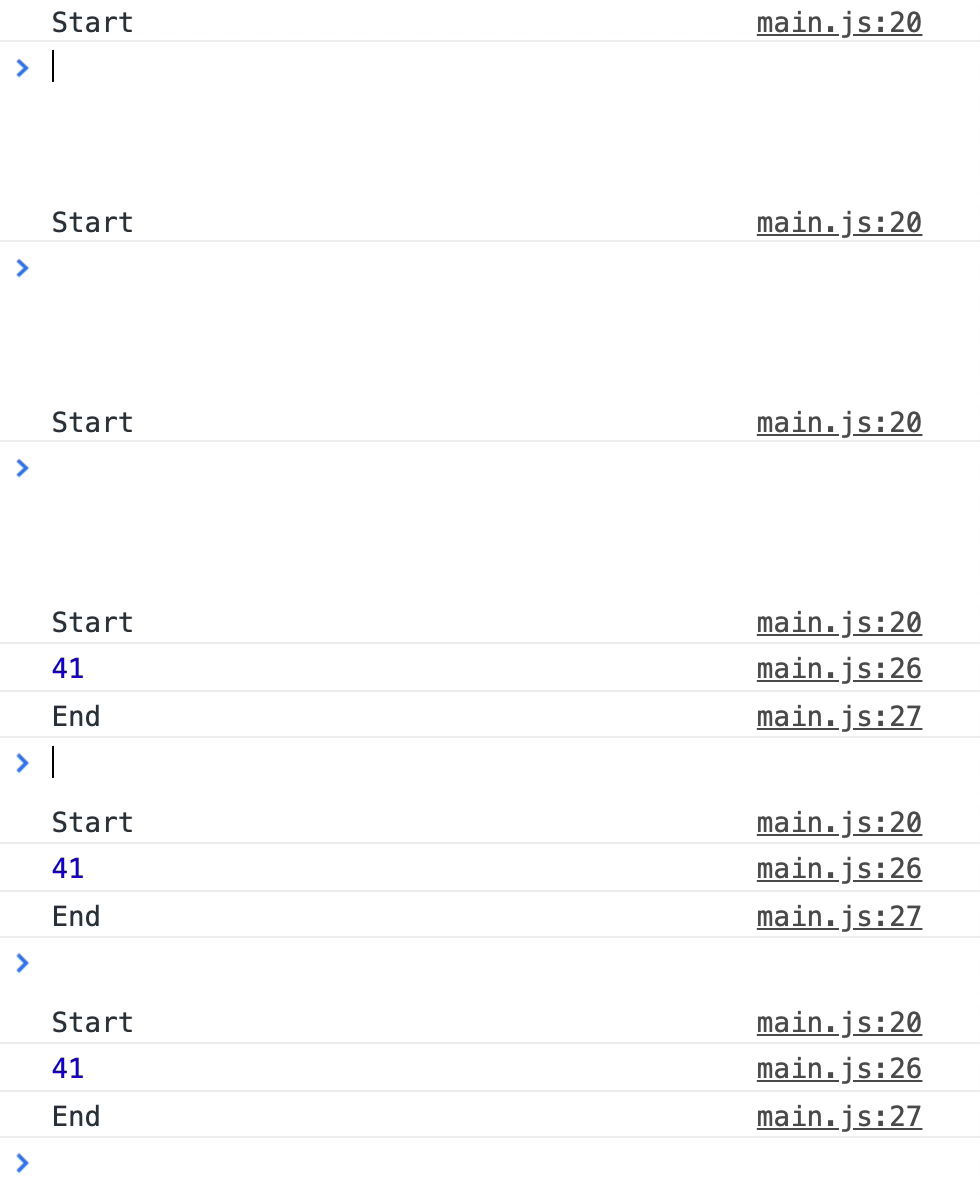
This works because reduce can fire all three getNumFruit promises before waiting for the next iteration of the loop. However, this method is slightly confusing since you have to be careful of the order you await things.
The simplest (and most efficient way) to use await in reduce is to:
- Use
mapto return an array promises awaitthe array of promisesreducethe resolved values
async function reduceLoop() {  console.log('Start')
  const promises = fruitsToGet.map(getNumFruit)  const numFruits = await Promise.all(promises)  const sum = numFruits.reduce((sum, fruit) => sum + fruit)
  console.log(sum)  console.log('End')}
This version is simple to read and understand, and takes one second to calculate the total number of fruits.
Key Takeaways
- If you want to execute
awaitcalls in series, use a for-loop (or any loop without a callback). - Don’t ever use
awaitwithforEach. Use a for-loop (or any loop without a callback) instead. - Don’t
awaitinsidefilterandreduce. Alwaysawaitan array of promises withmap, thenfilterorreduceaccordingly.
Welcome! Unfortunately, you don’t have access to this lesson. To get access, please purchase the course or enroll in Magical Dev School.
Unlock this lesson