You’re in the Child Phase if you’re comfortable with basic JavaScript syntax.
You may be able to understand other people’s code, but you still freeze when you’re asked to build something on your own.
What to focus on in the Child Phase
You want to focus on three things inside the Child Phase
- Learning to use the DOM
- Building things
- For Loops
Learning to use the DOM
The DOM stands for Document Object Model. It is a representation of your HTML when you open up your developer tools. You can use JavaScript to modify the DOM, which then modifies what is shown on the screen.
Find out more about the DOM in this article.
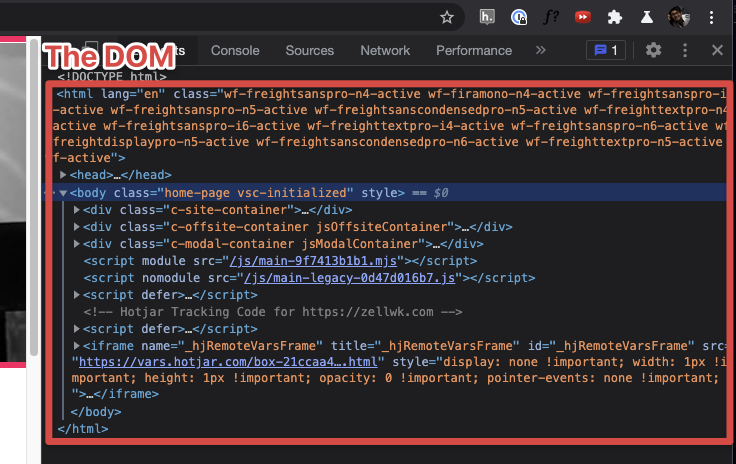
What you need to learn are basic methods that will let you modify the DOM.
- Getting elements from the DOM
- Adding event listeners
- Changing classes
I covered these in the Basics Chapter in Learn JavaScript.
Building Things
When you know how to do the three things I mentioned above, you have the ability to build two important things:
- A Menu Button
- A Modal Window
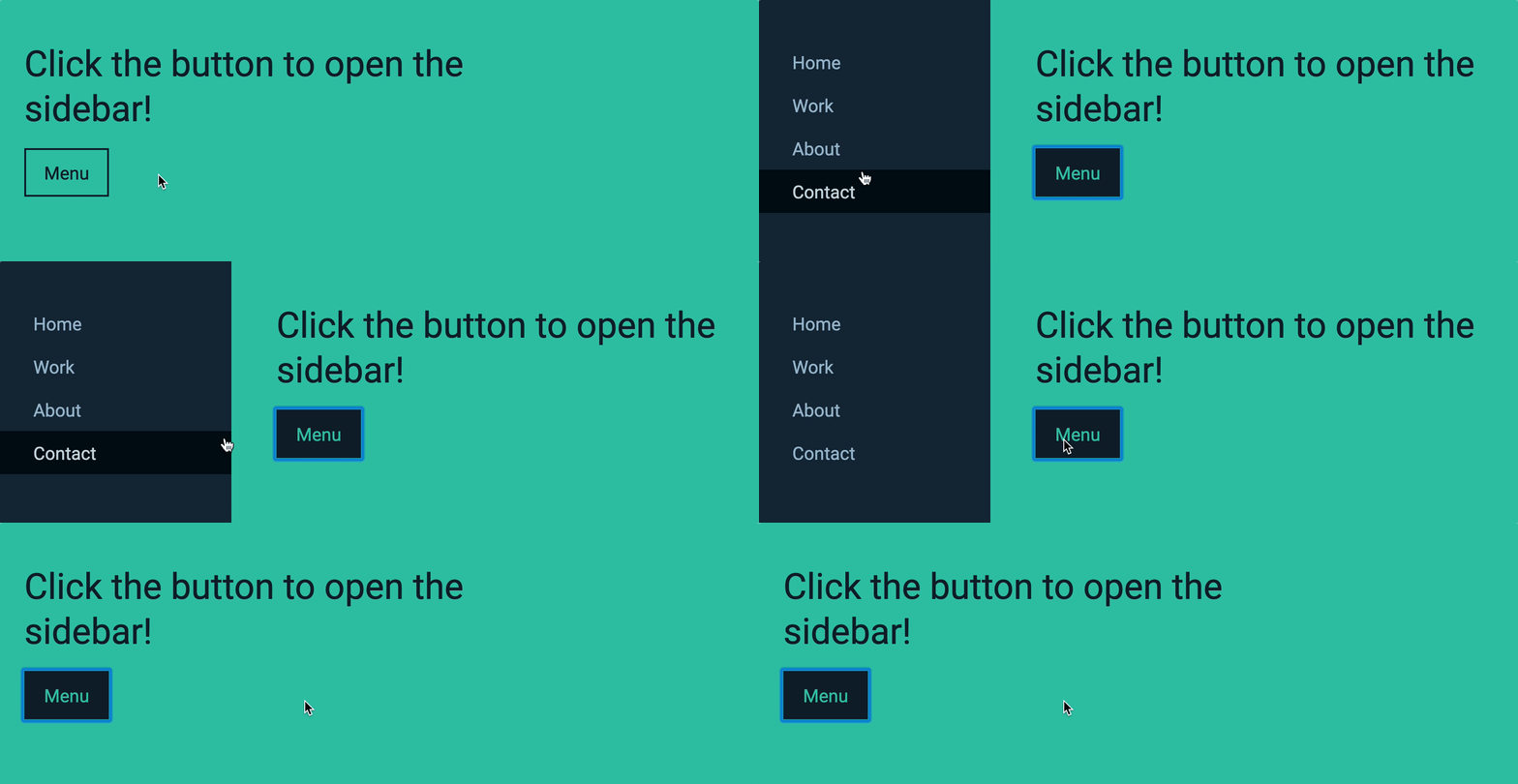
Both of these are important components you will find yourself using throughout your life as a developer.
Now you can either experiment with how to build these on your own, or you can go over to the 3rd chapter of Learn JavaScript and follow the step-by-step instructions I’ve created for you.
Callout: This chapter is free if you register for a free account at Magical Dev School.
Arrays and Loops
After building the above components, your next step is to learn about arrays and loops because they will help you build more complex things like:
- Accordions
- Tabs
- Carousels
Notice we’re not going too crazy just yet — these are all components you’ve seen somewhere on the internet. You’re building these because they are basic and necessary components you have to know.
If you wish to follow step-by-step instructions to build these components, go through Chapter 4 of Learn JavaScript.
Major challenges you’ll face in this phase
Most people face two major challenges while going through this phase:
- They don’t know how to use the concepts they learned to build things, and they get frustrated.
- They hop from tutorial to tutorial but can’t seem to code anything up by themselves
I have two pieces of advice that would help here:
- How to think like a developer — this teaches how to think like a developer through a step-by-step process.
- Sit down and figure it out — because you have to slay that dragon yourself to call yourself a dragon slayer.
Be patient with yourself.
You’re learning to install a new way of thinking into your brain. So expect to google around a lot (unless you go through Learn JavaScript, in which case, no googling needed).
This is the most important phase for anyone trying to learn JavaScript. Once you succeed here, everything else gets easier. Stick to it.
Quick Tip: Don’t worry about best practices or code quality as you build these things. Best practices become important in the late Teenage Phase. For now, take one step at a time.
Common questions and challenges
1. How long should I spend in the child phase?
This phase will usually take 1 week if you’re fast. But it can take up to 2 months for people who don’t have much time or energy to spend.
Don’t rush it. Take your time to learn JavaScript thoroughly in this phase.
Set your foundation right and you will remove a lot of problems you’ll face in the Teenage Phase later.
2. When can I move on?
You want to be able to build the things I mentioned above by yourself, from scratch, without googling.
It’s perfectly ok to google at first to understand what’s going on. But you have to be able to build them yourself.
Once you’re able to build everything from scratch, try answering the questions in the next section. If you can answer every question, move on.
List of questions
When you can answer everything in this list, you know you’re good to move on 👍.
Here are the questions:
- What is a callback
- How do you use a callback?
- How do you write a function that accepts a callback?
- DOM methods and questions
- What is an Element?
- What is a Node?
- How do you select an element?
- How do you select multiple elements?
- How do you loop through multiple elements for all browsers?
- How do you add a class to an element?
- How do you remove a class from an element?
- How do you check if a class is present on an element?
- When should you add a class to an element?
- Events
- How do you add an event listener?
- Why do you add event listeners?
- How do you create a click event listener?
- How do you remove an event listener?
- When should you remove event listers?
- Why should you remove event listeners?
- How do you get the event’s target?
Welcome! Unfortunately, you don’t have access to this lesson. To get access, please purchase the course or enroll in Magical Dev School.
Unlock this lesson