The exact intricacies of how browsers process HTML and CSS files to render web pages on the screen is fairly complicated, which is why there are exponentially more web developers than browser engineers. However, a general understanding of how this happens is still fairly useful.
Browsers have many different components, each responsible for a different chunk of work, from data storage, to networking, to rendering and so on. The portion we are most concerned about for this course is the rendering engine.
If you are new to the web and curious about the inner workings of how all the different pieces fit together, How Browsers Work: Behind the scenes of modern web browsers by Tali Garsiel and Paul Irish is an excellent resource.
A rendering engine, is as its name suggests, responsible for rendering whatever we see displayed in the browser window. Different browsers may use different rendering engines under the hood, for example, Firefox uses Gecko, Chrome and Edge use Blink, while Safari uses Webkit. Web standards describe how browsers should render things, but leave it up to the browser engineers to dictate the implementation themselves.
Browsers themselves are software that written in relatively low-level languages like Rust or C++. If all you’re interested in is creating web pages, it’s not necessary to have in-depth knowledge of browser engines nor how to create one, but having an understanding of how they work and how they interpret HTML, CSS and JavaScript is helpful as a web developer.
Lin Clark, author of Code Cartoons, creates excellent explainers for programming concepts and browser engines in a manner that is relatively easy to digest, and is an excellent resource for all non-browser engineers to better understand what is going on under the hood.
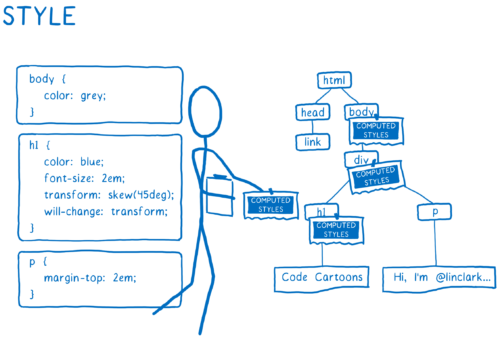
CSS value processing
When a browser receives an HTML document, it will parse through the entire document and construct a tree of elements according to the Document Object Model (DOM).
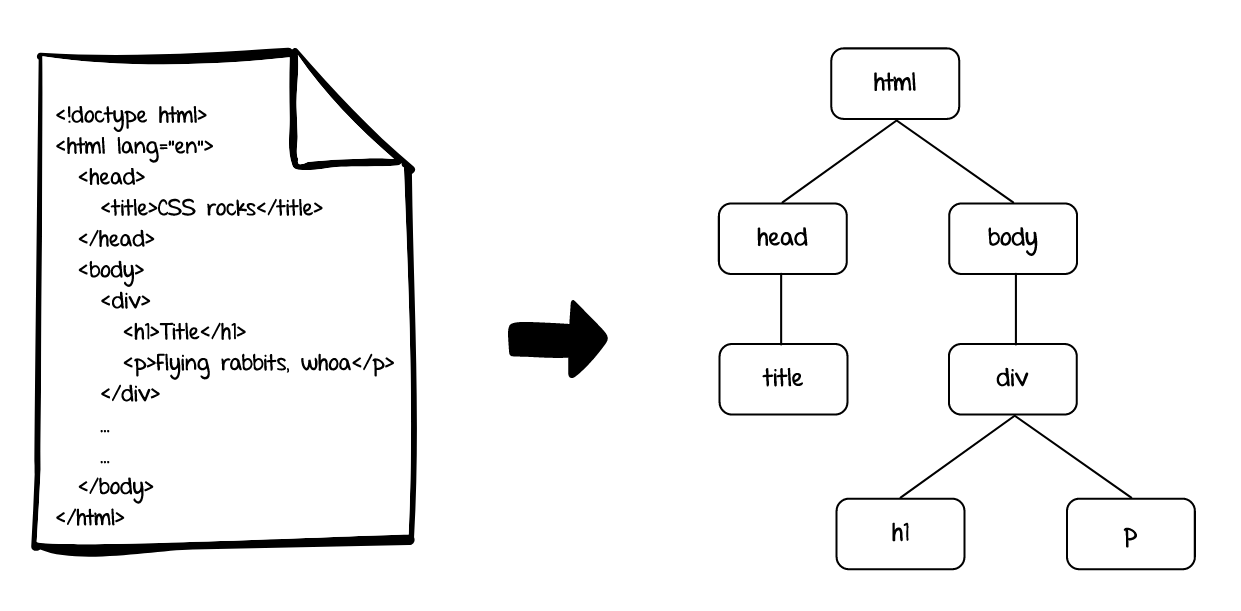
For every element in the tree, the rendering engine will go every CSS property available (and there are more than 50 of these) and assign them a value based on the result of a multi-step calculation.
The values for every CSS declaration that apply to an element are collected for all the properties on the element. These are known as declared values, which are then processed by the cascade to determine a single “winning” value.
The cascade algorithm takes all these declared values for a specific property on a specific element, then sorts them based on a set criteria according to priority. This is a fairly extensive list, which we will not go into detail here, but if you are interested, can be found in CSS Cascading and Inheritance Level 3.
The declared values that win the cascade are known as cascaded values. If there were no declared values to begin with, it is possible that some properties have no cascaded value.
Because every property on the element must have a value, the cascaded values go through a defaulting process to figure out the specified values for each property. Every property has its own initial value, so if the cascade does not result in a value, this initial value becomes the specified value.
But wait, there’s more!
Property values can be absolute, but can also be relative to another value, e.g. percentage values, values using relative units, keyword values and so on. It is also possible for some elements to inherit property values from their parent element. So this is the stage in the process where property values are made absolute. Browsers resolve specified values based on all their dependencies to yield a computed value.
Every element in the document will have a computed value for every CSS property available.
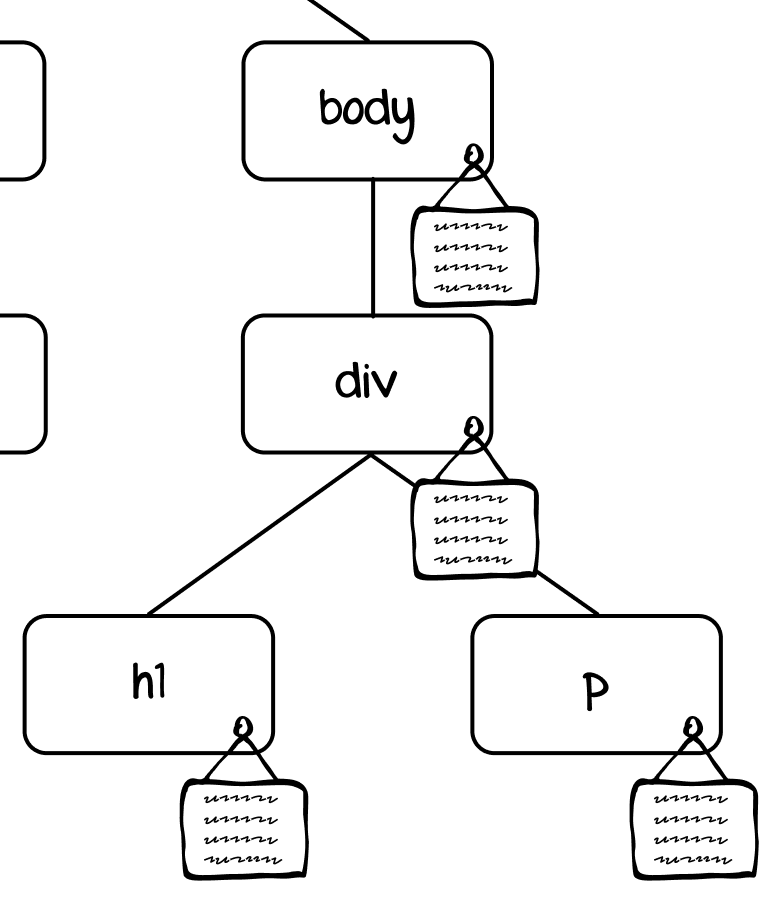
At this point, nothing has been rendered on the page yet. This is all behind-the-scenes calculations that browsers do in the blink of an eye such that most of us don’t even know or think about it.
Even though every property has a computed value, that doesn’t mean every value is used in the formatting of your document. A rough analogy could be something like a sports team. An NBA team’s roster size is 15 players, but during the game, only 5 players will be active on the court.
Similarly, when rendering an element, only a handful of the full list of CSS properties on that element are considered used values, which have actual impact on how the element ends up looking on the page.
The used value is the ideal value that should be applied to the element, however, there may be instances where that value cannot be used exactly. For example, if the calculation of a border width ends up with a floating point value, browsers have to round the value to an integer value.
Different browsers do this calculation slightly differently, as John Resig describes in his article Sub-Pixel Problems in CSS, which may occasionally lead to slightly different outcomes for the same code.
After any such adjustments are made, we finally end up with the actual value, which determines how your element looks like when it gets rendered on the web page.
Welcome! Unfortunately, you don’t have access to this lesson. To get access, please purchase the course or enroll in Magical Dev School.
Unlock this lesson