Previously, we listened for a click event on every tab.
const tabs = Array.from(document.querySelectorAll('.tab'))
tabs.forEach(tab => { tab.addEventListener('click', _ => { // ... })})When you see this pattern, you know you can use event delegation.
When you use event delegation, you want to attach one event listener to the closest common ancestor that makes sense. In this case, this ancestor is .tabs.
<div class="tabs"> <button class="tab is-selected">...</button> <button class="tab">...</button> <button class="tab">...</button></div>const tabby = document.querySelector('.tabby')const tabsList = tabby.querySelector('.tabs')
tabList.addEventListener('click', event => { // Do something})We have to follow the same steps as before. We need to:
- Find the clicked tab
- Find the corresponding tab content
- Remove
is-selectedfrom other tabs to de-emphasize them - Add
is-selectedto the clicked tab to emphasize it - Remove
is-selectedfrom other tab content to hide them - Add
is-selectedto the corresponding tab-content to show it
Here, we can use event.target to find the clicked tab.
tabsList.addEventListener('click', event => { const tab = event.target console.log(tab)})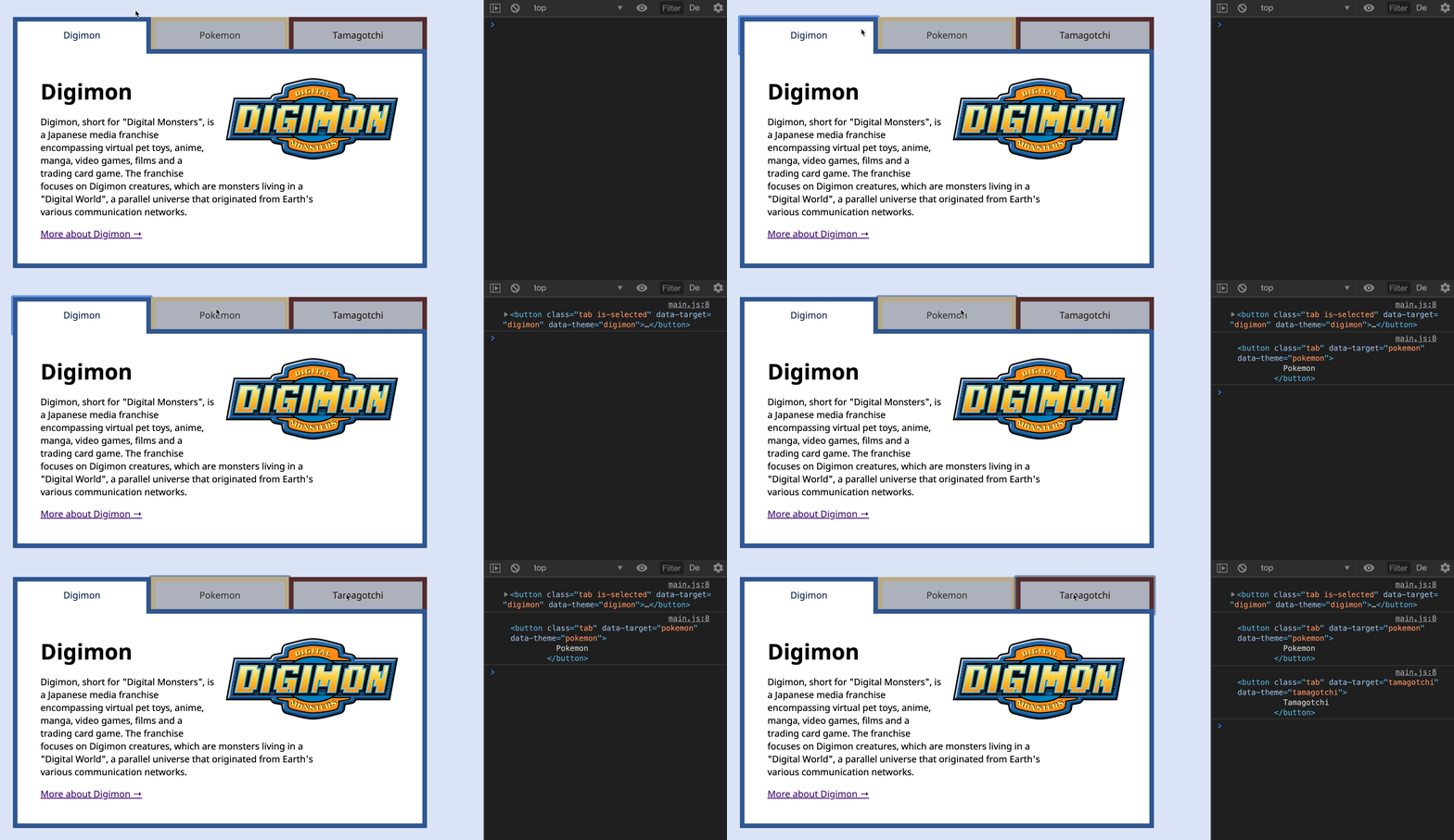
Once we know the clicked tab, we can get the corresponding tab-content through the data-target attribute.
tabsList.addEventListener('click', event => { const tab = event.target const target = tab.dataset.target const tabContent = tabby.querySelector('#' + target)})We remove is-selected from other tabs to de-emphasize them. We also add is-selected to the clicked tab to emphasize it.
// ...const tabs = Array.from(tabby.querySelectorAll('.tab'))
tabsList.addEventListener('click', event => { // ... // Selects a tab tabs.forEach(t => t.classList.remove('is-selected')) tab.classList.add('is-selected')})Finally, we remove is-selected from other tab-content to hide them. We also add is-selected to the target tab-content to show it.
// ...const tabContents = Array.from(tabby.querySelectorAll('.tab-content'))
tabsList.addEventListener('click', event => { // ... // Selects the corresponding tab content tabContents.forEach(c => c.classList.remove('is-selected')) tabContent.classList.add('is-selected')})That’s it!
Welcome! Unfortunately, you don’t have access to this lesson. To get access, please purchase the course or enroll in Magical Dev School.
Unlock this lesson