Event listeners remain in the DOM forever once they’re attached. They should be removed as soon as you no longer need them.
Removing event listeners
You can use the following syntax to remove event listeners:
element.removeEventListener('event-name', callback)element is the element you attached an event listener to.
event-name is the name of the event you want to stop listening to.
callback is the function that gets called when the event gets triggered. This callback must point to the same callback reference you used when you added the event listener.
Let’s go through an example.
Removing a click event listener
Let’s say you have a button. You attached a listener that logs to the console when a user clicks on it:
const button = document.querySelector('button')button.addEventListener('click', e => { console.log('Button is clicked')})The first step to removing the event listener is to create a named reference for the callback.
function buttonCallback() { console.log('Button is clicked')}
const button = document.querySelector('button')button.addEventListener('click', buttonCallback)Then, you use this buttonCallback as the callback when you remove the event listener:
button.removeEventListener('click', buttonCallback)You can verify the removal of the event listener by checking the number of events listeners attached to the Element with Chrome or Firefox’s devtools. See the events lesson if you need a refresher.
A listener that activates once
Let’s say you want to create an event listener that activates only one time. To do so, you can remove the event listener once the event has triggered.
function listenOnce(e) { console.log('Button is clicked') e.currentTarget.removeEventListener('click', listenOnce)}
const button = document.querySelector('button')button.addEventListener('click', listenOnce)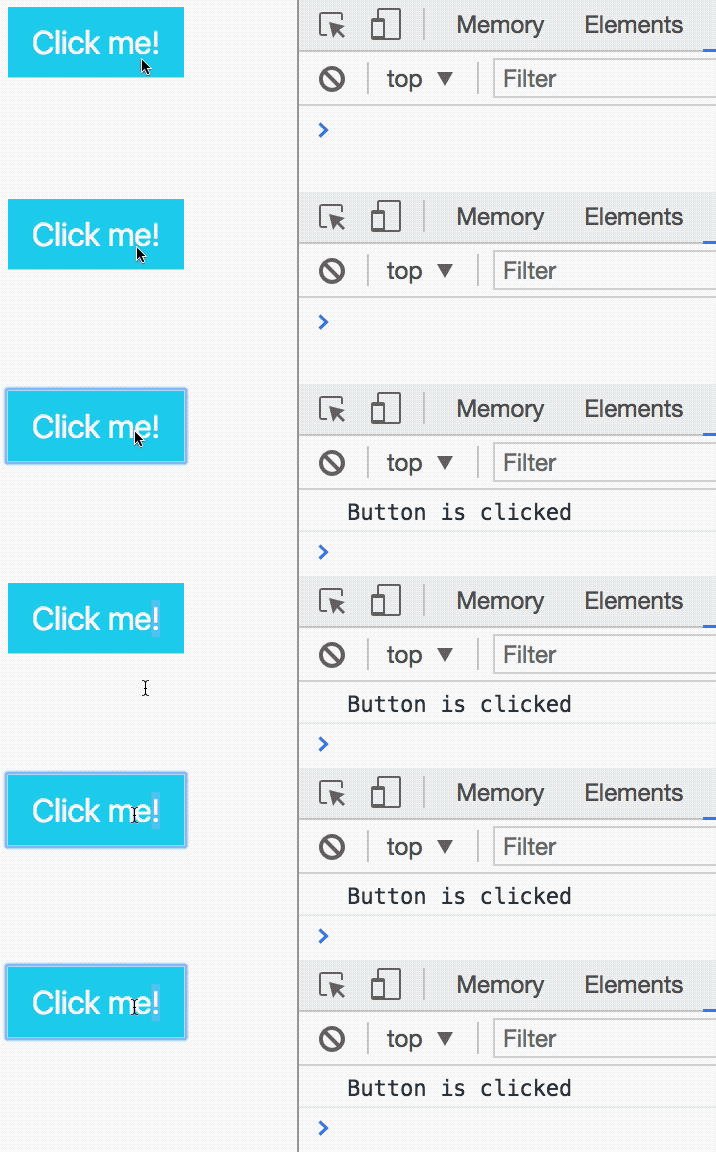
Exercise
Do the following:
- Add a
clickevent listener. - Remove the event listener you’ve added.
- Create an event listener that listens for five clicks.
Do the following:
- Add a
clickevent listener. - Remove the event listener you’ve added.
function listenForOneClick() { this.removeEventListener('click', listenForOneClick)}
const button = document.querySelector('button')button.addEventListener('click', listenForOneClick)- Create an event listener that listens for five clicks.
function listenForFiveClicks(event) { const elem = e.currentTarget const prevCount = parseInt(elem.dataset.count) || 0 const currentCount = prevCount + 1
elem.dataset.count = currentCount console.log(`clicked ${currentCount} times`)
if (currentCount === 5) { elem.removeEventListener('click', listenForFiveClicks) }}
const button = document.querySelector('button')button.addEventListener('click', listenForFiveClicks)Welcome! Unfortunately, you don’t have access to this lesson. To get access, please purchase the course or enroll in Magical Dev School.
Unlock this lesson